Organize and implement code-review feedback.
694Sterne98Forks
Letzter Repository-Push
Originale Workflows für Websites, Bilder, Präsentationen und bewegte Inhalte.
Organize and implement code-review feedback.
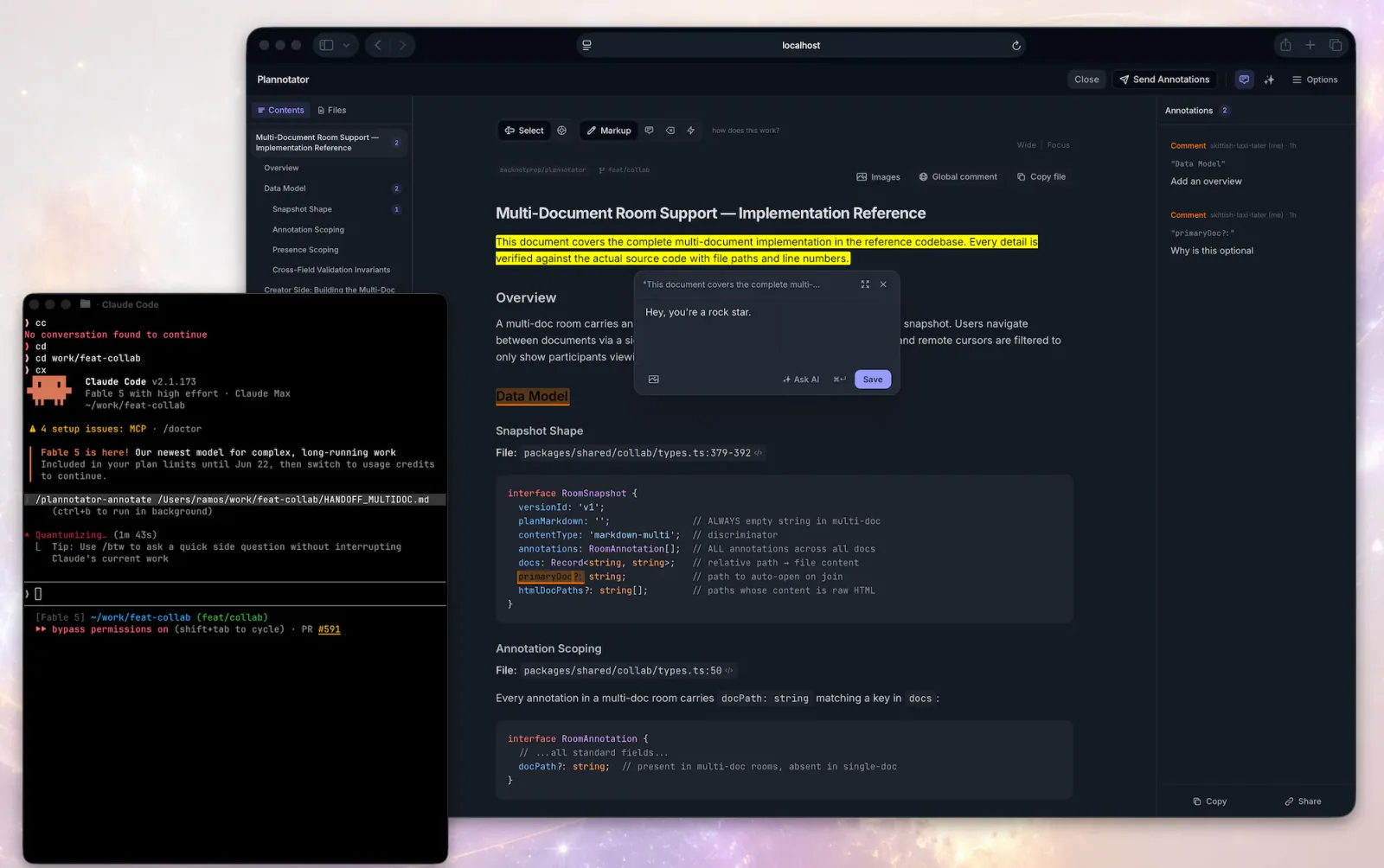
Analyze a user's Plannotator plan archive to extract denial patterns, feedback taxonomy, evolution over time, and actionable prompt improvements — then produce a polished HTML dashboard report. Falls back to Claude Code ExitPlanMode denial reasons when Plannotator data is unavailable.

Add layered feedback through trauma-based screen shake, hit-stop, eased motion, squash and stretch, knockback, and audio cues.
Implement CharacterBody2D platformer or top-down controllers with gravity, slopes, jump timing, and collision feedback.

Investigate bugs and performance regressions using a reproducible feedback loop.
Structure a design critique around context, questions, observations, impact and actionable feedback.
Apple's approach to interface design and fluid, physical motion, translated for the web. Use when building or reviewing gesture-driven UI, spring animations, drag/swipe/sheet interactions, momentum and interruptible transitions, translucent materials and depth, typography (optical sizing, tracking, leading), reduced-motion, or the design foundations (feedback, spatial consistency, restraint) behind Apple-style interfaces.
Open Plannotator on the latest rendered assistant message and use the returned annotations to revise that message or continue.
Break a topic into a sequence of learning articles and adjust depth, perspective, and pace from the learner’s feedback.
Turn vague UI feedback into focused changes using practical heuristics for spacing, typography, color, hierarchy, icons and interaction.
design skill for Claude AI. Grade A. Generate a small, coherent sound palette for interface moments through interchangeable provider adapters, beginning with ElevenLabs Sound Effects, then hand it to a walkthrough to check that the cues clarify rather than distract. Use when a product needs interaction sounds, feedback cues, micro-sound design, or a retro-futuristic audio layer. Triggers on sound effects, UI sounds, interaction audio, micro sounds, click sound, swipe sound, drag sound, ElevenLabs sound effects, audio feedback, r...
Run an iterative worker-reviewer cycle for code, specifications or writing, with actionable feedback and a bounded review loop.
Collect execution feedback and improve an existing harness, its agents, Skills and orchestration rules.
Two workflows for visual UI feedback: connect the Agentation toolbar to a React or Next.js project, then add specific design-review annotations in a visible desktop browser.
Structured agent-development workflows for coordinating independent tasks, handling review feedback and executing plans.
Audit websites, apps, screenshots, mockups, and design code for harmful AI-design clichés, generic generated defaults, and established UI defects. Use when the user wants evidence-backed design feedback, an anti-slop review, or a removal-first cleanup plan without a speculative redesign.
Design project-specific agent teams and improve their instructions from execution feedback.
Build CI pipelines with ordered quality gates, failure feedback, deployment strategies and rollback paths.
Evaluate code-review feedback against the actual code before accepting, clarifying or challenging it.
Build animations in React Native and Expo, making the decisions in the order that determines whether they feel right — should it animate, which thread it runs on, which properties, spring or timing, how the gesture hands off, how it degrades. Writes the implementation with Reanimated, Gesture Handler, Expo Router and expo-haptics. Use when animating anything in an Expo app, adding gestures, sheets, screen transitions, press feedback or haptics, or fixing motion that stutters on device. For web animation use `animate`.
Open Plannotator's browser-based code review UI for the current worktree, another directory, or a pull request URL, then act on the feedback that comes back.
Open Plannotator's annotation UI for a markdown file, plain-text config file (.yaml, .json, .toml, .ini, .csv, .log, …), HTML file, URL, or folder and then respond to the returned annotations.
Add the Agentation visual-feedback toolbar to a React or Next.js project, choose manual feedback or MCP sync, and verify the selected connection.
Use Plannotator for plan and code review, artifact annotations, archived decisions and asynchronous feedback.