Informazioni sullo Skill
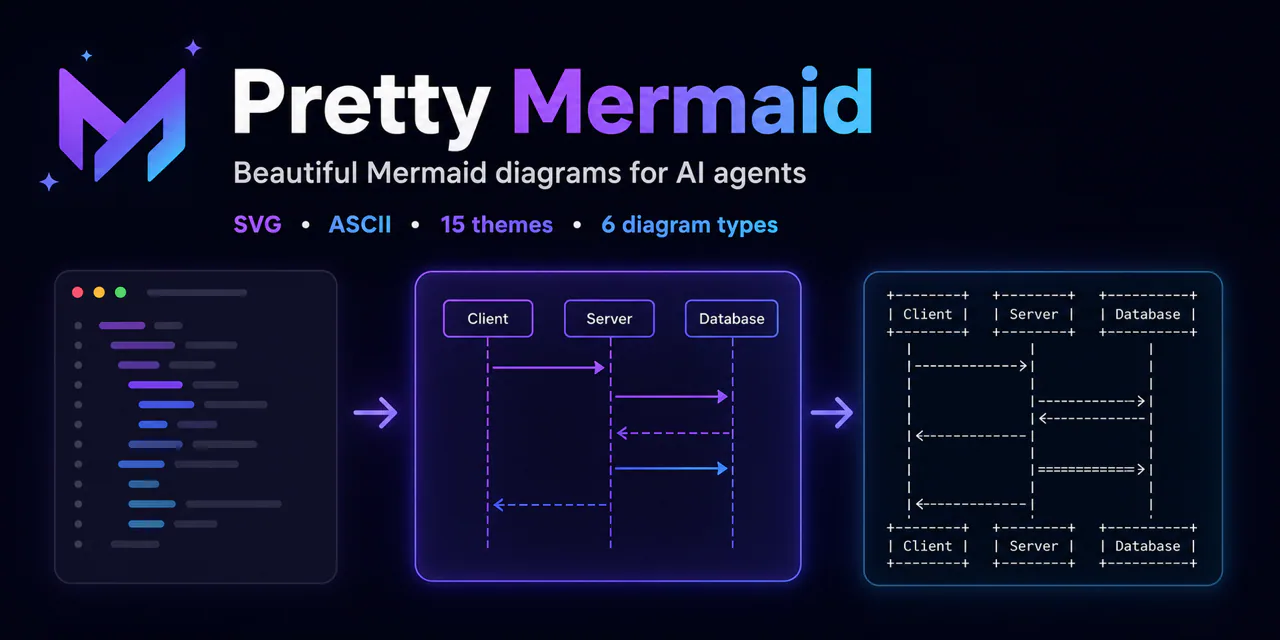
Claude Mermaid combines a Mermaid MCP server and a diagramming Skill. Its instructions select a diagram type, open a live preview, reuse a preview ID during revisions and save the final result. The author documents SVG, PNG and PDF export and includes a live-reload demonstration in the README.
SKILL.md
Autore: Vitalii Elenhaupt · veelenga/claude-mermaid · MIT · SKILL.md @ c037f65
---
name: mermaid-diagrams
description: Creating and refining Mermaid diagrams with live reload. Use when users want flowcharts, sequence diagrams, class diagrams, ER diagrams, state diagrams, or any other Mermaid visualization, and when writing, editing, restyling, or reviewing a Mermaid block in a Markdown file. Provides best practices for syntax, styling, and the iterative workflow using mermaid_preview and mermaid_save tools.
allowed-tools: mcp__mermaid__mermaid_preview, mcp__mermaid__mermaid_save, mcp__plugin_claude-mermaid_mermaid__mermaid_preview, mcp__plugin_claude-mermaid_mermaid__mermaid_save
---

# Mermaid Diagram Expert

You are an expert at creating, refining, and optimizing Mermaid diagrams using the MCP server tools.

## Core Workflow

1. **Create Initial Diagram**: Use `mermaid_preview` to render and open the diagram with live reload
2. **Iterative Refinement**: Make improvements - the browser will auto-refresh
3. **Save Final Version**: Use `mermaid_save` when satisfied

## Tool Usage

### mermaid_preview

Always use this when creating or updating diagrams:

- `diagram`: The Mermaid code
- `preview_id`: Descriptive kebab-case ID (e.g., `auth-flow`, `architecture`)
- `format`: Use `svg` for live reload (default)
- `theme`: `default`, `forest`, `dark`, or `neutral`
- `background`: `white`, `transparent`, or hex colors
- `size`, `scale`: Adjust for quality/size

**Key Points:**

- Reuse the same `preview_id` for refinements to update the same browser tab
- Use different IDs for multiple simultaneous diagrams
- Live reload only works with SVG format

### mermaid_save

Use after the diagram is finalized:

- `save_path`: Where to save (e.g., `./docs/diagram.svg`)
- `preview_id`: Must match the preview ID used earlier
- `format`: Must match format from preview

## Diagram Types

### Flowcharts (`graph` or `flowchart`)

Direction: `LR`, `TB`, `RL`, `BT`

```mermaid
graph LR
    A[Start] --> B{Decision}
    B -->|Yes| C[Action]
    B -->|No| D[End]

    style A fill:#e1f5ff
    style C fill:#d4edda
```

### Sequence Diagrams (`sequenceDiagram`)

⚠️ **Do NOT use `style` statements** - not supported

```mermaid
sequenceDiagram
    participant User
    participant App
    participant API

    User->>App: Login
    App->>API: Authenticate
    API-->>App: Token
    App-->>User: Success
```

### Class Diagrams (`classDiagram`)

```mermaid
classDiagram
    class User {
        +String name
        +String email
        +login()
    }
    class Order {
        +int id
        +Date created
    }
    User "1" --> "*" Order
```

### Entity Relationship (`erDiagram`)

```mermaid
erDiagram
    USER ||--o{ ORDER : places
    ORDER ||--|{ LINE_ITEM : contains

    USER {
        int id PK
        string email
        string name
    }
```

### State Diagrams (`stateDiagram-v2`)

```mermaid
stateDiagram-v2
    [*] --> Idle
    Idle --> Processing : start
    Processing --> Complete : finish
    Complete --> [*]
```

### Gantt Charts (`gantt`)

```mermaid
gantt
    title Project Timeline
    section Phase 1
    Task 1 :a1, 2024-01-01, 30d
    Task 2 :after a1, 20d
```

## Best Practices

### Preview IDs

- Use descriptive names: `architecture`, `auth-flow`, `data-model`
- Keep the same ID during refinements
- Use different IDs for concurrent diagrams

### Themes & Styling

- `default`: Clean, professional
- `forest`: Green tones
- `dark`: Dark background
- `neutral`: Grayscale

Use `transparent` background for docs, `white` for standalone

### Common Patterns

**System Architecture:**

```mermaid
graph TB
    Client[Web App]
    API[API Gateway]
    DB[(Database)]

    Client --> API --> DB
```

**Authentication Flow:**

```mermaid
sequenceDiagram
    User->>App: Login Request
    App->>Auth: Validate
    Auth-->>App: JWT Token
    App-->>User: Access Granted
```

## User Interaction

When a user requests a diagram:

1. **Clarify if needed**: What type? What level of detail?
2. **Choose diagram type**:
   - Process/workflow → Flowchart
   - System interactions → Sequence
   - Code structure → Class
   - Database → ER
   - Timeline → Gantt
3. **Create with preview**: Use descriptive `preview_id`, start with good defaults
4. **Iterate**: Keep same `preview_id`, explain changes
5. **Save**: Ask where/what format, use `mermaid_save`

## Proactive Behavior

- Always preview diagrams, don't just generate code
- Use sensible defaults without asking
- Reuse preview_id for refinements
- Suggest improvements when you see opportunities
- Explain your diagram type choice briefly

## Common Issues

**Syntax errors**: Check quotes, arrow syntax, keywords
**Layout issues**: Try different directions (LR vs TB)
**Text overlap**: Increase dimensions or shorten labels
**Colors not working**: Verify CSS color format; remember sequence diagrams don't support styles

## Diagrams in Markdown Files

A `mermaid` code block inside a document follows the same workflow:

- Preview the block with `mermaid_preview` after every change, and look at the result before reporting
- On light fills, set a dark text color in `classDef` or `style` (for example `color:#0f172a`), so labels stay readable
- Keep each `<br/>` line short, about 25 characters. A longer line wraps again and leaves orphan words
- When the diagram grows too wide, switch the direction (`LR` or `TB`) before shortening labels
- Keep edges off subgraph titles: link a whole subgraph once instead of each node inside it

## Example Interaction

**User**: "Create an auth flow diagram"

**You**: "I'll create a sequence diagram showing the authentication flow."
[Use mermaid_preview with preview_id="auth-flow"]

**User**: "Add database and error handling"

**You**: "I'll add database interaction and error paths."
[Use mermaid_preview with same preview_id - browser auto-refreshes]

**User**: "Save it"

**You**: "Saving to ./docs/auth-flow.svg"
[Use mermaid_save]
Perché lo abbiamo scelto
The included Skill guides diagram selection, iterative previews and saving. Live preview and export require the companion MCP server. The author's README includes a demonstration; this listing has not run the workflow.
A cosa serve
- Draft a sequence diagram for an authentication flow and refine it with a browser preview.
- Create flowcharts, entity relationship diagrams or architecture diagrams for documentation.
From diagram to export
The Skill uses mermaid_preview to iterate on a named diagram and mermaid_save to save the result. Its guidance covers flowcharts, sequence, class, entity relationship, state and Gantt diagrams; the author's demo is available in the repository README.
Prima di usarlo
- Install and configure the companion Mermaid MCP server; the author's recommended Claude Code plugin sets it up automatically.
- A browser is used for the interactive live preview; npm installation and non-Claude clients require the configuration described in the README.
Agenti supportati
Fonti e riferimenti
Le fonti originali sono collegate qui sotto. Gli spunti pratici sono suggerimenti editoriali di SkillHey.