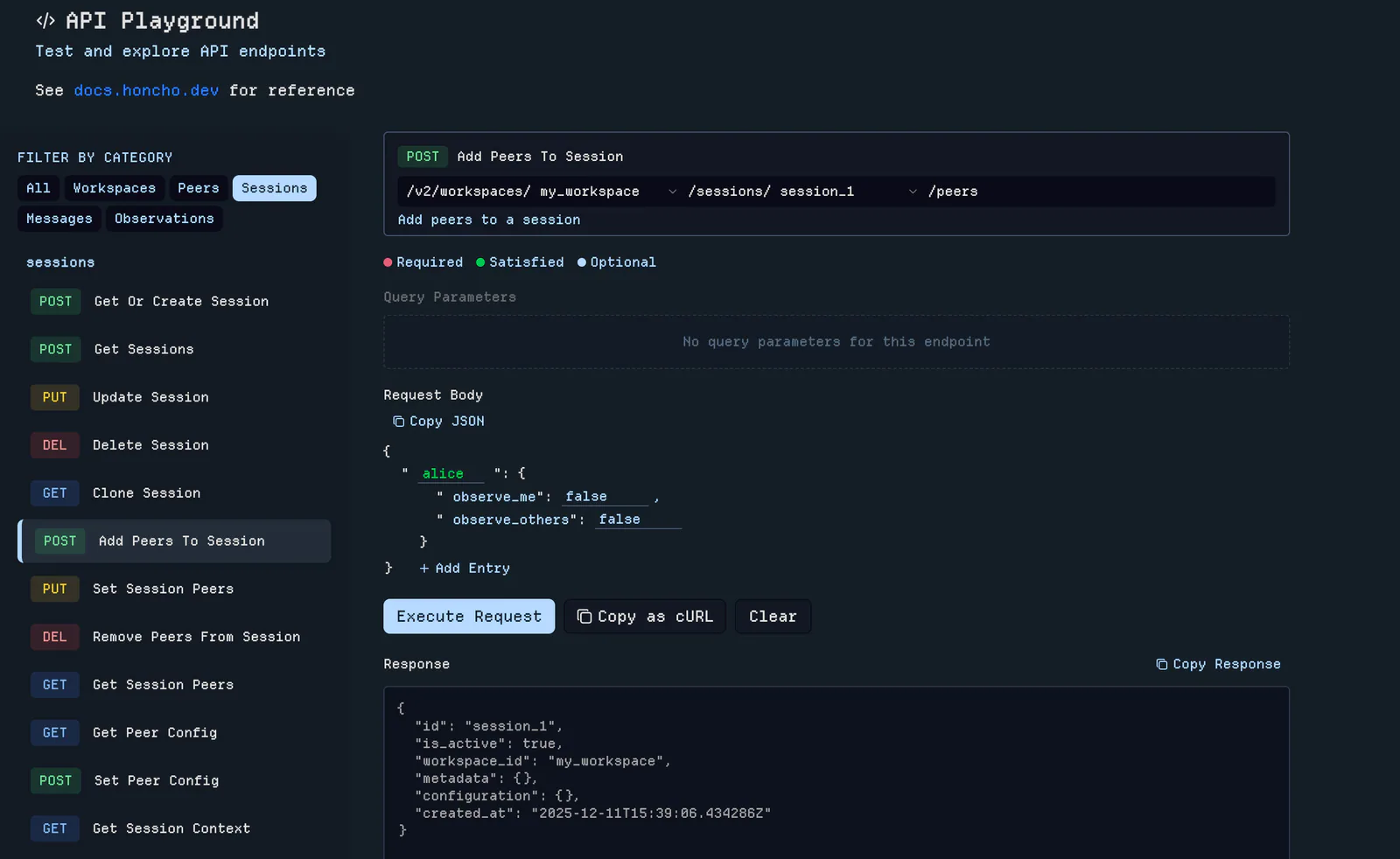
Honcho API playground
Schermate del progettoInformazioni sullo Skill
Inspect and debug Honcho workspaces via the `honcho` CLI.
SKILL.md
Autore: plastic-labs · plastic-labs/honcho · Nessuna licenza indicata · SKILL.md @ 7d3a53f
---
name: honcho-cli
description: Inspect and debug Honcho workspaces via the `honcho` CLI. Use when investigating peer representations, memory state, session context, or dialectic quality — any task that requires introspection of a Honcho deployment, including verifying that a recall/record memory loop is actually working.
allowed-tools: Bash(honcho:*), Bash(jq:*), Read, Grep
---

# Honcho CLI

`honcho` wraps the Honcho Python SDK with agent-friendly defaults: JSON output, structured errors, input validation. Use it to inspect workspace state, debug peer memory, and diagnose the dialectic.

## Output & config

- **TTY**: human-readable tables (default when interactive)
- **Piped / `--json`**: JSON — collection commands emit arrays, single-resource commands emit objects
- **Exit codes**: `0` success · `1` client error (bad input, not found) · `2` server error · `3` auth error
- **Config**: `~/.honcho/config.json` (shared with other Honcho tools). The CLI owns `apiKey` and `environmentUrl` at the top level; run `honcho init` to confirm or set them. Per-command scope (workspace / peer / session) is via `-w` / `-p` / `-s` flags or `HONCHO_*` env vars.

## Command groups

- `honcho config` — CLI configuration
- `honcho start` / `stop` / `status` — local Docker stack (does not change `environmentUrl`). First start pins the Honcho image digest and writes `config.toml` into the profile. Pass `--setup basic` or `--setup advanced` for an interactive config wizard (TTY only; writes `.env` overrides). `honcho status` lists every profile; pass `--profile` for one.
- `honcho workspace` — inspect, delete, search, chat, replay (copy to another workspace or instance)
- `honcho peer` — inspect, card, chat, search
- `honcho session` — inspect, view (transcript), context, summaries
- `honcho scope` — list, create, inspect, sessions, add-sessions, remove-session, status
- `honcho message` — list and get
- `honcho conclusion` — list, search, create, delete
- `honcho dream` — list, inspect (what each dream changed; workspace or admin key)

## Rules

- Always pass `--json` when processing output programmatically.
- Run `honcho peer inspect` before `honcho peer chat` to understand context.
- Use `honcho session context` to see exactly what an agent receives.
- Never run `honcho workspace delete` without `honcho workspace inspect` first.
- Compare peer card with conclusions to understand memory state.
- After `honcho scope add-sessions`, check `honcho scope status <name>` before a scoped `chat`: a `pending` backfill means the scope has not caught up yet, not that there is nothing to recall.
- `honcho start` does not rewrite `environmentUrl`. Use `HONCHO_BASE_URL=http://127.0.0.1:8000` to talk to local stack.

## Inspection tour

When orienting to a Honcho deployment, walk outside-in:

### 1. Understand the workspace

```bash
honcho workspace inspect --json
```

### 2. Find the peer

```bash
honcho peer list --json
honcho peer inspect <peer_id> --json
```

### 3. Check peer's memory

```bash
honcho peer card <peer_id> --json
honcho conclusion list --observer <peer_id> --json
honcho conclusion search "topic" --observer <peer_id> --json
```

When a fact appeared, vanished, or the card changed and nothing in the transcript explains it, check the dreams:

```bash
honcho dream list -p <peer_id> --json        # newest first
honcho dream inspect <run_id> --json         # created (with sources), removed, card before/after
```

### 4. Debug a session

```bash
honcho session inspect <session_id> --json
honcho session view <session_id> --last 20 --json
honcho session view <session_id> --page 2 --size 50 --json
honcho message list <session_id> --last 20 --json
honcho session context <session_id> --json
honcho session summaries <session_id> --json
```

### 5. Search across workspace

```bash
honcho workspace search "query" --json
honcho workspace chat "what themes show up across peers?" --json
honcho workspace chat "what happened in this project?" --scope my-project --json
honcho peer search <peer_id> "query" --json
```

### 6. Bound recall with a scope

```bash
honcho scope list --json
honcho scope inspect <name> --json                       # members + backfill summary
honcho scope create <name> --sessions <id1>,<id2> --json
honcho scope status <name> --json                        # wait until nothing is pending
honcho workspace chat "what happened here?" --scope <name> --json
```

### 7. Copy a workspace

`honcho workspace replay` re-sends a workspace's messages into another workspace, which derives its own memory from them. Conclusions and peer cards are not copied.

```bash
# Always dry-run first: it reads both sides and writes nothing
honcho workspace replay --from <src> --to <dst> --dry-run --json | jq '.actions, .messages_to_send'

# Another instance, e.g. managed Honcho (configured) to a self-hosted one.
# The configured key is never sent to it; set HONCHO_TO_API_KEY if its auth is on
honcho workspace replay --from <src> --to-url http://localhost:8000 --json

# Only the N sessions with the most recent message
honcho workspace replay --from <src> --to <dst> --num-sessions 20 --json
```

- Each session's `action` in the dry run is `create`, `resume`, `up_to_date` or `conflict`. A conflict means the destination has different messages under that session ID; a replay skips it and exits `1`. Pass a different `--to`.
- A rerun resumes: messages already in the destination are skipped.
- Conclusions and peer cards written through the API are not recreated, because they have no source message. `not_copied.conclusions_in_source` in both reports counts every conclusion in the source; Honcho does not mark which ones were written through the API.
- The destination session has the source's current members from its first message. A peer that joined late and observes others gets conclusions from messages sent before it joined.
- Derivation on the destination continues after the command exits. The result's `check_derivation` field is the `queue-status` command to poll.

## Debugging playbook

### Peer not learning?

```bash
# Is observation enabled?
honcho peer inspect <peer_id> --json | jq '.configuration'

# What conclusions exist?
honcho conclusion list --observer <peer_id> --json
honcho conclusion search "expected topic" --observer <peer_id> --json
```

### Session context looks wrong?

```bash
# Raw context an agent would receive
honcho session context <session_id> --json

# Summaries feeding the context
honcho session summaries <session_id> --json

# Recent message history
honcho message list <session_id> --last 50 --json
```

### Dialectic giving bad answers?

```bash
# What the peer card says
honcho peer card <peer_id> --json

# Conclusions on the specific topic
honcho conclusion search "topic" --observer <peer_id> --json

# Exercise the dialectic directly
honcho peer chat <peer_id> "what do you know about X?" --json
honcho peer chat <peer_id> "what happened here?" --scope my-project --json
honcho workspace chat "what themes show up across peers?" --json
```
Perché lo abbiamo scelto
Upstream Honcho workflow. Inspect and debug Honcho workspaces via the `honcho` CLI.
Prima di usarlo
- Use the matching Honcho CLI, SDK or host integration. Hosted access needs configured credentials; runtime verification needs the documented local services.
Fonti e riferimenti
Le fonti originali sono collegate qui sotto. Gli spunti pratici sono suggerimenti editoriali di SkillHey.