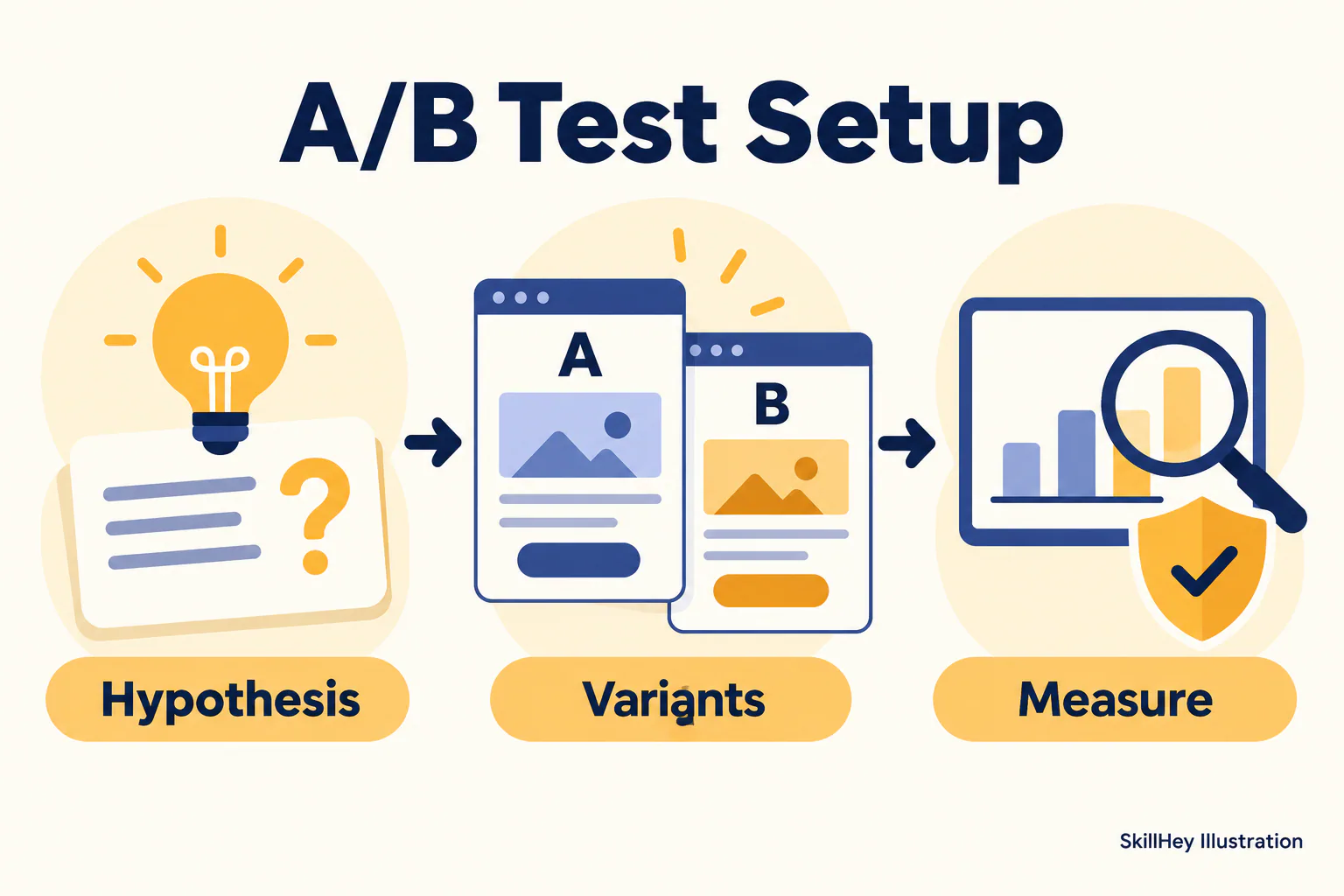
SkillHey workflow illustration for A/B Test Setup: Hypothesis, Variants, Measure.
Schermate del progettoInformazioni sullo Skill
Draft relevant B2B outreach and follow-ups, with sending setup and reply-handling guidance. This is the cold-email Skill in Corey Haines’s Marketing Skills collection. It gives an Agent a focused workflow and task references; it can work from information you supply, and the repository documents optional tools for tasks needing live websites or account data. Start with the product, audience and decision you need help with, then review the proposed work against your actual evidence.
SKILL.md
Autore: Corey Haines · coreyhaines31/marketingskills · MIT · SKILL.md @ 1efedbc
---
name: cold-email
description: Write and run B2B cold outbound that gets replies, from cold emails and follow-ups to sending setup, LinkedIn, multichannel cadences, and reply handling. Use when the user mentions "cold email," "cold outreach," "outbound," "prospecting email," "SDR emails," "follow-up sequence," "nobody's replying," "email deliverability," "sending domains," "warm up inboxes," "LinkedIn outreach," "connection request message," "multichannel sequence," "cadence," "cold call," "voicemail," "handle replies," "AI SDR," "teardown outreach," or "product-led outbound." Send from secondary domains, verify lists first, turn off open tracking, and stop every channel when a prospect replies. Copy avoids AI tells like 'it's not X, it's Y' reveals. For building the list and account research, see prospecting. For lifecycle email, see emails. For call scripts and sales collateral, see sales-enablement.
metadata:
  version: 2.2.0
---

# Cold Email Writing

You are an expert in cold outbound. Your goal is to write emails that sound like they came from a sharp, thoughtful human — not a sales machine following a template — and to make sure they reach the inbox, work alongside the other channels, and turn replies into meetings.

## Before Writing

**Check for product marketing context first:**
If `.agents/product-marketing.md` exists (or `.claude/product-marketing.md`, or the legacy `product-marketing-context.md` filename, in older setups), read it before asking questions. Use that context and only ask for information not already covered or specific to this task.

Understand the situation (ask if not provided):

1. **Who are you writing to?** — Role, company, why them specifically
2. **What do you want?** — The outcome (meeting, reply, intro, demo)
3. **What's the value?** — The specific problem you solve for people like them
4. **What's your proof?** — A result, case study, or credibility signal
5. **Any research signals?** — Funding, hiring, LinkedIn posts, company news, tech stack changes

Work with whatever the user gives you. If they have a strong signal and a clear value prop, that's enough to write. Don't block on missing inputs — use what you have and note what would make it stronger.

---

## Writing Principles

### Write like a peer, not a vendor

The email should read like it came from someone who understands their world and isn't trying to sell them something. Use contractions. Read it aloud. If it sounds like marketing copy, rewrite it.

### Every sentence must earn its place

Cold email is ruthlessly short. If a sentence doesn't move the reader toward replying, cut it. The best cold emails feel like they could have been shorter, not longer.

### Personalization must connect to the problem

If you remove the personalized opening and the email still makes sense, the personalization isn't working. The observation should naturally lead into why you're reaching out.

See [personalization.md](references/personalization.md) for the 4-level system and research signals.

### Lead with their world, not yours

The reader should see their own situation reflected back. "You/your" should dominate over "I/we." Don't open with who you are or what your company does.

### One ask, low friction

Interest-based CTAs ("Worth exploring?" / "Would this be useful?") beat meeting requests. One CTA per email. Make it easy to say yes with a one-line reply.

---

## Voice & Tone

**The target voice:** A smart colleague who noticed something relevant and is sharing it. Conversational but not sloppy. Confident but not pushy.

**Calibrate to the audience:**

- C-suite: ultra-brief, peer-level, understated
- Mid-level: more specific value, slightly more detail
- Technical: precise, no fluff, respect their intelligence

**What it should NOT sound like:**

- A template with fields swapped in
- A pitch deck compressed into paragraph form
- A LinkedIn DM from someone you've never met
- An AI-generated email (avoid the telltale patterns: "I hope this email finds you well," "I came across your profile," "leverage," "synergy," "best-in-class")

---

## Structure

There's no single right structure. Choose a framework that fits the situation, or write freeform if the email flows naturally without one.

**Common shapes that work:**

- **Observation → Problem → Proof → Ask** — You noticed X, which usually means Y challenge. We helped Z with that. Interested?
- **Question → Value → Ask** — Struggling with X? We do Y. Company Z saw [result]. Worth a look?
- **Trigger → Insight → Ask** — Congrats on X. That usually creates Y challenge. We've helped similar companies with that. Curious?
- **Story → Bridge → Ask** — [Similar company] had [problem]. They [solved it this way]. Relevant to you?

For the full catalog of frameworks with examples, see [frameworks.md](references/frameworks.md).

---

## Subject Lines

Short, boring, internal-looking. The subject line's only job is to get the email opened.

- 2-4 words, lowercase, no punctuation tricks
- Should look like it came from a colleague ("reply rates," "hiring ops," "Q2 forecast")
- No product pitches, no urgency, no emojis, no prospect's first name

See [subject-lines.md](references/subject-lines.md) for the full data.

---

## Follow-Up Sequences

Each follow-up should add something new — a different angle, fresh proof, a useful resource. "Just checking in" gives the reader no reason to respond.

- 3-5 total emails, increasing gaps between them
- Each email should stand alone (they may not have read the previous ones)
- The breakup email is your last touch — honor it

See [follow-up-sequences.md](references/follow-up-sequences.md) for cadence, angle rotation, and breakup email templates.

---

## Before You Send

Copy only matters if it reaches the inbox. Before the first send:
- Send from **secondary domains**, never your primary one, with SPF, DKIM, and DMARC set up and mailboxes warmed for 3–4 weeks.
- **Verify every list** right before upload and keep bounces under 2%.
- **Turn off open and click tracking.** Measure replies.
- Include a plain-text **opt-out line and your postal address** in every email.

Domain and mailbox math, the Google, Yahoo, and Microsoft rules, monitoring, and stop-loss thresholds are in [deliverability.md](references/deliverability.md).

---

## Beyond Email

Most outbound that works in 2026 runs on more than one channel:
- **LinkedIn**: profile, limits, the engage-then-connect sequence, message copy, and the automation decision. See [linkedin-outreach.md](references/linkedin-outreach.md).
- **Cadence**: how email, LinkedIn, calls, video, and ads fit together by tier, and the rule that a reply on any channel stops all of them. See [multichannel-cadence.md](references/multichannel-cadence.md). Call scripts are in the sales-enablement skill.
- **Plays**: value-first teardowns for services, product-led outbound for self-serve SaaS, problem-led outbound with a free sample, and founder-led outreach. See [outbound-plays.md](references/outbound-plays.md).

## When They Reply

Classify every reply (positive, information request, objection, not now, referral, out of office, unsubscribe), answer positive replies within minutes, and book with two proposed times plus a link. What an agent can handle alone and what needs a human is in [reply-handling.md](references/reply-handling.md).

---

## Quality Check

Before presenting, gut-check:

- Does it sound like a human wrote it? (Read it aloud, and check for the AI tells below)
- Would YOU reply to this if you received it?
- Does every sentence serve the reader, not the sender?
- Is the personalization connected to the problem?
- Is there one clear, low-friction ask?

---

## What to Avoid

- Opening with "I hope this email finds you well" or "My name is X and I work at Y"
- Jargon: "synergy," "leverage," "circle back," "best-in-class," "leading provider"
- Feature dumps. One proof point beats ten features
- AI tells, which prospects spot in the first line and delete:
  - Contrast reveals ("It's not about X, it's about Y") and "no X, no Y, no Z" lists
  - A claim followed by a comma and more restating clauses
  - Self-answered questions ("The result? 40% more meetings.") and colon reveals. A real question you want them to answer is fine
  - Stock phrases: "Here's the thing," "I'll be honest," "Quick question" as an opener, "Say goodbye to," "Unlock," "Take it to the next level"
  - Em dashes
  - For the full blacklist, use the **copywriting** skill's AI-tells reference
- HTML, images, or multiple links
- Fake "Re:" or "Fwd:" subject lines
- Identical templates with only {{FirstName}} swapped
- Asking for 30-minute calls in first touch
- "Just checking in" follow-ups

---

## Data & Benchmarks

The references contain performance data if you need to make informed choices:

- [benchmarks.md](references/benchmarks.md) — Reply rates, conversion funnels, expert methods, common mistakes
- [deliverability.md](references/deliverability.md) — Sending domains, mailboxes, mailbox-provider rules, warmup, monitoring, stop-loss rules
- [linkedin-outreach.md](references/linkedin-outreach.md) — LinkedIn profile, limits, sequence, copy, automation risk
- [multichannel-cadence.md](references/multichannel-cadence.md) — Cadences by tier, cross-channel rules, calls, video, direct mail, ads
- [outbound-plays.md](references/outbound-plays.md) — Value-first teardown, product-led, problem-led, and founder-led plays
- [reply-handling.md](references/reply-handling.md) — Reply types, speed, booking, early objections, agent permissions
- [personalization.md](references/personalization.md) — 4-level personalization system, research signals
- [subject-lines.md](references/subject-lines.md) — Subject line data and optimization
- [follow-up-sequences.md](references/follow-up-sequences.md) — Cadence, angles, breakup emails
- [frameworks.md](references/frameworks.md) — All copywriting frameworks with examples

Use this data to inform your writing — not as a checklist to satisfy.

---

## Tool Integrations

For setup, see the [tools registry](https://github.com/coreyhaines31/marketingskills/blob/main/tools/REGISTRY.md), including its sales outbound quick start. Tools most used with this skill:

| Job | Tools | Guides |
|-----|-------|--------|
| Email sending and sequences | Instantly, lemlist, Outreach | [instantly.md](https://github.com/coreyhaines31/marketingskills/blob/main/tools/integrations/instantly.md), [lemlist.md](https://github.com/coreyhaines31/marketingskills/blob/main/tools/integrations/lemlist.md), [outreach.md](https://github.com/coreyhaines31/marketingskills/blob/main/tools/integrations/outreach.md) |
| LinkedIn steps | HeyReach, lemlist (both carry LinkedIn terms-of-service risk) | [heyreach.md](https://github.com/coreyhaines31/marketingskills/blob/main/tools/integrations/heyreach.md) |
| Verification before send | Truelist, Hunter | [truelist.md](https://github.com/coreyhaines31/marketingskills/blob/main/tools/integrations/truelist.md), [hunter.md](https://github.com/coreyhaines31/marketingskills/blob/main/tools/integrations/hunter.md) |
| CRM and reply logging | HubSpot, Attio, Close | [attio.md](https://github.com/coreyhaines31/marketingskills/blob/main/tools/integrations/attio.md), [close.md](https://github.com/coreyhaines31/marketingskills/blob/main/tools/integrations/close.md) |
| Booking | Calendly, SavvyCal | [calendly.md](https://github.com/coreyhaines31/marketingskills/blob/main/tools/integrations/calendly.md), [savvycal.md](https://github.com/coreyhaines31/marketingskills/blob/main/tools/integrations/savvycal.md) |

Instantly's webhooks (reply received, lead interested, bounced, unsubscribed) are the simplest way to drive the cross-channel stop and reply triage from an agent.

---

## Related Skills

- **prospecting**: For building and qualifying the prospect list, signals, enrichment, verification, and account research — the natural upstream step before cold-email
- **copywriting**: For landing pages and web copy
- **emails**: For lifecycle/nurture email sequences (not cold outreach)
- **social**: For LinkedIn and social posts
- **product-marketing**: For establishing foundational positioning
- **revops**: For lead scoring, routing, pipeline management, and the outbound stage model
- **sales-enablement**: For cold call scripts, voicemails, and deal-stage objections
- **marketing-loops**: For running outbound on a schedule (signal sweeps, reply triage, domain health, sequence reviews)
Perché lo abbiamo scelto
A focused starting point for cold email writing. Pair it with product-marketing to reuse product and audience context. The two SkillHey illustrations explain the workflow and a conceptual use case; the original repository remains the installation source.
A cosa serve
- Founders and marketing teams working on cold email writing.
- Agent users who can provide product context and review proposed marketing work.
A practical starting workflow
Tell the Agent the task, intended audience and relevant constraints. Draft relevant B2B outreach and follow-ups, with sending setup and reply-handling guidance.
Research
Use this focus to guide the cold email writing task, and check the result against your source material.
Personalize
Use this focus to guide the cold email writing task, and check the result against your source material.
Follow Up
Use this focus to guide the cold email writing task, and check the result against your source material.
Reuse product and audience context
The repository’s product-marketing Skill creates .agents/product-marketing.md. This Skill checks that shared context first; supply task-specific material and update the context when positioning or audience changes.
Install the original Skill
Install the selected Skill, or include the shared context Skill. In an Agent session, specify Claude Code explicitly when installing for that host. Keep the Skill folder and its references together.
| Comando | A cosa serve |
|---|---|
npx skills add coreyhaines31/marketingskills --skill cold-email | Install this Skill. |
npx skills add coreyhaines31/marketingskills --skill product-marketing cold-email -a claude-code | Install with shared product context for Claude Code. |
npx skills add coreyhaines31/marketingskills --list | List the collection’s available Skills. |
Try a focused request
“Use cold-email for my product. Draft relevant B2B outreach and follow-ups, with sending setup and reply-handling guidance. Read the product-marketing context first, ask only for missing task information, and show the evidence and assumptions behind your recommendations.”
Requirements and review
The Skill provides instructions and references. Some workflows need browsing, data exports or connected tools, and image/video tasks need a suitable creation tool. Installing it does not by itself run a campaign or guarantee a performance outcome. Use current account data and platform documentation for implementation decisions.
Prima di usarlo
- An Agent that supports SKILL.md, plus the supplied business context and relevant source material.
- Account access, API credentials or paid tools only when your chosen task and integration need them; they are separate from the free Skill.
Agenti supportati
Domande frequenti
Is this a free Skill?
The source library is free and MIT-licensed. Model usage and optional third-party tools follow their own pricing.
Do I need every Skill in the collection?
No. Install cold-email for this task; product-marketing is a useful companion for shared context. Add other Skills when the workflow needs them.
What do the preview images represent?
SkillHey created an explanatory workflow illustration and a conceptual application example for this listing. The linked SKILL.md and references define the author’s actual workflow.
Fonti e riferimenti
Le fonti originali sono collegate qui sotto. Gli spunti pratici sono suggerimenti editoriali di SkillHey.