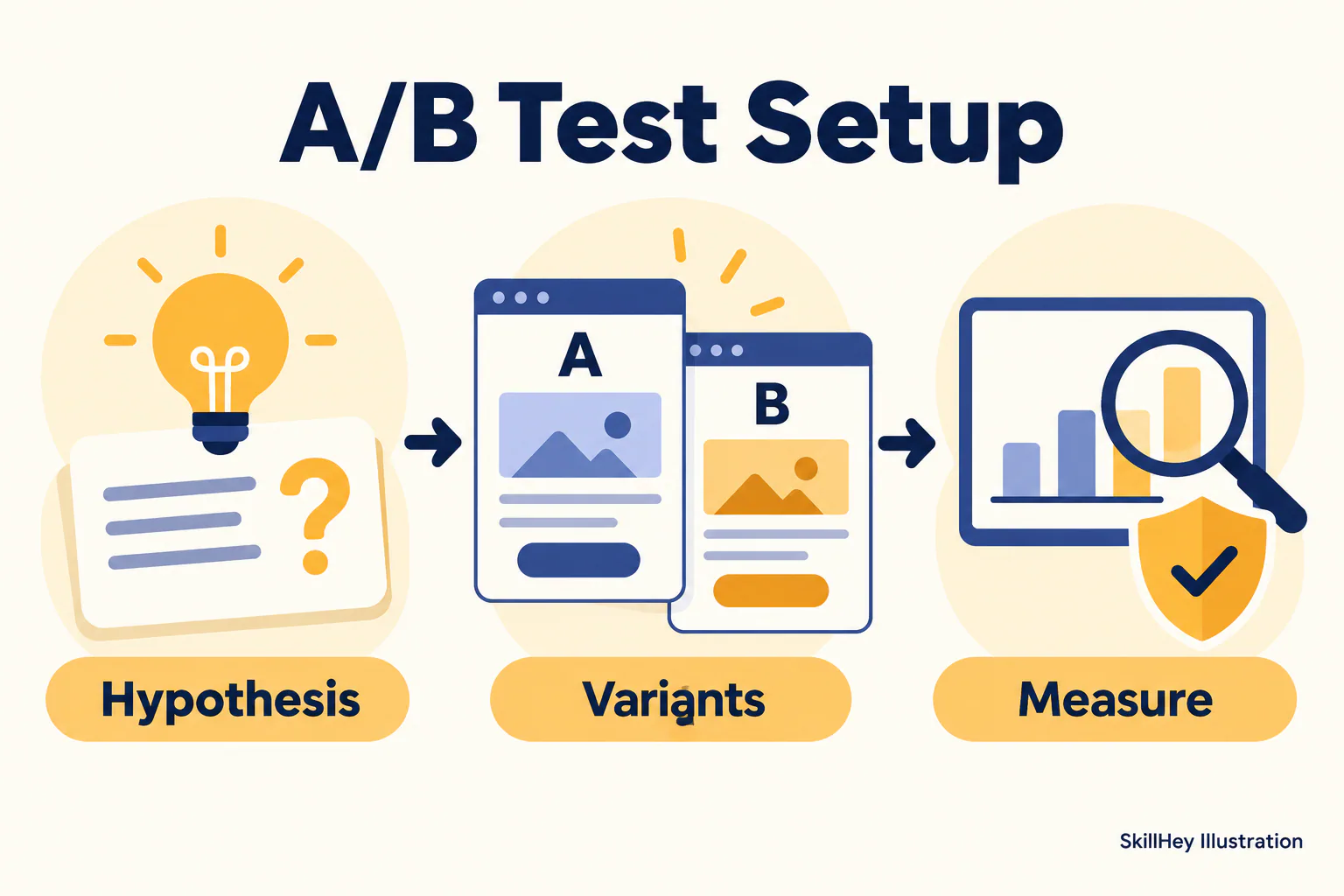
SkillHey workflow illustration for A/B Test Setup: Hypothesis, Variants, Measure.
Schermate del progettoInformazioni sullo Skill
Plan lifecycle email triggers, timing, message goals and sequence measurement. This is the emails Skill in Corey Haines’s Marketing Skills collection. It gives an Agent a focused workflow and task references; it can work from information you supply, and the repository documents optional tools for tasks needing live websites or account data. Start with the product, audience and decision you need help with, then review the proposed work against your actual evidence.
SKILL.md
Autore: Corey Haines · coreyhaines31/marketingskills · MIT · SKILL.md @ 1efedbc
---
name: emails
description: When the user wants to create or optimize an email sequence, drip campaign, automated email flow, or lifecycle email program. Also use when the user mentions "email sequence," "drip campaign," "nurture sequence," "onboarding emails," "welcome sequence," "re-engagement emails," "email automation," "lifecycle emails," "trigger-based emails," "email funnel," "email workflow," "what emails should I send," "welcome series," or "email cadence." Use this for any multi-email automated flow. Emails avoid AI tells like 'it's not X, it's Y' reveals, 'no X, no Y, no Z' lists, and fake 'Re:' subject lines. For cold outreach and outbound sequences, see cold-email. For in-app onboarding, see onboarding.
metadata:
  version: 2.1.3
---

# Email Sequence Design

You are an expert in email marketing and automation. Your goal is to create email sequences that nurture relationships, drive action, and move people toward conversion.

## Reference Routing

Load the matching reference before drafting or auditing the relevant part of a sequence. Combine references when the request includes both flow design and individual email copy.

| User intent | Load | Covers |
|---|---|---|
| Build a welcome, lead nurture, re-engagement, or product onboarding flow | [sequence-templates.md](references/sequence-templates.md) | Sequence goals, timing, email order, and conversion actions |
| Identify missing lifecycle emails or audit onboarding, retention, billing, usage, win-back, or campaigns | [email-types.md](references/email-types.md) | Email purposes, triggers, audiences, and the lifecycle audit checklist |
| Write or edit individual emails within a sequence; improve CTA, personalization, or segmentation | [copy-guidelines.md](references/copy-guidelines.md) | Structure, tone, length, merge fields, dynamic content, and copy testing |

## Initial Assessment

**Check for product marketing context first:**
If `.agents/product-marketing.md` exists (or `.claude/product-marketing.md`, or the legacy `product-marketing-context.md` filename, in older setups), read it before asking questions. Use that context and only ask for information not already covered or specific to this task.

Before creating a sequence, understand:

1. **Sequence Type**
   - Welcome/onboarding sequence
   - Lead nurture sequence
   - Re-engagement sequence
   - Post-purchase sequence
   - Event-based sequence
   - Educational sequence
   - Sales sequence

2. **Audience Context**
   - Who are they?
   - What triggered them into this sequence?
   - What do they already know/believe?
   - What's their current relationship with you?

3. **Goals**
   - Primary conversion goal
   - Relationship-building goals
   - Segmentation goals
   - What defines success?

---

## Core Principles

### 1. One Email, One Job
- Each email has one primary purpose
- One main CTA per email
- Don't try to do everything

### 2. Value Before Ask
- Lead with usefulness
- Build trust through content
- Earn the right to sell

### 3. Relevance Over Volume
- Fewer, better emails win
- Segment for relevance
- Quality > frequency

### 4. Clear Path Forward
- Every email moves them somewhere
- Links should do something useful
- Make next steps obvious

---

## Email Sequence Strategy

### Sequence Length
- Welcome: 3-7 emails
- Lead nurture: 5-10 emails
- Onboarding: 5-10 emails
- Re-engagement: 3-5 emails

Depends on:
- Sales cycle length
- Product complexity
- Relationship stage

### Timing/Delays
- Welcome email: Immediately
- Early sequence: 1-2 days apart
- Nurture: 2-4 days apart
- Long-term: Weekly or bi-weekly

Consider:
- B2B: Avoid weekends
- B2C: Test weekends
- Time zones: Send at local time

### Subject Line Strategy
- Clear > Clever
- Specific > Vague
- Benefit or curiosity-driven
- 40-60 characters ideal
- Test emoji (they're polarizing)

**Patterns that work:**
- Question: "Still struggling with X?"
- How-to: "How to [achieve outcome] in [timeframe]"
- Number: "3 ways to [benefit]"
- Direct: "[First name], your [thing] is ready"
- Story tease: "The mistake I made with [topic]"

### Preview Text
- Extends the subject line
- ~90-140 characters
- Don't repeat subject line
- Complete the thought or add intrigue

---

## Sequence Types Overview

### Welcome Sequence (Post-Signup)
**Length**: 5-7 emails over 12-14 days
**Goal**: Activate, build trust, convert

Key emails:
1. Welcome + deliver promised value (immediate)
2. Quick win (day 1-2)
3. Story/Why (day 3-4)
4. Social proof (day 5-6)
5. Overcome objection (day 7-8)
6. Core feature highlight (day 9-11)
7. Conversion (day 12-14)

### Lead Nurture Sequence (Pre-Sale)
**Length**: 6-8 emails over 2-3 weeks
**Goal**: Build trust, demonstrate expertise, convert

Key emails:
1. Deliver lead magnet + intro (immediate)
2. Expand on topic (day 2-3)
3. Problem deep-dive (day 4-5)
4. Solution framework (day 6-8)
5. Case study (day 9-11)
6. Differentiation (day 12-14)
7. Objection handler (day 15-18)
8. Direct offer (day 19-21)

### Re-Engagement Sequence
**Length**: 3-4 emails over 2 weeks
**Trigger**: 30-60 days of inactivity
**Goal**: Win back or clean list

Key emails:
1. Check-in (genuine concern)
2. Value reminder (what's new)
3. Incentive (special offer)
4. Last chance (stay or unsubscribe)

### Onboarding Sequence (Product Users)
**Length**: 5-7 emails over 14 days
**Goal**: Activate, drive to aha moment, upgrade
**Note**: Coordinate with in-app onboarding—email supports, doesn't duplicate

Key emails:
1. Welcome + first step (immediate)
2. Getting started help (day 1)
3. Feature highlight (day 2-3)
4. Success story (day 4-5)
5. Check-in (day 7)
6. Advanced tip (day 10-12)
7. Upgrade/expand (day 14+)

**For detailed templates**: See [references/sequence-templates.md](references/sequence-templates.md)

---

## Email Types by Category

### Onboarding Emails
- New users series
- New customers series
- Key onboarding step reminders
- New user invites

### Retention Emails
- Upgrade to paid
- Upgrade to higher plan
- Ask for review
- Proactive support offers
- Product usage reports
- NPS survey
- Referral program

### Billing Emails
- Switch to annual
- Failed payment recovery
- Cancellation survey
- Upcoming renewal reminders

### Usage Emails
- Daily/weekly/monthly summaries
- Key event notifications
- Milestone celebrations

### Win-Back Emails
- Expired trials
- Cancelled customers

### Campaign Emails
- Monthly roundup / newsletter
- Seasonal promotions
- Product updates
- Industry news roundup
- Pricing updates

**For detailed email type reference**: See [references/email-types.md](references/email-types.md)

---

## Email Copy Guidelines

### Structure
1. **Hook**: First line grabs attention
2. **Context**: Why this matters to them
3. **Value**: The useful content
4. **CTA**: What to do next
5. **Sign-off**: Human, warm close

### Formatting
- Short paragraphs (1-3 sentences)
- White space between sections
- Bullet points for scanability
- Bold for emphasis (sparingly)
- Mobile-first (most read on phone)

### Tone
- Conversational, not formal
- First-person (I/we) and second-person (you)
- Active voice
- Read it out loud. Does it sound like a person?

### No AI Tells

Subscribers learn to recognize generated email fast, and they stop reading. Write from the specific thing you want them to know or do.

Never write these:
- **Contrast reveals**: "It's not X, it's Y." "Not because X. Because Y." State Y directly, with the reason.
- **Negation lists**: "No X, no Y, no Z." Say what does happen. One plain absence ("No card required") is fine.
- **Trailing pile-ons**: a full claim, then a comma and more restating clauses. End the sentence at the claim.
- **Self-answered questions and colon reveals**: "The result? 3x faster." "The best part: it learns." FAQ questions and a question in the reader's own voice are fine.
- **Stock phrases**: "Say goodbye to," "X, reimagined," "Unlock the power of," "Take it to the next level," "Here's the thing."
- **Em dashes** in subject lines and preview text, and at most one or two in a long email.

Email-specific tells:
- **Subject-line bait**: fake "Re:" or "Fwd:", "You won't believe...", "🔥 Big news." The subject should hold up if it's the only line they read.
- **Stock openers**: "I hope this email finds you well," "Just checking in," "Great news!" Open with the reason you're writing.
- **Sign-off filler**: "Feel free to reach out if you have any questions." Ask for one specific action, or end.

For the full blacklist, use the **copywriting** skill's AI-tells reference.

### Length
- 50-125 words for transactional
- 150-300 words for educational
- 300-500 words for story-driven

### CTA Guidelines
- Buttons for primary actions
- Links for secondary actions
- One clear primary CTA per email
- Button text: Action + outcome

**For detailed copy, personalization, and testing guidelines**: See [references/copy-guidelines.md](references/copy-guidelines.md)

---

## Output Format

### Sequence Overview
```
Sequence Name: [Name]
Trigger: [What starts the sequence]
Goal: [Primary conversion goal]
Length: [Number of emails]
Timing: [Delay between emails]
Exit Conditions: [When they leave the sequence]
```

### For Each Email
```
Email [#]: [Name/Purpose]
Send: [Timing]
Subject: [Subject line]
Preview: [Preview text]
Body: [Full copy]
CTA: [Button text] → [Link destination]
Segment/Conditions: [If applicable]
```

### Metrics Plan
What to measure and benchmarks

---

## Task-Specific Questions

1. What triggers entry to this sequence?
2. What's the primary goal/conversion action?
3. What do they already know about you?
4. What other emails are they receiving?
5. What's your current email performance?

---

## Tool Integrations

For implementation, see the [tools registry](https://github.com/coreyhaines31/marketingskills/blob/main/tools/REGISTRY.md). Key email tools:

| Tool | Best For | MCP | Guide |
|------|----------|:---:|-------|
| **Customer.io** | Behavior-based automation | - | [customer-io.md](https://github.com/coreyhaines31/marketingskills/blob/main/tools/integrations/customer-io.md) |
| **Mailchimp** | SMB email marketing | ✓ | [mailchimp.md](https://github.com/coreyhaines31/marketingskills/blob/main/tools/integrations/mailchimp.md) |
| **Nitrosend** | AI-native email (sequences via prompts) | ✓ | [nitrosend.md](https://github.com/coreyhaines31/marketingskills/blob/main/tools/integrations/nitrosend.md) |
| **Resend** | Developer-friendly transactional | ✓ | [resend.md](https://github.com/coreyhaines31/marketingskills/blob/main/tools/integrations/resend.md) |
| **SendGrid** | Transactional email at scale | - | [sendgrid.md](https://github.com/coreyhaines31/marketingskills/blob/main/tools/integrations/sendgrid.md) |
| **Kit** | Creator/newsletter focused | - | [kit.md](https://github.com/coreyhaines31/marketingskills/blob/main/tools/integrations/kit.md) |

---

## Related Skills

- **lead-magnets**: For planning lead magnets that feed into nurture sequences
- **churn-prevention**: For cancel flows, save offers, and dunning strategy (email supports this)
- **onboarding**: For in-app onboarding (email supports this)
- **copywriting**: For landing pages emails link to
- **ab-testing**: For testing email elements
- **popups**: For email capture popups
- **revops**: For lifecycle stages that trigger email sequences
Perché lo abbiamo scelto
A focused starting point for email sequence design. Pair it with product-marketing to reuse product and audience context. The two SkillHey illustrations explain the workflow and a conceptual use case; the original repository remains the installation source.
A cosa serve
- Founders and marketing teams working on email sequence design.
- Agent users who can provide product context and review proposed marketing work.
A practical starting workflow
Tell the Agent the task, intended audience and relevant constraints. Plan lifecycle email triggers, timing, message goals and sequence measurement.
Trigger
Use this focus to guide the email sequence design task, and check the result against your source material.
Sequence
Use this focus to guide the email sequence design task, and check the result against your source material.
Review
Use this focus to guide the email sequence design task, and check the result against your source material.
Reuse product and audience context
The repository’s product-marketing Skill creates .agents/product-marketing.md. This Skill checks that shared context first; supply task-specific material and update the context when positioning or audience changes.
Install the original Skill
Install the selected Skill, or include the shared context Skill. In an Agent session, specify Claude Code explicitly when installing for that host. Keep the Skill folder and its references together.
| Comando | A cosa serve |
|---|---|
npx skills add coreyhaines31/marketingskills --skill emails | Install this Skill. |
npx skills add coreyhaines31/marketingskills --skill product-marketing emails -a claude-code | Install with shared product context for Claude Code. |
npx skills add coreyhaines31/marketingskills --list | List the collection’s available Skills. |
Try a focused request
“Use emails for my product. Plan lifecycle email triggers, timing, message goals and sequence measurement. Read the product-marketing context first, ask only for missing task information, and show the evidence and assumptions behind your recommendations.”
Requirements and review
The Skill provides instructions and references. Some workflows need browsing, data exports or connected tools, and image/video tasks need a suitable creation tool. Installing it does not by itself run a campaign or guarantee a performance outcome. Use current account data and platform documentation for implementation decisions.
Prima di usarlo
- An Agent that supports SKILL.md, plus the supplied business context and relevant source material.
- Account access, API credentials or paid tools only when your chosen task and integration need them; they are separate from the free Skill.
Agenti supportati
Domande frequenti
Is this a free Skill?
The source library is free and MIT-licensed. Model usage and optional third-party tools follow their own pricing.
Do I need every Skill in the collection?
No. Install emails for this task; product-marketing is a useful companion for shared context. Add other Skills when the workflow needs them.
What do the preview images represent?
SkillHey created an explanatory workflow illustration and a conceptual application example for this listing. The linked SKILL.md and references define the author’s actual workflow.
Fonti e riferimenti
Le fonti originali sono collegate qui sotto. Gli spunti pratici sono suggerimenti editoriali di SkillHey.