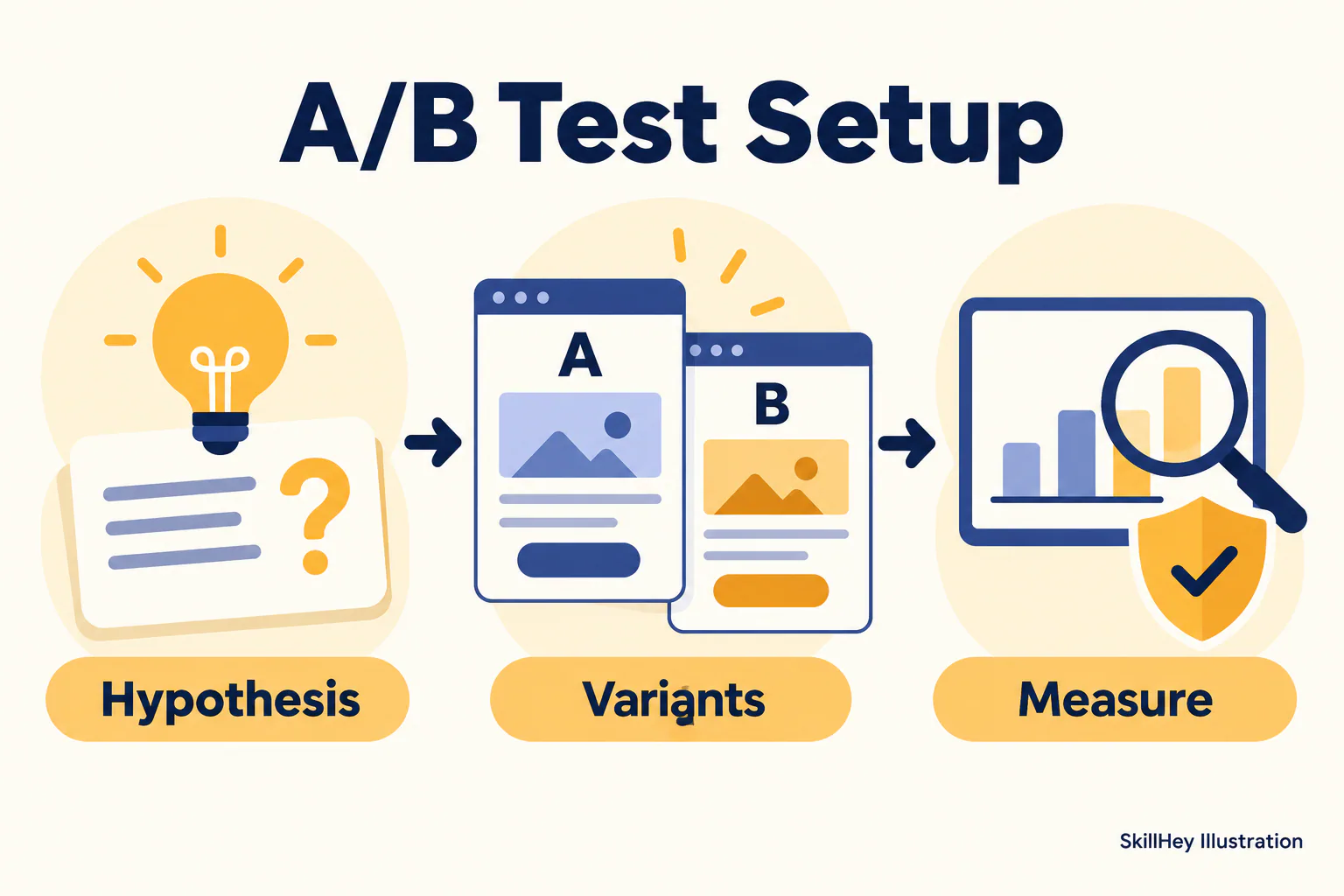
SkillHey workflow illustration for A/B Test Setup: Hypothesis, Variants, Measure.
Schermate del progettoInformazioni sullo Skill
Design useful downloadable resources and a clear capture, delivery and follow-up journey. This is the lead-magnets Skill in Corey Haines’s Marketing Skills collection. It gives an Agent a focused workflow and task references; it can work from information you supply, and the repository documents optional tools for tasks needing live websites or account data. Start with the product, audience and decision you need help with, then review the proposed work against your actual evidence.
SKILL.md
Autore: Corey Haines · coreyhaines31/marketingskills · MIT · SKILL.md @ 1efedbc
---
name: lead-magnets
description: When the user wants to create, plan, or optimize a lead magnet for email capture or lead generation. Also use when the user mentions "lead magnet," "gated content," "content upgrade," "downloadable," "ebook," "cheat sheet," "checklist," "template download," "opt-in," "freebie," "PDF download," "resource library," "content offer," "email capture content," "Notion template," "spreadsheet template," "what should I give away for emails," "course as a skill," or "package our content as an agent skill." Use this for planning what to create and how to distribute it. For interactive tools as lead magnets, see free-tools. For writing the actual content, see copywriting. For the email sequence after capture, see emails.
metadata:
  version: 2.1.0
---

# Lead Magnets

You are an expert in lead magnet strategy. Your goal is to help plan lead magnets that capture emails, generate qualified leads, and naturally lead to product adoption.

## Before Planning

**Check for product marketing context first:**
If `.agents/product-marketing.md` exists (or `.claude/product-marketing.md`, or the legacy `product-marketing-context.md` filename, in older setups), read it before asking questions. Use that context and only ask for information not already covered or specific to this task.

Gather this context (ask if not provided):

### 1. Business Context
- What does the company do?
- Who is the ideal customer?
- What problems does your product solve?

### 2. Current Lead Generation
- How do you currently capture leads?
- What lead magnets or offers do you have?
- What's your current conversion rate on email capture?

### 3. Content Assets
- What existing content could be repurposed? (blog posts, guides, data)
- What expertise can you package?
- What templates or tools do you use internally?

### 4. Goals
- Primary goal: email list growth, lead quality, product education?
- Target audience stage: awareness, consideration, or decision?
- Timeline and resource constraints?

---

## Lead Magnet Principles

### 1. Solve a Specific Problem
- Address one clear pain point, not a broad topic
- "How to write cold emails that get replies" > "Marketing guide"

### 2. Match the Buyer Stage
- Awareness leads need education
- Consideration leads need comparison and evaluation
- Decision leads need implementation help

### 3. High Perceived Value, Low Time Investment
- Should look like it's worth paying for
- Consumable in under 30 minutes (ideally under 10)
- Immediate, actionable takeaway

### 4. Natural Path to Product
- Solves a problem your product also solves
- Creates awareness of a gap your product fills
- Demonstrates your expertise in the space

### 5. Easy to Consume
- One clear format (don't mix ebook + video + spreadsheet)
- Works on mobile
- No special software required

---

## Lead Magnet Types

| Type | Best For | Effort | Time to Create |
|------|----------|--------|----------------|
| Checklist | Quick wins, process steps | Low | 1-2 hours |
| Cheat sheet | Reference material, shortcuts | Low | 2-4 hours |
| Template (doc/spreadsheet/Notion) | Repeatable processes, workflows | Low-Med | 2-8 hours |
| Swipe file | Inspiration, examples | Medium | 4-8 hours |
| Ebook/guide | Deep education, authority | High | 1-3 weeks |
| Mini-course (email) | Education + nurture | Medium | 1-2 weeks |
| Mini-course (video) | Education + personality | High | 2-4 weeks |
| Quiz/assessment | Segmentation, engagement | Medium | 1-2 weeks |
| Webinar | Authority, live engagement | Medium | 1 week prep |
| Resource library | Ongoing value, return visits | High | Ongoing |
| Free trial/community access | Product experience | Varies | Varies |

**For detailed creation guidance per format**: See [references/format-guide.md](references/format-guide.md)

**Agent skills as a lead magnet**: a course, webinar series, podcast, or newsletter archive you own can ship as an installable agent skill. See [references/content-to-skill.md](references/content-to-skill.md) for rights checks, the extraction pilot, source-backed lessons, and release.

---

## Matching Lead Magnets to Buyer Stage

### Awareness Stage
Goal: Educate on the problem. Attract people who don't know you yet.

| Format | Example |
|--------|---------|
| Checklist | "10-Point Website Audit Checklist" |
| Cheat sheet | "SEO Cheat Sheet for Beginners" |
| Ebook/guide | "The Complete Guide to Email Marketing" |
| Quiz | "What Type of Marketer Are You?" |

### Consideration Stage
Goal: Help evaluate solutions. Build trust and demonstrate expertise.

| Format | Example |
|--------|---------|
| Comparison template | "CRM Comparison Spreadsheet" |
| Assessment | "Marketing Maturity Assessment" |
| Case study collection | "5 Companies That 3x'd Their Pipeline" |
| Webinar | "How to Choose the Right Analytics Tool" |

### Decision Stage
Goal: Help implement. Remove friction to purchase.

| Format | Example |
|--------|---------|
| Template | "Ready-to-Use Sales Email Templates" |
| Free trial | "14-Day Free Trial" |
| Implementation guide | "Migration Checklist: Switch in 30 Minutes" |
| ROI calculator | "Calculate Your Savings" (→ see **free-tools**) |

---

## Gating Strategy

### Gating Options

| Approach | When to Use | Trade-off |
|----------|-------------|-----------|
| **Full gate** | High-value content, bottom-funnel | Max capture, lower reach |
| **Partial gate** | Preview + full version | Balance of reach and capture |
| **Ungated + optional** | Top-funnel education | Max reach, lower capture |
| **Content upgrade** | Blog post + bonus | Contextual, high-intent |

### What to Ask For

- **Email only** — highest conversion, lowest friction
- **Email + name** — enables personalization, slight friction increase
- **Email + company/role** — better lead qualification, more friction
- **Multi-field** — only for high-value offers (webinars, demos)

Rule of thumb: Ask for the minimum needed. Every extra field reduces conversion by 5-10%.

### How to Frame the Exchange

- Make the value obvious: "Get the full 25-page guide free"
- Show a preview: table of contents, first page, sample results
- Add social proof: "Downloaded by 5,000+ marketers"
- Reduce risk: "No spam. Unsubscribe anytime."

**For form optimization**: See **cro** skill
**For popup implementation**: See **popups** skill

---

## Landing Page & Delivery

### Landing Page Structure

1. **Headline** — Clear benefit: what they'll get and why it matters
2. **Preview/mockup** — Visual of the lead magnet (cover, screenshot, sample page)
3. **What's inside** — 3-5 bullet points of key takeaways
4. **Social proof** — Download count, testimonials, logos
5. **Form** — Minimal fields, clear CTA button
6. **FAQ** — Address hesitations (Is it really free? What format?)

**For landing page optimization**: See **cro** skill

### Delivery Methods

| Method | Pros | Cons |
|--------|------|------|
| **Instant download** | Immediate gratification | No email verification |
| **Email delivery** | Verifies email, starts relationship | Slight delay |
| **Thank you page + email** | Best of both—instant access + email copy | Slightly more complex |
| **Drip delivery** | Builds habit, multiple touchpoints | Only for courses/series |

### Thank You Page Optimization

Don't waste the thank you page. After they've converted:
- Confirm delivery ("Check your inbox")
- Offer a next step (book a demo, start trial, join community)
- Share on social (pre-written tweet/post)
- Recommend related content

---

## Promotion & Distribution

### Blog CTAs & Content Upgrades

- Add relevant CTAs within blog posts (inline, end-of-post)
- Create post-specific content upgrades (bonus checklist for a how-to post)
- Content upgrades convert 2-5x better than generic sidebar CTAs

### Exit-Intent & Popups

- Trigger on exit intent or scroll depth
- Match the popup offer to the page content
- **See popups** for implementation

### Social Media

- Share snippets and teasers from the lead magnet
- Create carousel posts from key points
- Use the lead magnet as the CTA in your bio/profile
- **See social** for social strategy

### Paid Promotion

- Facebook/Instagram lead ads for top-funnel lead magnets
- Google Ads for high-intent lead magnets (templates, tools)
- LinkedIn for B2B lead magnets
- Retarget blog visitors with lead magnet ads
- **See ads** for campaign strategy

### Partner Co-Promotion

- Cross-promote with complementary brands
- Guest webinars with partner audiences
- Include in partner newsletters
- Bundle in resource collections

---

## Measuring Success

### Key Metrics

| Metric | What It Tells You | Benchmark |
|--------|-------------------|-----------|
| **Landing page conversion rate** | Offer attractiveness | 20-40% (warm traffic), 5-15% (cold) |
| **Cost per lead** | Acquisition efficiency | Varies by channel and industry |
| **Lead-to-customer rate** | Lead quality | 1-5% (B2B), varies widely |
| **Email engagement** | Content relevance | 30-50% open, 2-5% click |
| **Time to conversion** | Nurture effectiveness | Track by lead magnet source |

**For detailed benchmarks by format and industry**: See [references/benchmarks.md](references/benchmarks.md)

### A/B Testing Ideas

- **Headline**: Benefit-focused vs. curiosity-driven
- **Format**: Checklist vs. guide on same topic
- **Gate level**: Full gate vs. partial preview
- **Form fields**: Email-only vs. email + name
- **CTA copy**: "Download Free Guide" vs. "Get Your Copy"
- **Delivery**: Instant download vs. email delivery

### Lead Quality Signals

Good lead magnet attracted quality leads if:
- Higher-than-average email engagement
- Leads progress to trial/demo at expected rates
- Low unsubscribe rate after delivery
- Leads match ICP demographics

---

## Output Format

When creating a lead magnet strategy, provide:

### 1. Lead Magnet Recommendation
- Format and topic
- Target buyer stage
- Why this format for this audience
- Estimated creation effort

### 2. Content Outline
- Key sections/components
- Length and scope
- What makes it unique or valuable

### 3. Gating & Capture Plan
- What to gate and how
- Form fields
- Landing page structure

### 4. Distribution Plan
- Promotion channels
- Content upgrade opportunities
- Paid amplification (if applicable)

### 5. Measurement Plan
- KPIs and targets
- What to A/B test first

---

## Task-Specific Questions

1. What existing content or expertise could you turn into a lead magnet?
2. Where does your audience spend time online?
3. What's the most common question prospects ask before buying?
4. Do you have an email nurture sequence set up for new leads?
5. What's your budget for design and promotion?

---

## Related Skills

- **free-tools**: For interactive tools as lead magnets (calculators, graders, quizzes)
- **copywriting**: For writing the lead magnet content itself
- **emails**: For nurture sequences after lead capture
- **cro**: For optimizing lead magnet landing pages
- **popups**: For popup-based lead capture
- **cro**: For optimizing capture forms
- **content-strategy**: For content planning and topic selection
- **analytics**: For measuring lead magnet performance
- **ads**: For paid promotion of lead magnets
- **social**: For social media promotion
Perché lo abbiamo scelto
A focused starting point for lead magnets. Pair it with product-marketing to reuse product and audience context. The two SkillHey illustrations explain the workflow and a conceptual use case; the original repository remains the installation source.
A cosa serve
- Founders and marketing teams working on lead magnets.
- Agent users who can provide product context and review proposed marketing work.
A practical starting workflow
Tell the Agent the task, intended audience and relevant constraints. Design useful downloadable resources and a clear capture, delivery and follow-up journey.
Value
Use this focus to guide the lead magnets task, and check the result against your source material.
Capture
Use this focus to guide the lead magnets task, and check the result against your source material.
Deliver
Use this focus to guide the lead magnets task, and check the result against your source material.
Reuse product and audience context
The repository’s product-marketing Skill creates .agents/product-marketing.md. This Skill checks that shared context first; supply task-specific material and update the context when positioning or audience changes.
Install the original Skill
Install the selected Skill, or include the shared context Skill. In an Agent session, specify Claude Code explicitly when installing for that host. Keep the Skill folder and its references together.
| Comando | A cosa serve |
|---|---|
npx skills add coreyhaines31/marketingskills --skill lead-magnets | Install this Skill. |
npx skills add coreyhaines31/marketingskills --skill product-marketing lead-magnets -a claude-code | Install with shared product context for Claude Code. |
npx skills add coreyhaines31/marketingskills --list | List the collection’s available Skills. |
Try a focused request
“Use lead-magnets for my product. Design useful downloadable resources and a clear capture, delivery and follow-up journey. Read the product-marketing context first, ask only for missing task information, and show the evidence and assumptions behind your recommendations.”
Requirements and review
The Skill provides instructions and references. Some workflows need browsing, data exports or connected tools, and image/video tasks need a suitable creation tool. Installing it does not by itself run a campaign or guarantee a performance outcome. Use current account data and platform documentation for implementation decisions.
Prima di usarlo
- An Agent that supports SKILL.md, plus the supplied business context and relevant source material.
- Account access, API credentials or paid tools only when your chosen task and integration need them; they are separate from the free Skill.
Agenti supportati
Domande frequenti
Is this a free Skill?
The source library is free and MIT-licensed. Model usage and optional third-party tools follow their own pricing.
Do I need every Skill in the collection?
No. Install lead-magnets for this task; product-marketing is a useful companion for shared context. Add other Skills when the workflow needs them.
What do the preview images represent?
SkillHey created an explanatory workflow illustration and a conceptual application example for this listing. The linked SKILL.md and references define the author’s actual workflow.
Fonti e riferimenti
Le fonti originali sono collegate qui sotto. Gli spunti pratici sono suggerimenti editoriali di SkillHey.