Understand Anything codebase graph
Schermate del progettoInformazioni sullo Skill
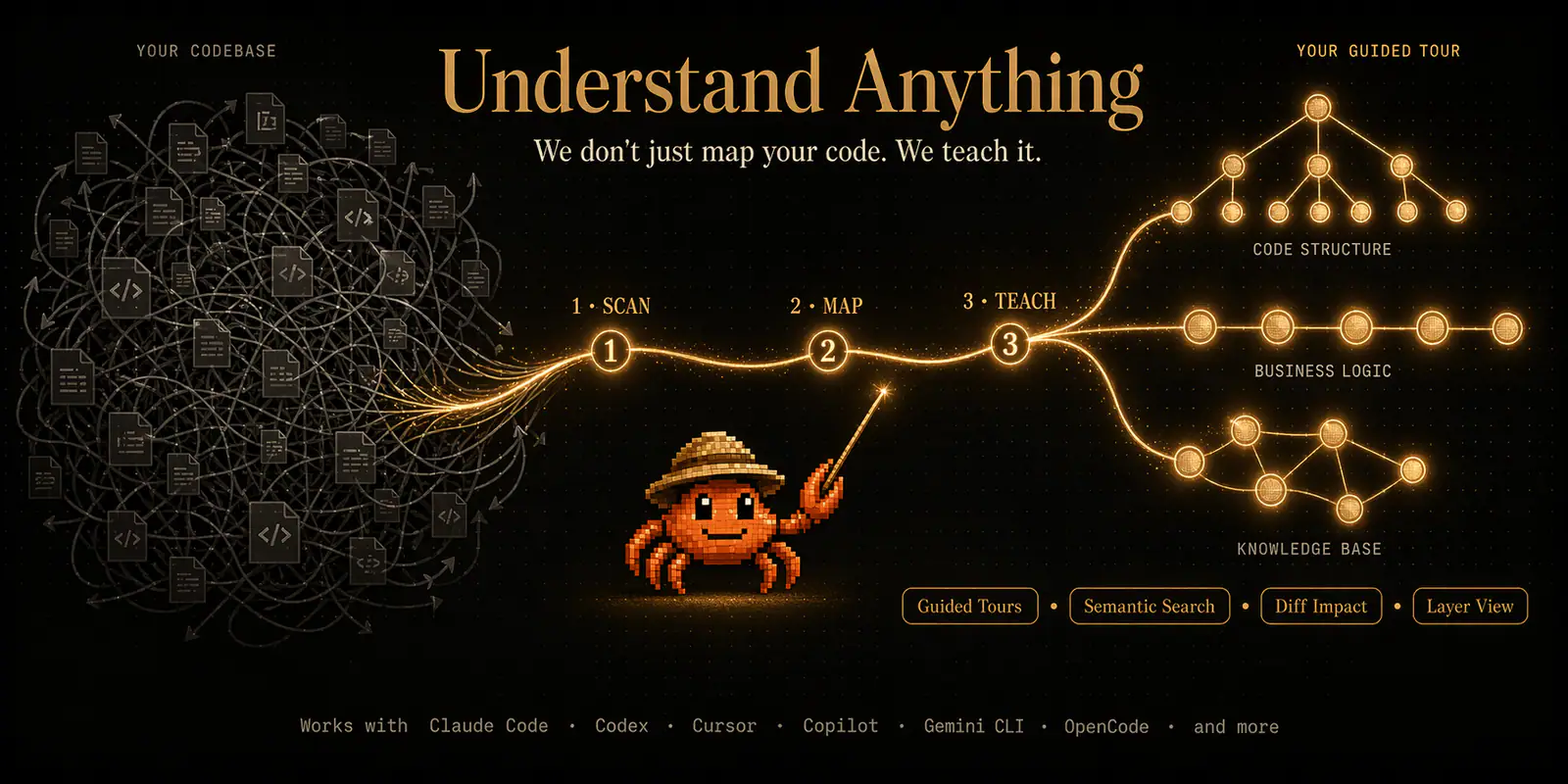
Explain a specific file, function or module with graph context and source evidence. The plugin provides nine task entrypoints for analysis, questions, diffs, onboarding, Figma and graph exploration. Its shared runtime builds and reuses a project graph. Install the complete plugin; individual catalog entries are routes into that package.
SKILL.md
Autore: Egonex-AI · Egonex-AI/Understand-Anything · MIT · SKILL.md @ b861852
---
name: understand-explain
description: Use when you need a deep-dive explanation of a specific file, function, or module in the codebase
argument-hint: "[file-path]"
---

# /understand-explain

Provide a thorough, in-depth explanation of a specific code component.

## Graph Structure Reference

The knowledge graph JSON has this structure:
- `project` — {name, description, languages, frameworks, analyzedAt, gitCommitHash}
- `nodes[]` — each has {id, type, name, filePath?, summary, tags[], complexity, languageNotes?}
  - Code node types: file, function, class, module, concept
  - Non-code node types: config, document, service, table, endpoint, pipeline, schema, resource
  - Domain/knowledge node types: domain, flow, step, article, entity, topic, claim, source
  - IDs use the node type as prefix, e.g. `file:path`, `function:path:name`, `config:path`, `article:path`
- `edges[]` — each has {source, target, type, direction, weight}
  - Key types: imports, contains, calls, depends_on, configures, documents, deploys, triggers, contains_flow, flow_step, related, cites
- `layers[]` — each has {id, name, description, nodeIds[]}
- `tour[]` — each has {order, title, description, nodeIds[]}

## How to Read Efficiently

1. Use Grep to search within the JSON for relevant entries BEFORE reading the full file
2. Only read sections you need — don't dump the entire graph into context
3. Node names and summaries are the most useful fields for understanding
4. Edges tell you how components connect — follow imports and calls for dependency chains

## Instructions

1. **Resolve the data directory `$UA_DIR`.** Run `UA_DIR=$([ -d .understand-anything ] && echo .understand-anything || echo .ua)` — this is the legacy `.understand-anything/` when it already exists, otherwise the new `.ua/`. Check that `$UA_DIR/knowledge-graph.json` exists. If not, tell the user to run `/understand` first.

2. **Check graph freshness before using graph-derived context**:
   - Read `project.gitCommitHash` from the graph metadata as `GRAPH_COMMIT_RAW`. Resolve it as a commit before using it in any Git diff, then compare it with `git rev-parse HEAD` and inspect project-scoped committed and working-tree changes from the project root:
     ```bash
     GRAPH_COMMIT=$(git rev-parse --verify --end-of-options "${GRAPH_COMMIT_RAW}^{commit}" 2>/dev/null)
     git rev-parse HEAD
     git diff --name-only "$GRAPH_COMMIT" HEAD -- .
     git diff --cached --name-only -- .
     git diff --name-only -- .
     git ls-files --others --exclude-standard -- .
     ```
   - The `-- .` pathspec is required: commits that only touch a sibling monorepo project must not make this graph stale. A hash mismatch alone is not stale when the project diff is empty.
   - Ignore the selected data directory (`.ua/` or legacy `.understand-anything/`) in every command's output because it contains generated graph artifacts, not project source drift.
   - If the committed diff or any working-tree command reports project files, warn before explaining that graph-derived context may omit those changes. Suggest: Run `/understand` to refresh the graph.
   - Run the commit diff only when `GRAPH_COMMIT_RAW` resolves successfully. If the graph commit or Git metadata is missing, invalid, or unavailable, give a brief best-effort warning and continue instead of blocking.

3. **Find the target node** — use Grep to search the knowledge graph for the component: "$ARGUMENTS"
   - For file paths (e.g., `src/auth/login.ts`): search for `"filePath"` matches
   - For function notation (e.g., `src/auth/login.ts:verifyToken`): search for the function name in `"name"` fields filtered by the file path
   - Note the exact node `id`, `type`, `summary`, `tags`, and `complexity`

4. **Find all connected edges** — Grep for the target node's ID in the edges section:
   - `"source"` matches → things this node calls/imports/depends on (outgoing)
   - `"target"` matches → things that call/import/depend on this node (incoming)
   - Note the connected node IDs and edge types

5. **Read connected nodes** — for each connected node ID from step 4, Grep for those IDs in the nodes section to get their `name`, `summary`, and `type`. This builds the component's neighborhood.

6. **Identify the layer** — Grep for the target node's ID in the `"layers"` section to find which architectural layer it belongs to and that layer's description.

7. **Read the actual source file** — Read the source file at the node's `filePath` for the deep-dive analysis.

8. **Explain the component in context**:
   - Its role in the architecture (which layer, why it exists)
   - Internal structure (functions, classes it contains — from `contains` edges)
   - External connections (what it imports, what calls it, what it depends on — from edges)
   - Data flow (inputs → processing → outputs — from source code)
   - Explain clearly, assuming the reader may not know the programming language
   - Highlight any patterns, idioms, or complexity worth understanding
Perché lo abbiamo scelto
Useful when a team needs both a project overview and focused follow-up questions. Reuse the saved graph for onboarding, change-impact discussion and explanations of a specific module.
A cosa serve
- Explain a specific file, function or module with graph context and source evidence.
Setup and use
The official installer asks for your platform and creates its links. Claude Code also supports /plugin marketplace add followed by /plugin install understand-anything. Reload the host afterwards.
| Comando | A cosa serve |
|---|---|
curl -fsSL https://raw.githubusercontent.com/Egonex-AI/Understand-Anything/main/install.sh | bash | Get the upstream package or workspace using the documented setup route. |
Upstream README and setupTask entrypoint and supporting files
Prima di usarlo
- A supported coding agent, the plugin runtime and access to the project files. Graph analysis uses model tokens; Figma analysis additionally needs Figma API access.
Agenti supportati
Fonti e riferimenti
Le fonti originali sono collegate qui sotto. Gli spunti pratici sono suggerimenti editoriali di SkillHey.