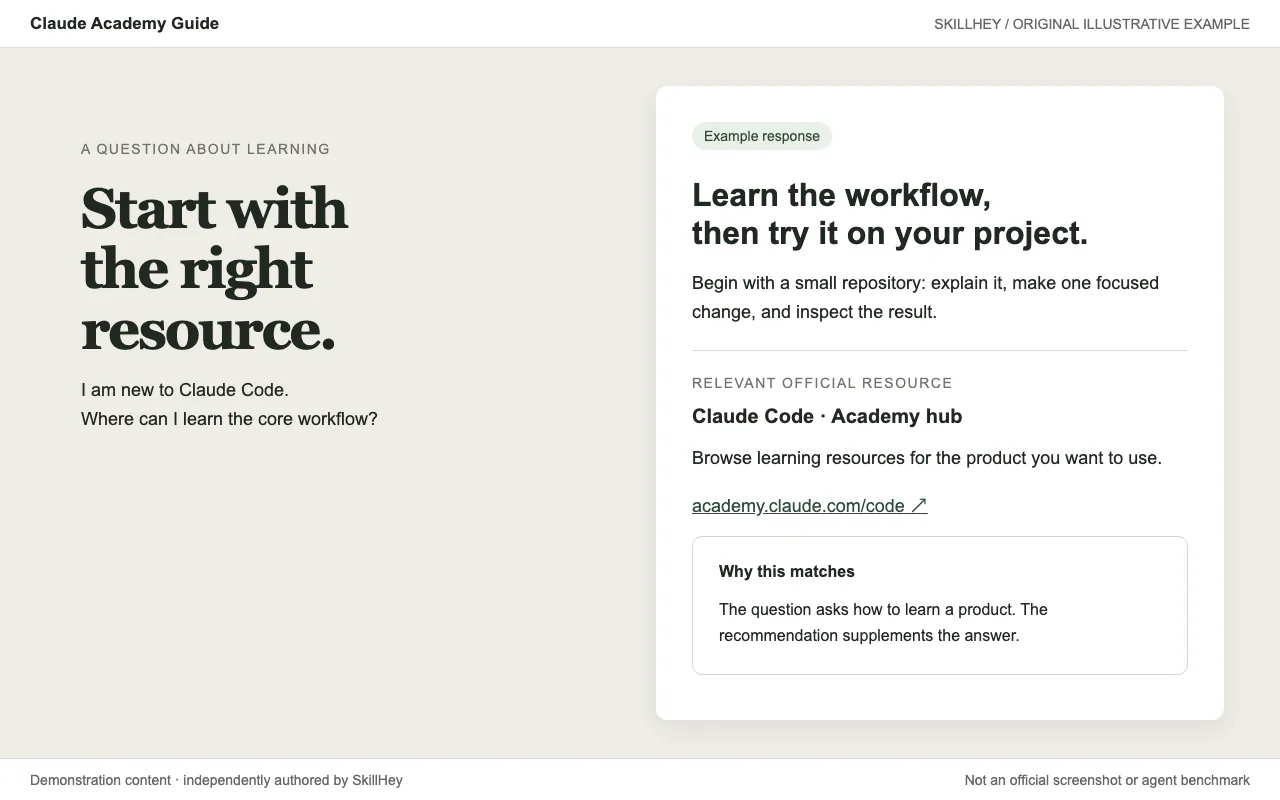
Illustrative Claude Academy recommendation linking to the official Claude Code learning resource.
Schermate del progettoInformazioni sullo Skill
Build multi-component HTML artifacts with React, state management and a bundled delivery workflow. Node.js and the source initialization/bundling scripts; dependencies may require network access.
SKILL.md
Autore: Anthropic · anthropics/skills · Nessuna licenza indicata · SKILL.md @ e4bb5d9
---
name: web-artifacts-builder
description: Suite of tools for creating elaborate, multi-component claude.ai HTML artifacts using modern frontend web technologies (React, Tailwind CSS, shadcn/ui). Use for complex artifacts requiring state management, routing, or shadcn/ui components - not for simple single-file HTML/JSX artifacts.
license: Complete terms in LICENSE.txt
---

# Web Artifacts Builder

To build powerful frontend claude.ai artifacts, follow these steps:
1. Initialize the frontend repo using `scripts/init-artifact.sh`
2. Develop your artifact by editing the generated code
3. Bundle all code into a single HTML file using `scripts/bundle-artifact.sh`
4. Display artifact to user
5. (Optional) Test the artifact

**Stack**: React 18 + TypeScript + Vite + Parcel (bundling) + Tailwind CSS + shadcn/ui

## Design & Style Guidelines

VERY IMPORTANT: To avoid what is often referred to as "AI slop", avoid using excessive centered layouts, purple gradients, uniform rounded corners, and Inter font.

## Quick Start

### Step 1: Initialize Project

Run the initialization script to create a new React project:
```bash
bash scripts/init-artifact.sh <project-name>
cd <project-name>
```

This creates a fully configured project with:
- ✅ React + TypeScript (via Vite)
- ✅ Tailwind CSS 3.4.1 with shadcn/ui theming system
- ✅ Path aliases (`@/`) configured
- ✅ 40+ shadcn/ui components pre-installed
- ✅ All Radix UI dependencies included
- ✅ Parcel configured for bundling (via .parcelrc)
- ✅ Node 18+ compatibility (auto-detects and pins Vite version)

### Step 2: Develop Your Artifact

To build the artifact, edit the generated files. See **Common Development Tasks** below for guidance.

### Step 3: Bundle to Single HTML File

To bundle the React app into a single HTML artifact:
```bash
bash scripts/bundle-artifact.sh
```

This creates `bundle.html` - a self-contained artifact with all JavaScript, CSS, and dependencies inlined. This file can be directly shared in Claude conversations as an artifact.

**Requirements**: Your project must have an `index.html` in the root directory.

**What the script does**:
- Installs bundling dependencies (parcel, @parcel/config-default, parcel-resolver-tspaths, html-inline)
- Creates `.parcelrc` config with path alias support
- Builds with Parcel (no source maps)
- Inlines all assets into single HTML using html-inline

### Step 4: Share Artifact with User

Finally, share the bundled HTML file in conversation with the user so they can view it as an artifact.

### Step 5: Testing/Visualizing the Artifact (Optional)

Note: This is a completely optional step. Only perform if necessary or requested.

To test/visualize the artifact, use available tools (including other Skills or built-in tools like Playwright or Puppeteer). In general, avoid testing the artifact upfront as it adds latency between the request and when the finished artifact can be seen. Test later, after presenting the artifact, if requested or if issues arise.

## Reference

- **shadcn/ui components**: https://ui.shadcn.com/docs/components
Perché lo abbiamo scelto
Useful for an interactive artifact with state, routing or reusable UI components. It supplies a React and TypeScript build path and a bundling workflow for a self-contained HTML artifact.
A cosa serve
- Build an interactive planning board.
- Create a multi-view artifact.
- Package an interface as an HTML artifact.
How this skill works
1. Initialize the provided frontend project structure
Initialize the artifact project and choose the components and state the interaction needs.
2. Develop component state and routing with the chosen UI tools
Build the React interface with the available styling and component tools.
3. Bundle the application into a shareable HTML artifact
Bundle the artifact into self-contained HTML and test the intended interactions.
An example task
Try this brief: “Build a small interactive planning board for a fictional workshop.”
The preview is an original SkillHey illustration of this task. Its content is fictional and is not an official Anthropic screenshot or an agent benchmark.
Second example
Try this brief: “Build a local interactive workshop budget that changes when attendee count changes.”
Install this skill or its official plugin
For this skill alone, copy its complete directory into the project Skills root using the command above. The final entry is .claude/skills/web-artifacts-builder/SKILL.md. Keep references, scripts and assets with it.
| Comando | A cosa serve |
|---|---|
/plugin marketplace add anthropics/skills | Register the official Claude Code marketplace. |
/plugin install example-skills@anthropic-agent-skills | Install the official plugin. This may include other skills; see its manifest. |
Official repository and plugin manifestClaude Code skill installation documentation
Dependencies and license
Node.js and the source initialization/bundling scripts; dependencies may require network access.
The recipe is free to access; running an agent or external service may have its own costs.
Review this skill’s LICENSE.txt before redistributing its files.
Official web-artifacts-builder instructionsOfficial repository and plugin manifest
Prima di usarlo
- Node.js and the source initialization/bundling scripts; dependencies may require network access.
Agenti supportati
Domande frequenti
Is this a separate skill?
Yes. web-artifacts-builder has its own SKILL.md and directory. It also belongs to the Anthropic Official Skills topic.
Fonti e riferimenti
Le fonti originali sono collegate qui sotto. Gli spunti pratici sono suggerimenti editoriali di SkillHey.