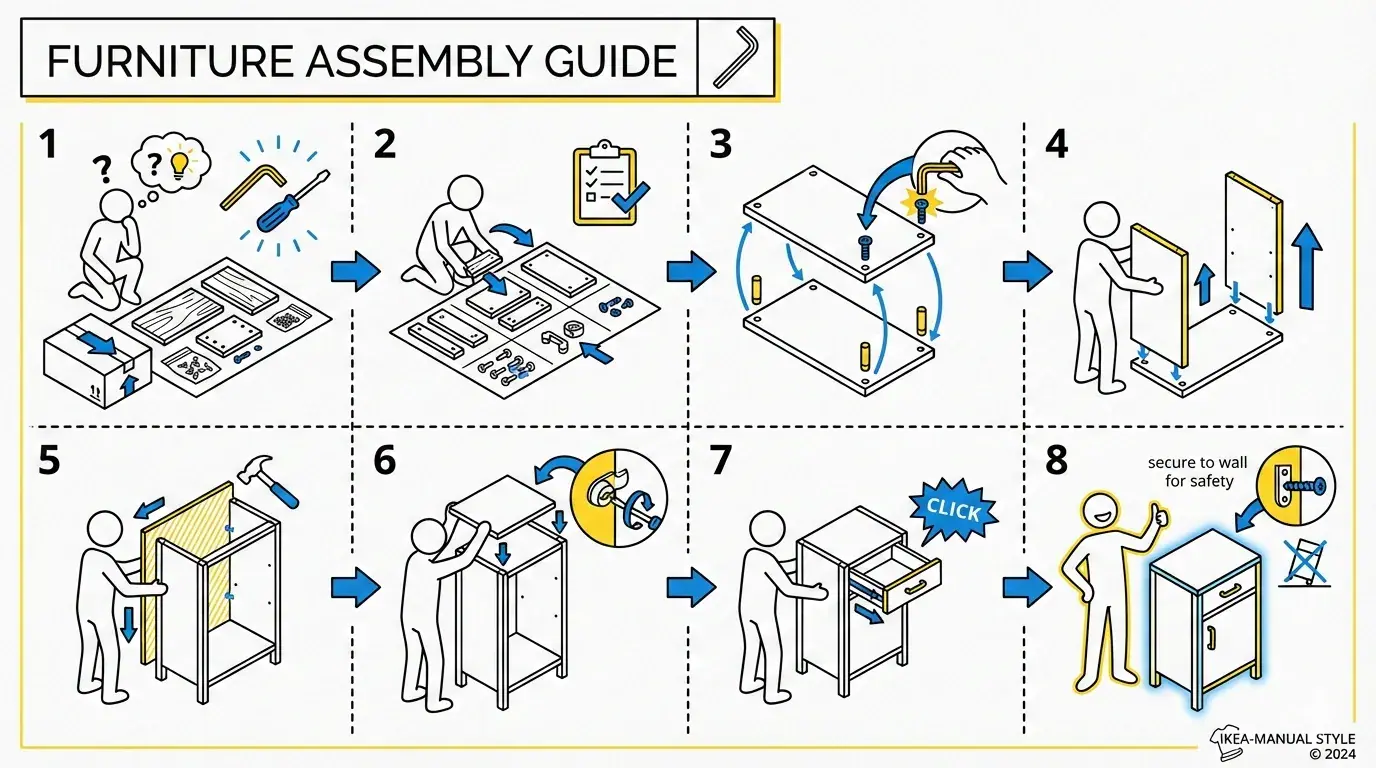
An illustrated furniture assembly guide in the author's IKEA manual infographic style.
Schermate del progettoInformazioni sullo Skill
Extract resources from installed Electron application archives and restore sources from available source maps.
SKILL.md
Autore: Jim Liu (宝玉) · JimLiu/baoyu-skills · MIT · SKILL.md @ ca703c2
---
name: baoyu-electron-extract
description: Extracts resources and JavaScript from any installed Electron app (`.asar` bundle), restoring original sources from `.js.map` files when available or formatting minified code with Prettier otherwise. Use when user wants to "extract Electron app", "decompile Electron", "get the source code of <app>", "inspect app.asar", "看 Electron 应用源码", "提取 .asar", or asks how a desktop Electron app is built. Skips `node_modules` and supports both macOS and Windows.
version: 1.119.0
metadata:
  openclaw:
    homepage: https://github.com/JimLiu/baoyu-skills#baoyu-electron-extract
    requires:
      anyBins:
        - bun
        - npx
---

# Electron App Extract

## User Input Tools

When this skill prompts the user, follow this tool-selection rule (priority order):

1. **Prefer built-in user-input tools** exposed by the current agent runtime — e.g., `AskUserQuestion`, `request_user_input`, `clarify`, `ask_user`, or any equivalent.
2. **Fallback**: if no such tool exists, emit a numbered plain-text message and ask the user to reply with the chosen number/answer for each question.
3. **Batching**: if the tool supports multiple questions per call, combine all applicable questions into a single call; if only single-question, ask them one at a time in priority order.

Concrete `AskUserQuestion` references below are examples — substitute the local equivalent in other runtimes.

## Script Directory

`{baseDir}` = this SKILL.md's directory. Resolve `${BUN_X}`: `bun` if installed; else `npx -y bun`; else suggest installing bun. Replace `{baseDir}` and `${BUN_X}` with actual values.

| Script            | Purpose                                                                        |
| ----------------- | ------------------------------------------------------------------------------ |
| `scripts/main.ts` | App discovery + asar extraction + source-map restoration + Prettier formatting |

## Workflow

**1. Determine the input.** Accepts an **app name** (e.g., `Codex`) or **absolute path** (`/Applications/Codex.app`, a `.asar` file, or a Windows install dir). Ask for it if not given; ask for a custom output directory if they want one.

**2. Run the script.**

```bash
${BUN_X} {baseDir}/scripts/main.ts "<app>" [--output <dir>] [--asar <path>] [--force]
```

If unsure discovery will find the right bundle, run with `--dry-run` first (prints resolved paths, writes nothing).

**3. Handle the result.**

- **Success** → report output paths and counts (extracted / restored / formatted).
- **Multiple matches** → script lists candidates and exits non-zero. Ask the user which one (via `AskUserQuestion` or the runtime equivalent), then re-run with the chosen absolute path.
- **Existing non-empty output dir** → script refuses without `--force`. Ask whether to overwrite (`--force`) or pick a new `--output`.
- **Unsupported platform / no match** → suggest `--asar /full/path/to/app.asar` if the user knows where the bundle lives.

**4. Point the user at the result** (default `~/Downloads/<AppName>-electron-extract/`):

- `restored/` exists → original source tree reconstructed from `.js.map` files; read this first.
- Only `extracted/` (no maps) → JS/CSS in `extracted/` was Prettier-formatted in place; read from there.

## Usage

```bash
${BUN_X} {baseDir}/scripts/main.ts Codex                                   # → ~/Downloads/Codex-electron-extract/
${BUN_X} {baseDir}/scripts/main.ts "/Applications/Visual Studio Code.app"  # .app bundle, install dir, or .asar
${BUN_X} {baseDir}/scripts/main.ts "C:\Users\you\AppData\Local\Programs\codex"
${BUN_X} {baseDir}/scripts/main.ts --asar /Applications/Codex.app/Contents/Resources/app.asar Codex
${BUN_X} {baseDir}/scripts/main.ts Codex --output ~/work/codex-source
${BUN_X} {baseDir}/scripts/main.ts Codex --json                            # one JSON line on stdout
```

## Options

| Option           | Short | Description                                                     | Default                                  |
| ---------------- | ----- | --------------------------------------------------------------- | ---------------------------------------- |
| `<app>`          |       | App name or absolute path. Required unless `--asar` is given.   | —                                        |
| `--output`       | `-o`  | Output directory                                                | `~/Downloads/<AppName>-electron-extract` |
| `--asar`         |       | Override the resolved `.asar` path                              | auto-discovered                          |
| `--force`        | `-f`  | Allow writing into a non-empty existing output dir              | false                                    |
| `--skip-format`  |       | Skip Prettier formatting                                        | false                                    |
| `--skip-restore` |       | Skip source-map restoration                                     | false                                    |
| `--no-unpacked`  |       | Don't copy `app.asar.unpacked/` alongside                       | false                                    |
| `--dry-run`      |       | Print resolved paths and exit without writing                   | false                                    |
| `--json`         |       | Emit one JSON-line summary on stdout (suppresses normal output) | false                                    |

## Output layout

```
~/Downloads/<AppName>-electron-extract/
├── extract-report.json          # JSON summary: counts, warnings, resolved paths
├── extracted/                   # raw asar contents (JS/CSS Prettier-formatted when no map)
│   └── ...                      # node_modules left untouched (skipped from format)
├── extracted.unpacked/          # copied from <asar>.unpacked/ if present
│   └── ...                      # native modules (.node), large assets
└── restored/                    # only present if at least one .js.map was usable
    └── <original/source/tree>   # rebuilt from sourcesContent in each .js.map
```

## Source-Map Path Restoration

Original source names and directory structure are preserved as far as the map allows:

- Each `sources[]` entry resolves with `sourceRoot` when present, then relative to the `.js.map` file's directory inside `extracted/` — e.g. `.vite/main/index.js.map` + `../../src/main.ts` → `restored/src/main.ts`.
- `../` segments are not treated as automatically unsafe: resolve from the map location first, then sanitize the final path so it stays under `restored/`. A path climbing above `extracted/` keeps its readable remainder — `.vite/main/index.js.map` + `../../../shared/src/lib/foo.ts` → `restored/shared/src/lib/foo.ts`.
- URL/query decorations are stripped (`webpack://`, `file://`, `?loader` suffixes).
- `restored/__unknown/<hash>.<ext>` only when the source name is empty or can't be reduced to a safe file path.
- `node_modules` and `webpack/runtime/*` entries are skipped (bundler/runtime noise).

## Notes

- **node_modules** is always skipped, for both source-map restoration and Prettier formatting.
- **Restoration needs embedded `sourcesContent`** (common for webpack, esbuild, Vite, rollup). Maps referencing external files without embedding them are skipped and the `.js` is Prettier-formatted instead; skipped maps appear in `extract-report.json` under `warnings`.
- **App discovery**: macOS `/Applications` + `~/Applications`; Windows `%LOCALAPPDATA%\Programs`, `%PROGRAMFILES%`, `%PROGRAMFILES(X86)%`, `%APPDATA%`. Multiple matches → script exits and lists them; re-run with an absolute path. Linux/other: pass `--asar /path/to/app.asar`.
- **Safety**: refuses to write to `/`, the user home directly, or the current working directory, and refuses to populate an existing non-empty output dir without `--force`.
- **No global installs**: `@electron/asar` and `prettier` resolve on-the-fly via `npx -y`; first run is slower while npx caches them.
Perché lo abbiamo scelto
Part of Baoyu Skills. Retain the selected skill directory and its referenced files.
A cosa serve
- Extract resources from installed Electron application archives and restore sources from available source maps.
Prima di usarlo
- Requires local access to the application archive and Bun or npx; source maps may not be present.
Agenti supportati
Claude CodeCodex CLI
Fonti e riferimenti
Le fonti originali sono collegate qui sotto. Gli spunti pratici sono suggerimenti editoriali di SkillHey.