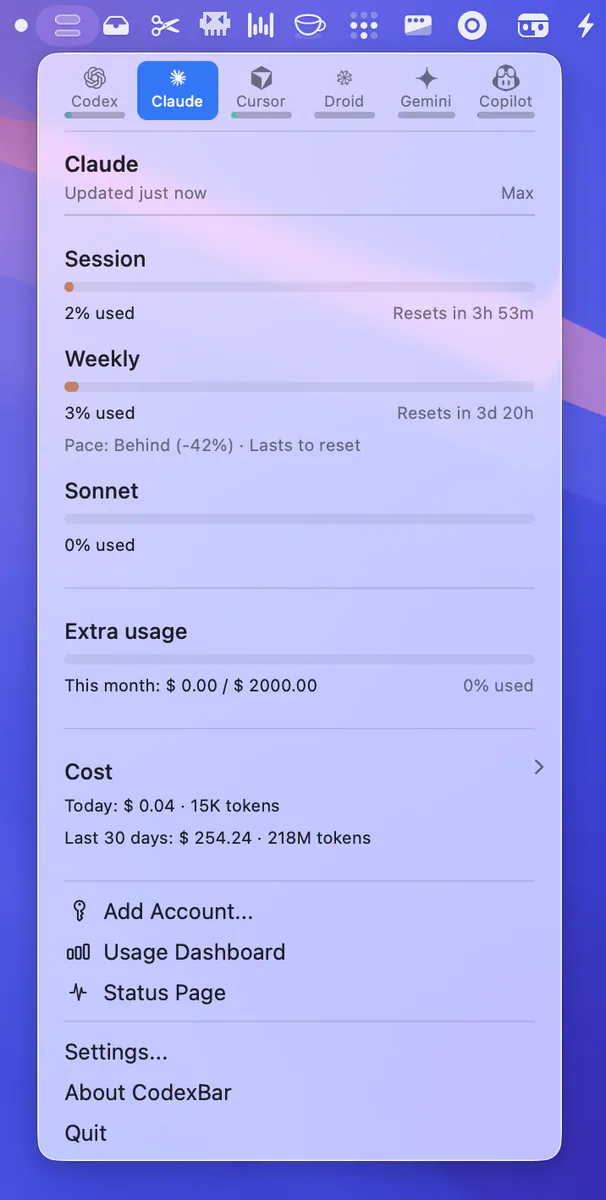
CodexBar usage and limits menu
Schermate del progettoInformazioni sullo Skill
Read CodexBar provider usage, limits, credits, and configuration health as structured data.
SKILL.md
Autore: steipete · steipete/CodexBar · MIT · SKILL.md @ 1f6da9b
---
name: codexbar
description: "CodexBar read. Provider usage, limits, credits, config health. JSON. No writes."
---

# CodexBar

Read CodexBar. Never mutate config/auth.

## Run

```bash
skill="${CODEX_HOME:-$HOME/.codex}/skills/codexbar"
"$skill/scripts/codexbar" doctor
"$skill/scripts/codexbar" providers
"$skill/scripts/codexbar" usage
"$skill/scripts/codexbar" usage --provider codex
"$skill/scripts/codexbar" usage --all
```

All stdout: JSON. Upstream CodexBar shape kept. Less drift, fewer tokens.

## Rules

- Start `doctor` when install/config unknown.
- `usage` reads enabled providers. Prefer this.
- `usage --provider ID` reads one provider.
- `usage --all` expensive; use only when needed.
- Identities hidden by default. `--include-identities` only when user explicitly needs them.
- Secrets always hidden.
- Helper read-only: fixed allowlist only. No config writes, auth repair, enable/disable, key storage.
- Timeout means upstream stuck. Narrow provider or raise `CODEXBAR_TIMEOUT` (default 120 seconds).

## Binary

Auto-find: `CODEXBAR_BIN`, PATH, app bundle, Homebrew cask. If missing: open CodexBar, Preferences > Advanced > Install CLI; or set `CODEXBAR_BIN`.

Each stdout/stderr stream capped at 1 MiB while fully drained. Timeout kills process group.
Perché lo abbiamo scelto
A focused workflow with its task instructions and supporting files available in the linked GitHub directory.
Prima di usarlo
- Usage tasks require CodexBar; live QA and releases need the documented macOS tools and credentials.