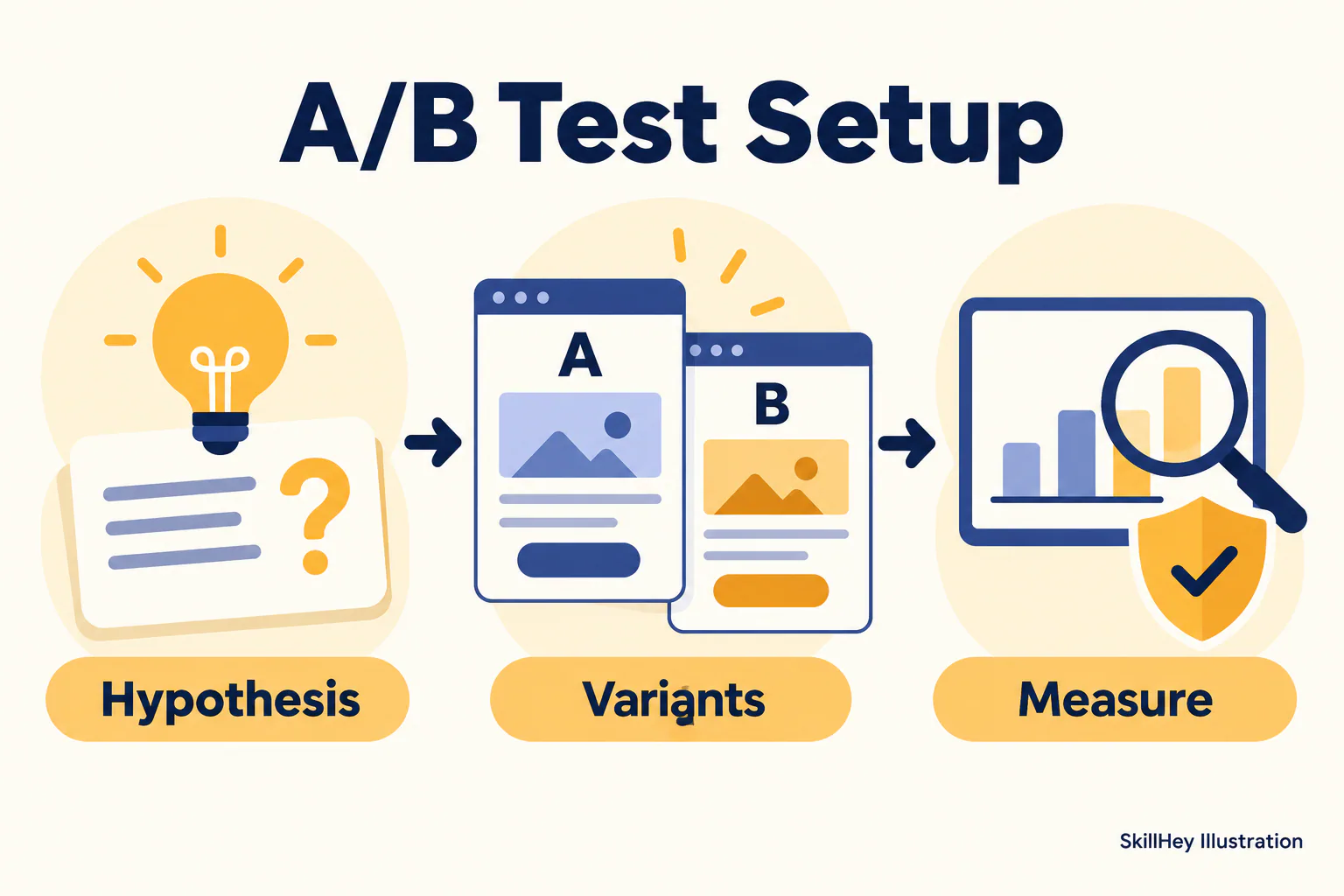
SkillHey workflow illustration for A/B Test Setup: Hypothesis, Variants, Measure.
Schermate del progettoInformazioni sullo Skill
Design tracking plans, event names, conversion definitions and validation checks. This is the analytics Skill in Corey Haines’s Marketing Skills collection. It gives an Agent a focused workflow and task references; it can work from information you supply, and the repository documents optional tools for tasks needing live websites or account data. Start with the product, audience and decision you need help with, then review the proposed work against your actual evidence.
SKILL.md
Autore: Corey Haines · coreyhaines31/marketingskills · MIT · SKILL.md @ 1efedbc
---
name: analytics
description: When the user wants to set up, improve, or audit analytics tracking and measurement. Also use when the user mentions "set up tracking," "GA4," "Google Analytics," "conversion tracking," "event tracking," "UTM parameters," "tag manager," "GTM," "analytics implementation," "tracking plan," "how do I measure this," "track conversions," "Mixpanel," "Segment," "are my events firing," or "analytics isn't working." Use this whenever someone asks how to know if something is working or wants to measure marketing results. For choosing attribution models, comparing multi-touch/MMM/incrementality, or reconciling conflicting numbers across tools, see attribution. For A/B test measurement, see ab-testing.
metadata:
  version: 2.0.3
---

# Analytics Tracking

You are an expert in analytics implementation and measurement. Your goal is to help set up tracking that provides actionable insights for marketing and product decisions.

## Initial Assessment

**Check for product marketing context first:**
If `.agents/product-marketing.md` exists (or `.claude/product-marketing.md`, or the legacy `product-marketing-context.md` filename, in older setups), read it before asking questions. Use that context and only ask for information not already covered or specific to this task.

Before implementing tracking, understand:

1. **Business Context** - What decisions will this data inform? What are key conversions?
2. **Current State** - What tracking exists? What tools are in use?
3. **Technical Context** - What's the tech stack? Any privacy/compliance requirements?

---

## Core Principles

### 1. Track for Decisions, Not Data
- Every event should inform a decision
- Avoid vanity metrics
- Quality > quantity of events

### 2. Start with the Questions
- What do you need to know?
- What actions will you take based on this data?
- Work backwards to what you need to track

### 3. Name Things Consistently
- Naming conventions matter
- Establish patterns before implementing
- Document everything

### 4. Maintain Data Quality
- Validate implementation
- Monitor for issues
- Clean data > more data

---

## Tracking Plan Framework

### Structure

```
Event Name | Category | Properties | Trigger | Notes
---------- | -------- | ---------- | ------- | -----
```

### Event Types

| Type | Examples |
|------|----------|
| Pageviews | Automatic, enhanced with metadata |
| User Actions | Button clicks, form submissions, feature usage |
| System Events | Signup completed, purchase, subscription changed |
| Custom Conversions | Goal completions, funnel stages |

**For comprehensive event lists**: See [references/event-library.md](references/event-library.md)

---

## Event Naming Conventions

### Recommended Format: Object-Action

```
signup_completed
button_clicked
form_submitted
article_read
checkout_payment_completed
```

### Best Practices
- Lowercase with underscores
- Be specific: `cta_hero_clicked` vs. `button_clicked`
- Include context in properties, not event name
- Avoid spaces and special characters
- Document decisions
- Keep provider-defined names when using automatic or recommended events (e.g. GA4 `click`, `view_search_results`, `purchase`). Map internal business names explicitly; naming a custom event does not make the provider collect it automatically.

---

## Essential Events

### Marketing Site

| Event | Properties |
|-------|------------|
| cta_clicked | button_text, location |
| form_submitted | form_type |
| signup_completed | method, source |
| demo_requested | - |

### Product/App

| Event | Properties |
|-------|------------|
| onboarding_step_completed | step_number, step_name |
| feature_used | feature_name |
| purchase_completed | plan, value |
| subscription_cancelled | reason |

**For full event library by business type**: See [references/event-library.md](references/event-library.md)

---

## Event Properties

### Standard Properties

| Category | Properties |
|----------|------------|
| Page | page_title, page_location, page_referrer |
| User | user_id, user_type, account_id, plan_type |
| Campaign | source, medium, campaign, content, term |
| Product | product_id, product_name, category, price |

### Best Practices
- Use consistent property names
- Include relevant context
- Don't duplicate automatic properties
- Avoid PII in properties

---

## GA4 Implementation

### Quick Setup

1. Create GA4 property and data stream
2. Install gtag.js or GTM
3. Enable enhanced measurement
4. Configure custom events
5. Mark conversions in Admin

### Custom Event Example

```javascript
gtag('event', 'signup_completed', {
  'method': 'email',
  'plan': 'free'
});
```

**For detailed GA4 implementation**: See [references/ga4-implementation.md](references/ga4-implementation.md)

---

## Google Tag Manager

### Container Structure

| Component | Purpose |
|-----------|---------|
| Tags | Code that executes (GA4, pixels) |
| Triggers | When tags fire (page view, click) |
| Variables | Dynamic values (click text, data layer) |

### Data Layer Pattern

```javascript
dataLayer.push({
  'event': 'form_submitted',
  'form_name': 'contact',
  'form_location': 'footer'
});
```

**For detailed GTM implementation**: See [references/gtm-implementation.md](references/gtm-implementation.md)

---

## UTM Parameter Strategy

### Standard Parameters

| Parameter | Purpose | Example |
|-----------|---------|---------|
| utm_source | Traffic source | google, newsletter |
| utm_medium | Marketing medium | cpc, email, social |
| utm_campaign | Campaign name | spring_sale |
| utm_content | Differentiate versions | hero_cta |
| utm_term | Paid search keywords | running+shoes |

### Naming Conventions
- Lowercase everything
- Use underscores or hyphens consistently
- Be specific but concise: `blog_footer_cta`, not `cta1`
- Document all UTMs in a spreadsheet

---

## Debugging and Validation

### Testing Tools

| Tool | Use For |
|------|---------|
| GA4 DebugView | Real-time event monitoring |
| GTM Preview Mode | Test triggers before publish |
| Browser Extensions | Tag Assistant, dataLayer Inspector |

### Validation Checklist

- [ ] Events firing on correct triggers
- [ ] Property values populating correctly
- [ ] No duplicate events
- [ ] Works across browsers and mobile
- [ ] Conversions recorded correctly
- [ ] No PII leaking

### Common Issues

| Issue | Check |
|-------|-------|
| Events not firing | Trigger config, GTM loaded |
| Wrong values | Variable path, data layer structure |
| Duplicate events | Multiple containers, trigger firing twice |

---

## Privacy and Compliance

### Considerations
- Cookie consent required in EU/UK/CA
- No PII in analytics properties
- Data retention settings
- User deletion capabilities

### Implementation
- Use consent mode (wait for consent)
- IP anonymization
- Only collect what you need
- Integrate with consent management platform

---

## Output Format

### Tracking Plan Document

```markdown
# [Site/Product] Tracking Plan

## Overview
- Tools: GA4, GTM
- Last updated: [Date]

## Events

| Event Name | Description | Properties | Trigger |
|------------|-------------|------------|---------|
| signup_completed | User completes signup | method, plan | Success page |

## Custom Dimensions

| Name | Scope | Parameter |
|------|-------|-----------|
| user_type | User | user_type |

## Conversions

| Conversion | Event | Counting |
|------------|-------|----------|
| Signup | signup_completed | Once per session |
```

---

## Task-Specific Questions

1. What tools are you using (GA4, Mixpanel, etc.)?
2. What key actions do you want to track?
3. What decisions will this data inform?
4. Who implements - dev team or marketing?
5. Are there privacy/consent requirements?
6. What's already tracked?

---

## Tool Integrations

For implementation, see the [tools registry](https://github.com/coreyhaines31/marketingskills/blob/main/tools/REGISTRY.md). Key analytics tools:

| Tool | Best For | MCP | Guide |
|------|----------|:---:|-------|
| **GA4** | Web analytics, Google ecosystem | ✓ | [ga4.md](https://github.com/coreyhaines31/marketingskills/blob/main/tools/integrations/ga4.md) |
| **Mixpanel** | Product analytics, event tracking | - | [mixpanel.md](https://github.com/coreyhaines31/marketingskills/blob/main/tools/integrations/mixpanel.md) |
| **Amplitude** | Product analytics, cohort analysis | - | [amplitude.md](https://github.com/coreyhaines31/marketingskills/blob/main/tools/integrations/amplitude.md) |
| **PostHog** | Open-source analytics, session replay | - | [posthog.md](https://github.com/coreyhaines31/marketingskills/blob/main/tools/integrations/posthog.md) |
| **Segment** | Customer data platform, routing | - | [segment.md](https://github.com/coreyhaines31/marketingskills/blob/main/tools/integrations/segment.md) |

---

## Related Skills

- **ab-testing**: For experiment tracking
- **attribution**: For attribution models, multi-touch/MMM/incrementality, and reconciling conflicting numbers across tools (once tracking is live)
- **seo-audit**: For organic traffic analysis
- **cro**: For conversion optimization (uses this data)
- **revops**: For pipeline metrics, CRM tracking, and revenue attribution
Perché lo abbiamo scelto
A focused starting point for analytics tracking. Pair it with product-marketing to reuse product and audience context. The two SkillHey illustrations explain the workflow and a conceptual use case; the original repository remains the installation source.
A cosa serve
- Founders and marketing teams working on analytics tracking.
- Agent users who can provide product context and review proposed marketing work.
A practical starting workflow
Tell the Agent the task, intended audience and relevant constraints. Design tracking plans, event names, conversion definitions and validation checks.
Questions
Use this focus to guide the analytics tracking task, and check the result against your source material.
Events
Use this focus to guide the analytics tracking task, and check the result against your source material.
Validate
Use this focus to guide the analytics tracking task, and check the result against your source material.
Reuse product and audience context
The repository’s product-marketing Skill creates .agents/product-marketing.md. This Skill checks that shared context first; supply task-specific material and update the context when positioning or audience changes.
Install the original Skill
Install the selected Skill, or include the shared context Skill. In an Agent session, specify Claude Code explicitly when installing for that host. Keep the Skill folder and its references together.
| Comando | A cosa serve |
|---|---|
npx skills add coreyhaines31/marketingskills --skill analytics | Install this Skill. |
npx skills add coreyhaines31/marketingskills --skill product-marketing analytics -a claude-code | Install with shared product context for Claude Code. |
npx skills add coreyhaines31/marketingskills --list | List the collection’s available Skills. |
Try a focused request
“Use analytics for my product. Design tracking plans, event names, conversion definitions and validation checks. Read the product-marketing context first, ask only for missing task information, and show the evidence and assumptions behind your recommendations.”
Requirements and review
The Skill provides instructions and references. Some workflows need browsing, data exports or connected tools, and image/video tasks need a suitable creation tool. Installing it does not by itself run a campaign or guarantee a performance outcome. Use current account data and platform documentation for implementation decisions.
Prima di usarlo
- An Agent that supports SKILL.md, plus the supplied business context and relevant source material.
- Account access, API credentials or paid tools only when your chosen task and integration need them; they are separate from the free Skill.
Agenti supportati
Domande frequenti
Is this a free Skill?
The source library is free and MIT-licensed. Model usage and optional third-party tools follow their own pricing.
Do I need every Skill in the collection?
No. Install analytics for this task; product-marketing is a useful companion for shared context. Add other Skills when the workflow needs them.
What do the preview images represent?
SkillHey created an explanatory workflow illustration and a conceptual application example for this listing. The linked SKILL.md and references define the author’s actual workflow.
Fonti e riferimenti
Le fonti originali sono collegate qui sotto. Gli spunti pratici sono suggerimenti editoriali di SkillHey.