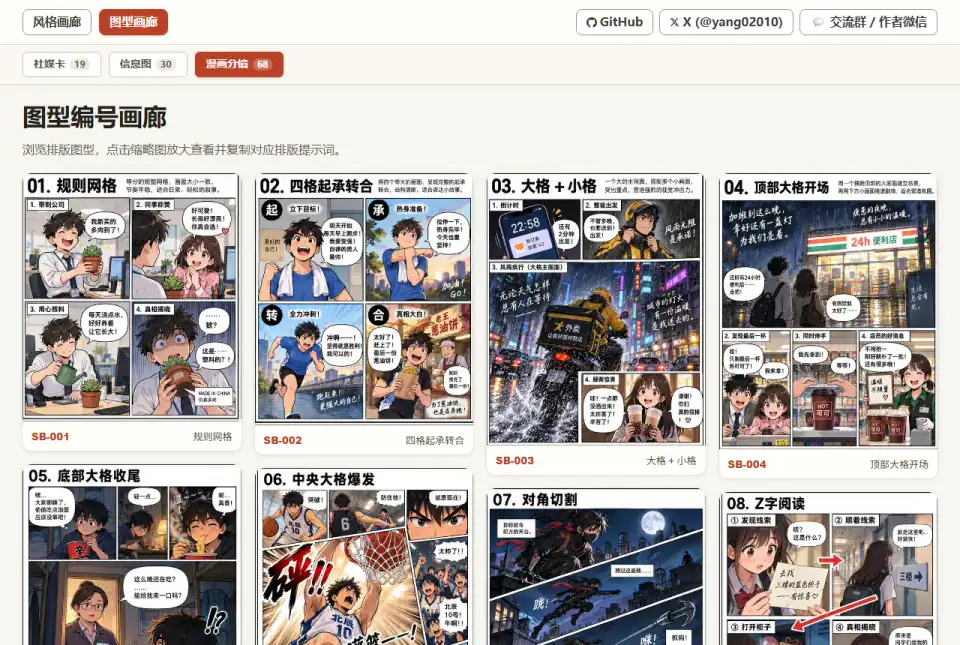
SimonTalk portfolio cover wall with photographic investigation thumbnails and cream hand-drawn whiteboard thumbnails.
Schermate del progettoInformazioni sullo Skill
whiteboard-video is the hand-drawn explainer workflow in Simon Skills. It turns researched narration into scenes rendered with rough.js, animates strokes in Chromium through Playwright, and uses FFmpeg to assemble video and subtitles. The author describes short landscape episodes of about two minutes, with stickers or official logos, configurable branding and two cover orientations.
SKILL.md
Autore: trustfuture (SimonTalk) · trustfuture/simon-skills · MIT · SKILL.md @ cc2b45d
---
name: whiteboard-video
description: 手绘白板风"边画边讲"讲解视频出片 skill(Excalidraw 风格逐笔动画 + 火山引擎配音 + 烧录字幕 + 品牌水印与片尾卡 + 横竖两张封面 + 各平台发布文案)。当用户说"做一期白板视频 / 边画边讲 / 手绘讲解视频 / 用 excalidraw 做视频 / whiteboard video",或要在本仓库里新建一期、改场景、换贴纸或真实 Logo、重出片、改字幕、出封面、写发布文案时使用。全链路本地:Playwright + ffmpeg + 火山 TTS + 本地 codex CLI 生图,不需要剪辑软件。
---

# whiteboard-video:白板讲解视频出片

工具就是本仓库(下文 `<仓库>`),CLI 是 `<仓库>/bin/wb`,参数全在 `<仓库>/config.json`。每期内容在 `config.json` 的 `dirs.projects`(默认 `<仓库>/episodes/<日期 标题>/`),中间产物与成片在 `dirs.build`(默认 `<仓库>/build/<日期 标题>/`)。

本文件只讲流程与规矩。细节按需翻:`references/dsl.md`(场景与封面 API)、`references/scene-patterns.md`(版式坐标)、`references/stickers.md`(贴纸、真实 Logo、真人漫画像)、`references/publish.md`(标题与发布文案);公共工序在同级的 `../video-common/`:`references/fact-check.md`(查证)、`references/compliance.md`(合规)、`references/delivery-qa.md`(验收)。

## 硬规矩

1. **全链路本地。** 旁白走火山引擎语音合成(凭证在 `<仓库>/.env`,音色可以是官方音色或你自己的声音复刻),语速默认 1.2 倍原生合成;贴纸走本地 `codex` CLI 生图;真实 Logo 走 Wikimedia Commons 官方 SVG(`wb logo`);配乐放 `assets/bgm.mp3`,没有就出无配乐成片。改配置不改代码。
2. **一处为主。** 期目录就是工程目录,`scenes.js` 是唯一手写源(旁白、场景、封面都在里面);`scenes/`、`旁白稿.md`、`字幕.srt`、`封面-*.png` 是生成物,不手改、不外拷。`README.md`(资料来源)和 `发布.md`(文案)是人写的。视频不放进期目录:成片在 `<dirs.build>/<期>/outputs/final.mp4`,中间产物在同目录 `work/`,`旁白稿.md` 里自动带成片链接。
3. **先旁白后画面。** 旁白按 `|` 切 beat,每 beat 3~4 句配一组元素;6~8 个场景,成片 2~2.5 分钟(1.2 倍语速下约 500~600 字)。
4. **画布 1920×1080。y≥960 是字幕区,右上 320×130 是水印区**,元素不进去;`wb scenes` 的 ⚠ 必须清零。
5. **公司、产品、模型用真实 Logo;人物、器械、物件用贴纸;文字、箭头、框用 Excalidraw。** 讲到具体公司时主角用官方 Logo(`wb logo`),不用生图拟人机器人代指,观众认不出是谁。讲到具体公众人物时用真人照片参考的漫画像(`wb image ... --ref=照片 --likeness`,见 `references/stickers.md`),不用通用小人代指。Excalidraw 画人很丑,人和物件一律出贴纸。
6. **事实先查再写。** 数字、日期、价格要有来源,写进期目录 `README.md`;估算值在旁白和文案里都标"据报道/估算"。查证动作见 `../video-common/references/fact-check.md`。
7. **品牌层自动带,不用每期写。** 右上角手写水印(第一场景逐笔画入)、片尾品牌卡(5.5 秒,静音)、封面上的品牌标都由工具生成,名字、品牌色、slogan 在 `config.json` 的 `brand`;标题和点睛色优先用 `C.brand`。
8. **交付四件套:成片 + 两张封面 + `发布.md`**,主用标题和视频号简介直接贴在回复里。

## 命令

```bash
W=<仓库>/bin/wb
$W new "<标题>"                          # 建期目录:scenes.js 模板 + 发布.md 模板
$W logo "<标题>" logo-x="Commons 文件名.svg" ... [--vs=x,y]   # 真实 Logo → assets/<name>.png;--vs 拼 "A VS B" 封面图;--search="词" 先看候选
$W image "<标题>" name="英文描述" ...     # 贴纸,一次 ≤4 张(四宫格同风格)→ assets/<name>.png
$W stills "<标题>"                       # 每 beat 静帧 → <后台>/<期>/work/frames/,逐张看
$W cover "<标题>"                        # 封面-4x3.png + 封面-3x4.png → 期目录
$W build "<标题>"                        # scenes → tts → render → mix → cover → clean,出 outputs/final.mp4 / 字幕.srt / 旁白稿.md
```

分步:`scenes` / `tts` / `render [scene|99-brand]` / `mix [gain]` / `clean` / `open` / `list`。`wb build` 出片后自动 `clean`:删 `work/frames` 静帧和 `work/out` 里已不在场景表的旧分段,各场景分段与 master 保留(单场景重渲、重混配乐要用)。期参数用标题子串(`wb build 薄肌`)。`wb render <期> 03-xxx` 只重渲一段并自动重拼 master,接 `wb mix` 即新成片;TTS 有缓存,只有改过的旁白会重配。

## 一期的流程

### 1. 立题与查证
- 明确选题、观众、口吻(默认冷静科普口吻,账号口吻写进 `references/publish.md`)。
- 搜 2~3 轮;**官方页优先且读到全文**,二手站数字只做线索。
- 数字、日期、来源列进 `README.md`「资料来源」,口径("240 倍 = 6000 万 / 25 万")单列一节。

### 2. 写旁白(scenes.js)
- 口语短句,每句一个信息点。数字用中文读法利于 TTS("三百美元");字幕用原文,所以阿拉伯数字也行,但 `@`、`iOS` 这类 TTS 会念歪的词要斟酌。
- 结构:开场定义/反差 → 分解(三要素/两列对比/时间线)→ 怎么算/怎么做 → 数字与门槛 → 冷水/边界 → 一句话总结 + 评论区问题。
- 每个 beat 都要有能画出来的东西,抽象句并入相邻 beat。按原速写即可,成片语速 1.2 倍。

### 3. 出 Logo 与贴纸
- **先列本期出现的公司/产品/模型 → `wb logo`。** `wb logo --search="<公司> logo"` 看 Commons 候选,挑官方现行版(带年份的取最新),一期一条命令取齐:标志(`logo-<名>`,方形,放主视觉)+ 字标(`logo-<名>-word`,横长,当标签/表头);两家对比再加 `--vs=a,b` 出 `logos-vs.png` 当封面主图。来源自动记在 `assets/logos.json`,抄进 README「画面素材」。Commons 没有的,去官网 press kit / brand 页找 SVG,确认授权再下载。
- 再列本期物件(人物、器械、设备、道具),`wb image` 一次 ≤4 张,英文描述写姿势/服装/颜色(Excalidraw 五色:pale yellow/blue/green/red/grey)。
- 逐张看 `assets/<name>.png`:杂点、邻格残片、主体断块 → `--single` 单张重出;只是抠图问题 → `--rekey`。封面主角贴纸也在这一步出(公司题材封面用 Logo,不另出)。

### 4. 画场景
- 抄 `references/scene-patterns.md` 的版式坐标再微调;贴纸 `s.image(x, y, 'name', { h: 370, align: 'center' })`,人形 360~380 高;Logo 同样用 `s.image`:主视觉标志 h 260~300,卡片/柱子里 h 100~130,字标当标签用 `w`。
- 一屏 10~20 个元素;一个 beat 塞不下就删元素,别指望笔画得完(排期最多溢出到下一段前 35%,再多就整体压缩)。
- `wb stills` 后**逐张看静帧**:重叠、越界、文字超宽、太挤。改到满意。

### 5. 封面
- `scenes.js` 末尾 `cover` 函数:`s.coverLayout({ ratio, title, sub, sticker })`,`build(__dirname, scenes, { cover })`;`wb cover` 出 4:3 与 3:4。
- 标题 ≤2 行、每行 ≤8 字:第一行说对象,第二行说钩子(自动品牌色 + 马克笔高亮);副标放数字;贴纸用主角(公司题材传 `sticker: 'logos-vs'` 或单个 `logo-x`,宽图在竖版会自动按宽度缩)。
- 看两张 png:文字没撞贴纸、高亮压在钩子行、品牌标在角上。

### 6. 出片与验收
- `wb build`。抽 2~3 帧看(`ffmpeg -ss <t> -i final.mp4 -frames:v 1 x.png`):字幕在底、水印在右上、贴纸擦出正常;片尾看一眼 `99-brand`。
- 看 `字幕.srt` 前几条:原文拼写、数字未拆。
- 机器检查与交付边界按 `../video-common/references/delivery-qa.md`。
- `README.md` 写好,时长以 `ffprobe` 为准。

### 7. 发布文案与标题
- 按 `references/publish.md`:5 个标题候选(数字反差 / 事件主语 / 结论前置 / 生活单位换算 / 提问)选 1 主用;视频号简介、小红书标题+正文+标签、B 站标题、公众号摘要、评论区置顶。
- 数字与 `README.md` 一致;合规自查勾完(`../video-common/references/compliance.md`)。
- 填 `发布.md`,交付四件套。

## 修改类请求怎么接

| 用户说 | 做法 |
|---|---|
| 改某句旁白 / 加一段 | 改 `scenes.js` → `wb build`(只重配改过的场景) |
| 用了假机器人 / 要真 Logo | `wb logo` 取官方 SVG → scenes.js 把 `s.image` 名字换成 `logo-*` → `wb stills` → `wb render && wb mix && wb cover` |
| 换贴纸 / 人物太丑 | `wb image` 重出 → `wb stills` → `wb render && wb mix`(封面用到的话再 `wb cover`) |
| 画得太快/太慢、文字蹦出来 | config `render.pen`:`speed` 描边 px/s、`charSeconds` 每字秒数区间、`minSeconds` 单元素下限、`gapSeconds` 抬笔间隙 → `wb render && wb mix` |
| 渲染太慢 / 机器吃紧 | config `render.workers`(默认 4 路,每路一个 Chromium;1 = 串行),出帧与路数无关、逐帧一致 |
| 语速快/慢 | config `tts.speed`(默认 1.2)→ `wb build`,全部场景自动重配、字幕同步 |
| 配乐大/小 | config `bgm.gain` → `wb mix`;临时试听 `wb mix <期> 0.4` |
| 字幕字号/位置 | config `captions.fontSize / baselineY` → `wb render && wb mix` |
| 水印位置/关掉/换 logo | config `brand.watermark.position/enabled`、`brand.logo`(透明底 png)→ `wb render && wb mix` |
| 片尾卡 slogan / CTA / 时长 / 不要 | config `brand.slogan`、`brand.endCard.*` → `wb render <期> 99-brand && wb mix` |
| 封面文案 / 贴纸 / 画幅 | `scenes.js` 末尾 cover 函数 → `wb cover`;画幅 config `cover.ratios`,标签 `cover.seriesTag`(`tag: ''` 去掉) |
| 标题 / 发布文案 / 换平台 | 改 `发布.md`,不用重出片 |
| 在 Obsidian 里改了图 | `wb render && wb mix` 直接读 `.excalidraw.md`;增删元素会改逐笔顺序,结构性改动回 `scenes.js` |
| 换声线 / 换曲 | `.env` 的 `VOLC_TTS_VOICE` 或 config `tts.voice`(声音复刻音色配 `resourceId: volc.megatts.default`)/ `assets/bgm.mp3`(换曲先 volumedetect 量电平再定 gain) |
| 换账号品牌 | config `brand.name/accent/slogan`,其余不动 |

## 已知坑

- Logo:很多官网有验证页拦截,Logo 一律走 Commons API(`wb logo`),别去官网抓图。OpenAI 2025 字标最后的 "I" 就是一根竖条,不是被裁掉;Claude 星芒 SVG 边缘略锯齿,放大到 300 高以内看不出来。
- 火山 TTS 偶尔只返回半段:`tts-volc.mjs` 按逐字数校验自动重试;全量重配 `FORCE_TTS=1`。缓存键含文本+音色+语速,改语速会全部重配。
- 字幕文本必须用原文,TTS 词会把 `@grok` 写成 `atgrok`;字幕时间来自 TTS 逐字时间戳,改旁白必须重跑 tts。
- SVG dash 在每个子路径 `M` 处重起,rough.js 又双描边:整条 path 一起 dashoffset 会"所有边同时长、每边描两遍"。渲染器已按子路径拆节点、双描边拆 A/B 层,别回退。
- rough.js `toPaths` 不带 dasharray,虚线在 `render.html` 手动设。
- 文本宽度是估算值,居中用 `align:'center'` 才准;左对齐长文本别超 1920。
- Playwright 截图偶发 30s 超时,渲染器带 3 次重试;再挂重跑 `wb render`。
- 不要并发跑 `wb image`:codex 没按指定路径落盘时会兜底抓"最近生成的图",并发会互相抓错。
- 渲染整期约 35 秒(4 路并行,2.5 分钟片),`wb build` 全程约 40 秒(TTS 命中缓存时)。后台长任务不要用 `&`,用工具自带的后台运行。
- 并行出帧靠两点,别动:`render.html` 的 `seek()` 每帧把底色矩形原地重插,强制整屏重画(否则 Chromium 只重画变化区域,帧会跟出帧顺序有关);每路单开一个 Chromium。改渲染器后用 `render.workers=1` 和 `4` 各出一遍,`ffmpeg -f framemd5` 对比必须 0 帧不同。
- 用 `require()` 跑 `templates/scenes.js` 会在 templates/ 下生成产物,别这么测;冒烟测试用 `wb new`。
Perché lo abbiamo scelto
This workflow includes an actual scene DSL and local rendering CLI. Narration, visual elements and covers live in the episode's scenes.js, while shared configuration controls pen motion, subtitles, voice and branding. It is useful for repeatable explainers whose diagrams and wording need to stay editable.
A cosa serve
- Short educational explainers that benefit from diagrams appearing alongside narration.
- Creators combining hand-drawn text, arrows, generated stickers and product logos.
- Teams maintaining recurring episodes through editable scene data and shared brand configuration.
Narration becomes editable scenes
Write and check narration before drawing. Each episode's scenes.js defines the spoken beats, visual elements and cover layout. Shared configuration handles brand, subtitle position, pen timing and audio settings. Preview stills expose overlaps and reserved subtitle or watermark areas before the full render.
The CLI generates word-timed speech, renders strokes, assembles video and prepares subtitles, two covers and publishing copy. Scenes can also export Excalidraw files for compatible editing workflows. The Skill prepares the delivery package; it does not post to social platforms automatically.
Production Skill READMEProduction Skill instructionsShared video-common module
Install the production Skill and its shared module
Clone the repository and run the linking command from its root. Keep the repository in place so the links continue to work. Install video-common beside the production Skill: its ../video-common/ references require sibling directories. The commands below use SkillHey's shared Agent directory catalog.
| Comando | A cosa serve |
|---|---|
git clone https://github.com/trustfuture/simon-skills.git
cd simon-skills | Download the complete repository and enter its root. |
mkdir -p ~/.claude/skills
for s in whiteboard-video video-common; do
  ln -sfn "$PWD/skills/$s" ~/.claude/skills/$s
done | Claude Code: install both sibling folders. Final entry: ~/.claude/skills/whiteboard-video/SKILL.md. |
mkdir -p ~/.agents/skills
for s in whiteboard-video video-common; do
  ln -sfn "$PWD/skills/$s" ~/.agents/skills/$s
done | Codex CLI: install both sibling folders. Final entry: ~/.agents/skills/whiteboard-video/SKILL.md. |
Simon Skills repository and installationProduction Skill READMEShared video-common module
Configure the renderer and inspect a first episode
Install dependencies inside skills/whiteboard-video and configure its .env from the supplied example. Set brand, narration, subtitle and directory options in config.json. The README supplies a complete sample episode for checking the local environment; generated stickers and TTS use your configured services.
| Comando | A cosa serve |
|---|---|
cd skills/whiteboard-video
npm install
cp .env.example .env | From the cloned repository, install the renderer and create the local TTS configuration. |
bin/wb new "My first explainer"
bin/wb stills "My first explainer"
bin/wb build "My first explainer" | Create an episode, edit its scenes.js, inspect stills and then build with the configured services. |
A useful first request
Use whiteboard-video to explain why a personal plan can fail after the first week. Keep it around two minutes, use our brand and a calm conversational voice, cite the factual claims and show scene stills before rendering. Deliver the video, subtitles, landscape and portrait covers, and publishing copy.
Author examples, branding and license
The first gallery image is the requested hero-wall.jpg cover wall. The second retains the author's cover example; the third is the user-supplied screenshot of nine covers for this workflow. Display images are resized to WebP and retain their original branding. New projects can configure their own brand.
Code and documentation use the repository's MIT license. The README separately identifies font and third-party material terms, and reserves the author's published portfolio for display. Keep required license notices and use suitable assets when producing your own episodes.
Simon Skills repository and installationProduction Skill READMEAuthor's hero cover wallRepository MIT license
Prima di usarlo
- A local coding agent with filesystem access and shell execution. The author documents Claude Code and Codex; browser-only chat cannot run this production pipeline.
- Both production Skills require the sibling video-common module and a configured Volcano Engine TTS account. AI services, speech synthesis and supplied media have their own costs and terms.
- Node.js 20.12+, FFmpeg and Playwright Chromium. Codex CLI is used for the optional image-generation step and needs its own login and quota.
- The author tested macOS. Linux is described as likely to work, with the wb open command requiring adaptation. Music is supplied separately; the pipeline can render without it.
Agenti supportati
Domande frequenti
Does it publish the finished video automatically?
The upstream workflow stops at the finished video and publishing package. You review it and choose where and when to publish.
Is video-common optional?
Both production Skills reference its files using sibling paths. Install it beside the production Skill and keep the repository available.
Fonti e riferimenti
Le fonti originali sono collegate qui sotto. Gli spunti pratici sono suggerimenti editoriali di SkillHey.