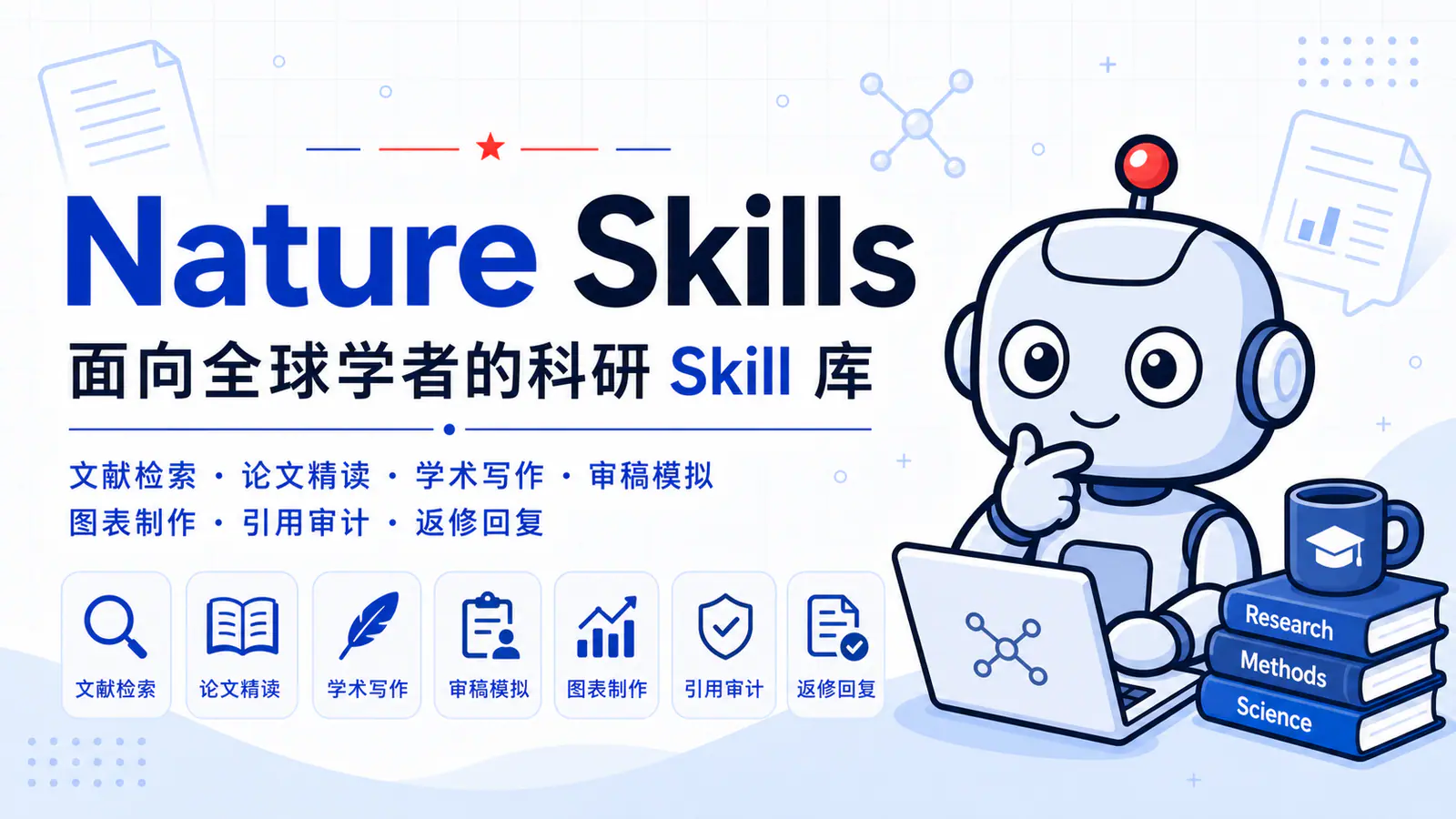
Nature Skills repository banner with a research robot and its literature, writing, review and figure workflows.
Schermate del progettoInformazioni sullo Skill
Turn scientific papers or reading notes into Chinese PPTX research presentations with source figures and speaker notes.
SKILL.md
Autore: Yuan1z0825 and contributors · Yuan1z0825/nature-skills · Apache-2.0 · SKILL.md @ 14ca697
---
name: nature-paper2ppt
description: Create or improve a Chinese academic PPTX from a scientific paper or research reading notes, with source figures and speaker notes. Use for 论文做PPT、文献汇报、组会PPT and paper-based conference or defense presentations.
---

# Paper-to-PPTX — Router

## Routing protocol

For an edit to an existing deck, reuse its paper source, narrative, terminology, and assets.
Change the requested slides and any affected cross-slide references; do not rerun paper intake
or rebuild the deck's story unless the request requires it. Inspect changed slides and run the
existing final PPTX audit before delivery. A requested outline or explanation alone does not
require creating a deck.

For a new task, load the core and matching resources below. Reuse already loaded guidance on follow-ups; load more only when the task needs it.

### 1. Load the manifest and the core layer

Read [manifest.yaml](manifest.yaml). It declares the `paper_type` axis, the allowed values, and the file paths each value maps to.

Also read every file listed under `always_load`. These hold the purpose and core principle, the lean operating mode and toolchain policy, the 9-step workflow spine, and the output/quality rules that apply to every deck, plus the shared Terminology Ledger used to keep technical terms consistent across slides.

### 2. Classify the paper type

Decide the `paper_type` value using the manifest's `detect:` hint and the source:

- `discovery` — discovery / mechanism papers (question-to-evidence arc). Default.
- `methods` — methods / AI / tool / algorithm papers (problem-to-solution arc).
- `resource` — resource / dataset / atlas / omics / benchmark papers (workflow-to-validation arc).
- `clinical` — clinical / population / intervention studies (design-to-inference arc).
- `materials` — materials / chemistry / physics / engineering papers (property-to-mechanism / design-to-performance arc).
- `review` — reviews / perspectives / commentaries / meta-analyses (evidence-map arc).

State the detected value in one short line to the user before designing slides, so they can correct you cheaply.

### 3. Load the matching fragment

Read the file mapped for the detected `paper_type`. It gives the presentation arc and how to adapt the default slide structure for this type. Do **not** read every fragment in `static/`.

### 4. Build the deck using the loaded material

Apply the loaded fragments in this priority order:

1. Core principles (`core/principles.md`) — the argument is the spine; lean operating mode; accepted inputs; Chinese-by-default language rule.
2. Toolchain policy and fast path (`core/toolchain.md`) — cross-platform Python-first stack, default fast path.
3. Paper-type arc (the loaded `paper_type` fragment) — narrative order and slide structure for this paper.
4. Workflow (`core/workflow.md`) — run the 9 steps end to end.
5. Output and quality rules (`core/output-and-quality.md`) — deliverables, quality gates, fallbacks.

Build the Terminology Ledger (`../nature-shared/core/terminology-ledger.md`) while reading the source, so model names, gene/protein names, datasets, metrics, and abbreviations stay identical across every slide and speaker note.

When a deck is requested, the end product is a real `.pptx`, not only an outline or script. Do not fabricate results, numbers, or figure details.

### 5. Reach for references only when needed

The files under `references/` are deep references, not defaults. Open them on demand per the `references.on_demand` table in the manifest:

- composing/auditing slide layout, visual rhythm, typography, anti-template design, archetypes, on-slide text budget → `references/design-and-layout.md`.
- selecting, extracting, cropping, and quality-checking figure/table assets → `references/figure-assets.md`.
- running the self-review/corrective revision loop, severity grading, programmatic PPTX checks, rendered-preview policy, and final verification → `references/self-review.md`.

When a real PPTX has been generated, run `scripts/audit_pptx_quality.py` unless the file is unavailable. Treat high-severity findings as blockers, revise the deck, then re-run the audit and record the final result in `output/qa_report.md`.
Perché lo abbiamo scelto
A focused workflow within Nature Skills. The upstream index labels it Beta. Preserve the complete directory and its nature-shared sibling; review the generated result against your own sources.
A cosa serve
- Turn scientific papers or reading notes into Chinese PPTX research presentations with source figures and speaker notes.
Purpose and upstream maturity
Turn scientific papers or reading notes into Chinese PPTX research presentations with source figures and speaker notes.
The repository index labels this workflow Beta. Read its instructions and references before choosing the tools and reviewing its outputs.
Install the complete workflow
Select the frontmatter name nature-paper2ppt together with nature-shared. Preserve scripts, references and assets. Open a fresh agent session after installation.
| Comando | A cosa serve |
|---|---|
npx skills add Yuan1z0825/nature-skills --agent codex --skill nature-paper2ppt --skill nature-shared --yes --copy | Install for Codex in the current project. |
npx skills add Yuan1z0825/nature-skills --agent claude-code --skill nature-paper2ppt --skill nature-shared --yes --copy | Install for Claude Code in the current project. |
Nature Paper to PPT instructionsRepository installationAgent framework integrations
Prima di usarlo
- An agent that can read complete local Skill directories and run the tools required by the selected workflow. Upstream documents Claude Code, Codex, OpenCode and Hermes integrations.
- Keep the whole Skill folder, including scripts, references and assets. Preserve the sibling nature-shared package whenever the workflow references it.
- Model access, Python/R packages, MCP services, browser logins and external API credentials are configured separately when required. Installing Skill files does not install these dependencies.
Agenti supportati
Fonti e riferimenti
Le fonti originali sono collegate qui sotto. Gli spunti pratici sono suggerimenti editoriali di SkillHey.