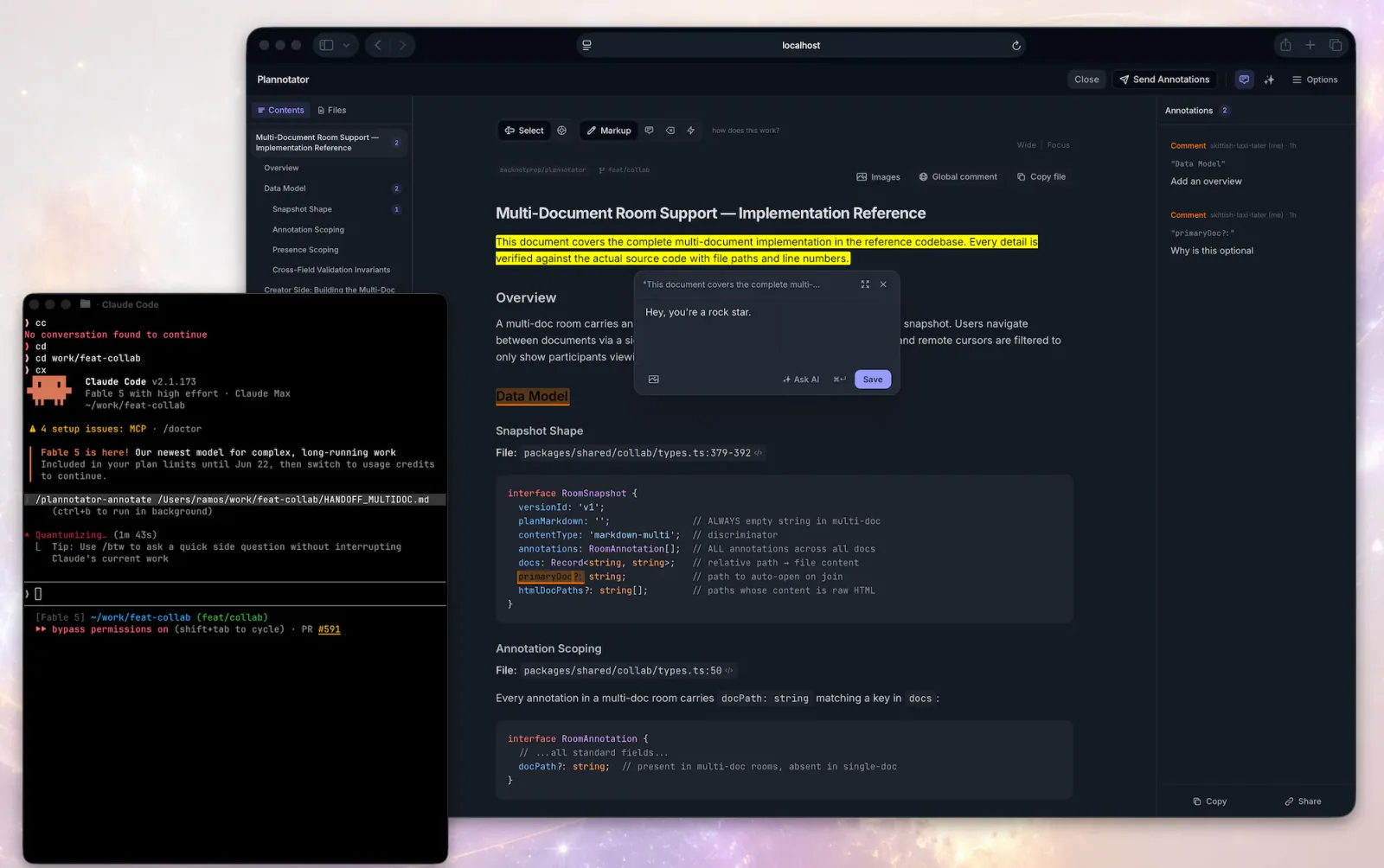
Plannotator inline annotation interface
Schermate del progettoInformazioni sullo Skill
Review and annotate plans or code, visualize ideas and inspect dependency updates.
Perché lo abbiamo scelto
Review and annotate plans or code, visualize ideas and inspect dependency updates.
Skill di questa raccolta
9 skill- Visualizza →
Plannotator — Review Renovate Updates
Review Renovate bot PRs that update GitHub Actions dependencies. Verifies supply chain integrity by checking pinned commit SHAs against upstream tagged releases, reviews changelogs for breaking changes, and confirms compatibility with existing workflow configurations.
- Visualizza →
Plannotator — Review Dependency Updates
Audit and update npm/Bun dependencies with supply chain integrity checks — verifies maintainers, publish age, tarball diffs, and provenance before bumping. Defers risky packages to ~/.supply-chain/notes/.
- Visualizza →
Plannotator — Annotate Artifacts
Open Plannotator's annotation UI for a markdown file, plain-text config file (.yaml, .json, .toml, .ini, .csv, .log, …), HTML file, URL, or folder and then respond to the returned annotations.
- Visualizza →
Plannotator — Review Code
Open Plannotator's browser-based code review UI for the current worktree, another directory, or a pull request URL, then act on the feedback that comes back.
- Visualizza →
Plannotator — Annotate Last Response
Open Plannotator on the latest rendered assistant message and use the returned annotations to revise that message or continue.
- Visualizza →
Plannotator — Plannotator Reference
Use Plannotator for plan and code review, artifact annotations, archived decisions and asynchronous feedback.
- Visualizza →
Plannotator — Analyze Plan Feedback
Analyze a user's Plannotator plan archive to extract denial patterns, feedback taxonomy, evolution over time, and actionable prompt improvements — then produce a polished HTML dashboard report. Falls back to Claude Code ExitPlanMode denial reasons when Plannotator data is unavailable.
- Visualizza →
Plannotator — Prepare a Goal
Turn an idea or objective into a goal package for /goal. Interviews the user, builds a reviewed fact sheet via Plannotator, then explores the codebase to produce an execution plan.
- Visualizza →
Plannotator — Visual Explanations
Generate self-contained HTML visualizations with Plannotator theming.
A cosa serve
- Generate self-contained HTML visualizations with Plannotator theming.
- Use Plannotator for plan and code review, artifact annotations, archived decisions and asynchronous feedback.
- Turn an idea or objective into a goal package for /goal. Interviews the user, builds a reviewed fact sheet via Plannotator, then explores the codebase to produce an execution plan.
- Open Plannotator's annotation UI for a markdown file, plain-text config file (.yaml, .json, .toml, .ini, .csv, .log, …), HTML file, URL, or folder and then respond to the returned annotations.
- Open Plannotator's browser-based code review UI for the current worktree, another directory, or a pull request URL, then act on the feedback that comes back.
- Analyze a user's Plannotator plan archive to extract denial patterns, feedback taxonomy, evolution over time, and actionable prompt improvements — then produce a polished HTML dashboard report. Falls back to Claude Code ExitPlanMode denial reasons when Plannotator data is unavailable.
- Audit and update npm/Bun dependencies with supply chain integrity checks — verifies maintainers, publish age, tarball diffs, and provenance before bumping. Defers risky packages to ~/.supply-chain/notes/.
- Open Plannotator on the latest rendered assistant message and use the returned annotations to revise that message or continue.
- Review Renovate bot PRs that update GitHub Actions dependencies. Verifies supply chain integrity by checking pinned commit SHAs against upstream tagged releases, reviews changelogs for breaking changes, and confirms compatibility with existing workflow configurations.
Prima di usarlo
- Install Plannotator and the dependencies of the selected workflow. Maintenance tasks require the Plannotator working tree; visual explanations may also use visual-explainer.
Fonti e riferimenti
Le fonti originali sono collegate qui sotto. Gli spunti pratici sono suggerimenti editoriali di SkillHey.