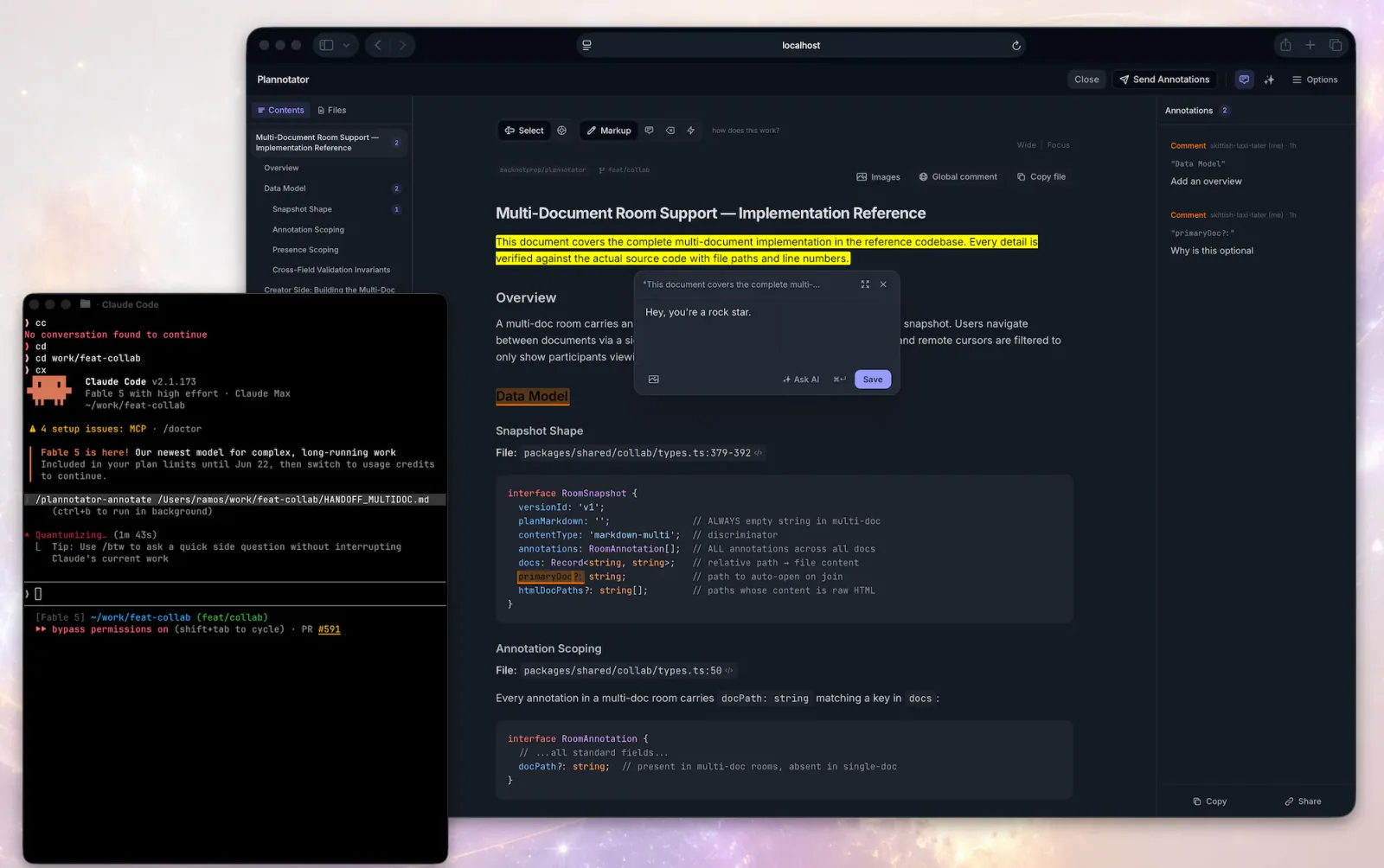
Plannotator inline annotation interface
Schermate del progettoInformazioni sullo Skill
Open Plannotator's annotation UI for a markdown file, plain-text config file (.yaml, .json, .toml, .ini, .csv, .log, …), HTML file, URL, or folder and then respond to the returned annotations.
SKILL.md
Autore: backnotprop · backnotprop/plannotator · Apache-2.0 · SKILL.md @ 5fb90d0
---
name: plannotator-annotate
description: Open Plannotator's annotation UI for a markdown file, plain-text config file (.yaml, .json, .toml, .ini, .csv, .log, …), HTML file, URL, or folder and then respond to the returned annotations.
disable-model-invocation: true
---

# Plannotator Annotate

Use this skill when the user wants to annotate a document in Plannotator instead of reviewing it inline in chat.

Run for ordinary annotation/feedback:

```bash
plannotator annotate <path-or-url>
```

Run when the user asks to review, approve, accept, or gate a generated plan/spec/document:

```bash
plannotator annotate <path-or-url> --gate --json
```

Plain `annotate` has no **Approve** button; it only supports feedback or closing the session. Never promise an approval action unless `--gate` is present. `--json` only changes the output format and does not enable approval by itself.

Behavior:

1. Launch the command with Bash.
2. Wait for the browser review to finish.
3. If annotations are returned, address them directly.
4. If the session closes without feedback (the output is empty, or a JSON object with `"decision": "dismissed"`), acknowledge it in one sentence and stop. Do not begin any work: closing the session is not approval.
5. In a `--gate` session, an approval may still carry notes — a `"decision": "approved"` result with a
   `"feedback"` field (without `--json`, an "Approved with Notes" message). Read those notes and carry them into subsequent work, but
   do not revise the document over them: they are guidance, not a change request.
6. If the command reports that the arguments could not be resolved to a file,
   URL, or folder, work out which target the user means and re-run the command
   yourself with that concrete path or URL.

Do not ask the user to paste a shell command into the chat. Run the command yourself.
Perché lo abbiamo scelto
Upstream Plannotator workflow. Open Plannotator's annotation UI for a markdown file, plain-text config file (.yaml, .json, .toml, .ini, .csv, .log, …), HTML file, URL, or folder and then respond to the returned annotations.
Prima di usarlo
- Install Plannotator and the dependencies of the selected workflow. Maintenance tasks require the Plannotator working tree; visual explanations may also use visual-explainer.
Fonti e riferimenti
Le fonti originali sono collegate qui sotto. Gli spunti pratici sono suggerimenti editoriali di SkillHey.