Understand Anything codebase graph
Schermate del progettoInformazioni sullo Skill
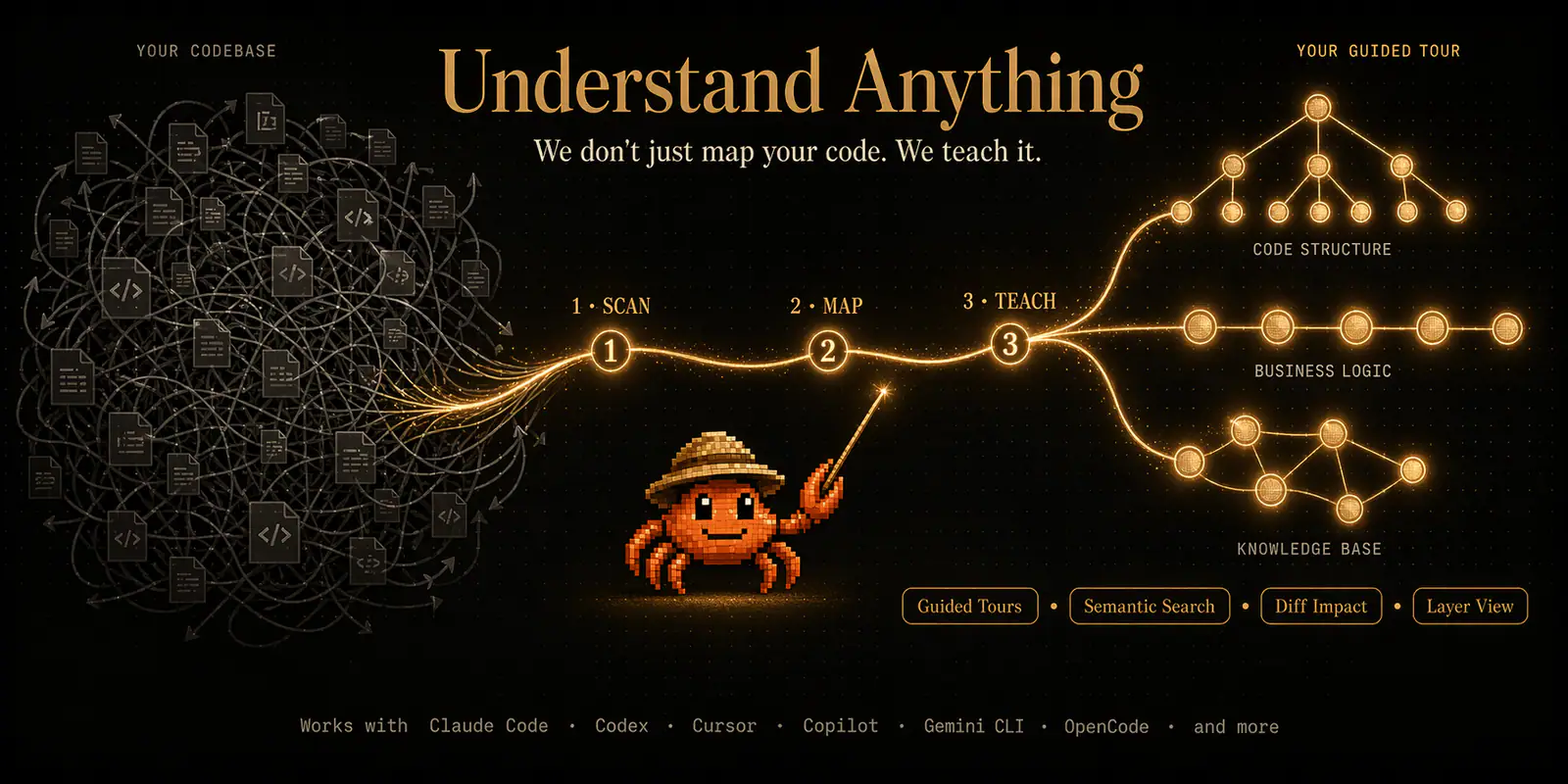
Extract business concepts and workflows into an interactive domain flow graph. The plugin provides nine task entrypoints for analysis, questions, diffs, onboarding, Figma and graph exploration. Its shared runtime builds and reuses a project graph. Install the complete plugin; individual catalog entries are routes into that package.
SKILL.md
Autore: Egonex-AI · Egonex-AI/Understand-Anything · MIT · SKILL.md @ b861852
---
name: understand-domain
description: Extract business domain knowledge from a codebase and generate an interactive domain flow graph. Works standalone (lightweight scan) or derives from an existing /understand knowledge graph.
argument-hint: "[--full]"
---

# /understand-domain

Extracts business domain knowledge — domains, business flows, and process steps — from a codebase and produces an interactive horizontal flow graph in the dashboard.

## How It Works

- If a knowledge graph already exists (`.ua/knowledge-graph.json`, or the legacy `.understand-anything/knowledge-graph.json` when that directory is present), derives domain knowledge from it (cheap, no file scanning)
- If no knowledge graph exists, performs a lightweight scan: file tree + entry point detection + sampled files
- Use `--full` flag to force a fresh scan even if a knowledge graph exists

## Instructions

### Phase 0: Resolve `PROJECT_ROOT`

Set `PROJECT_ROOT` to the current working directory.

**Worktree redirect.** If `PROJECT_ROOT` is inside a git worktree (not the main checkout), redirect output to the main repository root. Worktrees managed by Claude Code are ephemeral — the data directory (`.ua/`, or legacy `.understand-anything/`) written there is destroyed when the session ends, taking the domain graph with it (issue #133). Detect a worktree by comparing `git rev-parse --git-dir` against `git rev-parse --git-common-dir`; in a normal checkout or submodule they resolve to the same path, in a worktree they differ and the parent of `--git-common-dir` is the main repo root.

```bash
COMMON_DIR=$(git -C "$PROJECT_ROOT" rev-parse --git-common-dir 2>/dev/null)
GIT_DIR=$(git -C "$PROJECT_ROOT" rev-parse --git-dir 2>/dev/null)
if [ -n "$COMMON_DIR" ] && [ -n "$GIT_DIR" ]; then
  COMMON_ABS=$(cd "$PROJECT_ROOT" && cd "$COMMON_DIR" 2>/dev/null && pwd -P)
  GIT_ABS=$(cd "$PROJECT_ROOT" && cd "$GIT_DIR" 2>/dev/null && pwd -P)
  if [ -n "$COMMON_ABS" ] && [ "$COMMON_ABS" != "$GIT_ABS" ]; then
    MAIN_ROOT=$(dirname "$COMMON_ABS")
    if [ -d "$MAIN_ROOT" ] && [ "${UNDERSTAND_NO_WORKTREE_REDIRECT:-0}" != "1" ]; then
      echo "[understand-domain] Detected git worktree at $PROJECT_ROOT"
      echo "[understand-domain] Redirecting output to main repo root: $MAIN_ROOT"
      echo "[understand-domain] (Set UNDERSTAND_NO_WORKTREE_REDIRECT=1 to keep PROJECT_ROOT as the worktree.)"
      PROJECT_ROOT="$MAIN_ROOT"
    fi
  fi
fi
```

Use `$PROJECT_ROOT` (not the bare CWD) for every reference to "the current project" / `<project-root>` in subsequent phases.

**Resolve the data directory `$UA_DIR`.** All Understand-Anything artifacts live in the project's data directory. Resolve it once, now that `$PROJECT_ROOT` is known, and reuse `$UA_DIR` for every read and write in later phases:
```bash
UA_DIR="$PROJECT_ROOT/$([ -d "$PROJECT_ROOT/.understand-anything" ] && echo .understand-anything || echo .ua)"
```
This keeps the legacy `.understand-anything/` directory when it already exists (existing projects keep working with no migration) and uses the new `.ua/` otherwise. Because each phase may run in a fresh shell, carry `$UA_DIR` forward like `$PROJECT_ROOT`, re-resolving it with the line above if a later command block needs it.

**Important:** do **not** assume the plugin root is simply two directories above the skill path string. In many installations `~/.agents/skills/understand-domain` is a symlink into the real plugin checkout. Prefer runtime-provided plugin roots first (for Claude), then fall back to universal symlinks, skill symlink resolution, and common clone-based install paths.

Resolve the plugin root like this. Substitute `<SKILL_DIR>` with this skill's directory (the base directory your platform reported when loading this skill) — this is how plugin installs with no fixed location, such as Devin's, are found:

```bash
SKILL_DIR_RELATIVE=$(cd -P "<SKILL_DIR>" 2>/dev/null && cd ../.. && pwd || echo "")
SKILL_REAL=$(realpath ~/.agents/skills/understand-domain 2>/dev/null || readlink -f ~/.agents/skills/understand-domain 2>/dev/null || echo "")
SELF_RELATIVE=$([ -n "$SKILL_REAL" ] && cd "$SKILL_REAL/../.." 2>/dev/null && pwd || echo "")
COPILOT_SKILL_REAL=$(realpath ~/.copilot/skills/understand-domain 2>/dev/null || readlink -f ~/.copilot/skills/understand-domain 2>/dev/null || echo "")
COPILOT_SELF_RELATIVE=$([ -n "$COPILOT_SKILL_REAL" ] && cd "$COPILOT_SKILL_REAL/../.." 2>/dev/null && pwd || echo "")

PLUGIN_ROOT=""
for candidate in \
  "${CLAUDE_PLUGIN_ROOT}" \
  "${DEVIN_PLUGIN_ROOT}" \
  "$SKILL_DIR_RELATIVE" \
  "$HOME/.understand-anything-plugin" \
  "$SELF_RELATIVE" \
  "$COPILOT_SELF_RELATIVE" \
  "$HOME/.codex/understand-anything/understand-anything-plugin" \
  "$HOME/.opencode/understand-anything/understand-anything-plugin" \
  "$HOME/.pi/understand-anything/understand-anything-plugin" \
  "$HOME/understand-anything/understand-anything-plugin"; do
  if [ -n "$candidate" ] && [ -f "$candidate/package.json" ] && [ -f "$candidate/pnpm-workspace.yaml" ]; then
    PLUGIN_ROOT="$candidate"
    break
  fi
done

if [ -z "$PLUGIN_ROOT" ]; then
  echo "Error: Cannot find the understand-anything plugin root."
  echo "Checked:"
  echo "  - ${CLAUDE_PLUGIN_ROOT:-<unset CLAUDE_PLUGIN_ROOT>}"
  echo "  - ${DEVIN_PLUGIN_ROOT:-<unset DEVIN_PLUGIN_ROOT>}"
  echo "  - ${SKILL_DIR_RELATIVE:-<unresolved path derived from the skill directory>}"
  echo "  - $HOME/.understand-anything-plugin"
  echo "  - ${SELF_RELATIVE:-<unresolved path derived from ~/.agents/skills/understand-domain>}"
  echo "  - ${COPILOT_SELF_RELATIVE:-<unresolved path derived from ~/.copilot/skills/understand-domain>}"
  echo "  - $HOME/.codex/understand-anything/understand-anything-plugin"
  echo "  - $HOME/.opencode/understand-anything/understand-anything-plugin"
  echo "  - $HOME/.pi/understand-anything/understand-anything-plugin"
  echo "  - $HOME/understand-anything/understand-anything-plugin"
  echo "Make sure the plugin is installed correctly."
  exit 1
fi
```

Use `$PLUGIN_ROOT` for every reference to agent definitions in subsequent phases.

### Phase 1: Detect Existing Graph

1. Check if `$UA_DIR/knowledge-graph.json` exists
2. If it exists AND `--full` was NOT passed, check freshness before deriving from it:
   - Read `project.gitCommitHash` from the graph metadata as `GRAPH_COMMIT_RAW`. Change to `$PROJECT_ROOT`, resolve it as a commit before using it in any Git diff, compare the resolved commit with `git rev-parse HEAD`, and inspect project-scoped committed and working-tree changes:
     ```bash
     GRAPH_COMMIT=$(git rev-parse --verify --end-of-options "${GRAPH_COMMIT_RAW}^{commit}" 2>/dev/null)
     git rev-parse HEAD
     git diff --name-only "$GRAPH_COMMIT" HEAD -- .
     git diff --cached --name-only -- .
     git diff --name-only -- .
     git ls-files --others --exclude-standard -- .
     ```
   - The `-- .` pathspec is required: commits that only touch a sibling monorepo project must not make this graph stale. A hash mismatch alone is not stale when the project diff is empty.
   - Ignore the selected data directory (`.ua/` or legacy `.understand-anything/`) in every command's output because it contains generated graph artifacts, not project source drift.
   - If the committed diff or any working-tree command reports project files, warn that domain extraction may omit those changes. Suggest: Run `/understand` to refresh the knowledge graph.
   - Run the commit diff only when `GRAPH_COMMIT_RAW` resolves successfully. If the graph commit or Git metadata is missing, invalid, or unavailable, give a brief best-effort warning and continue instead of blocking.
3. After that preflight, proceed to Phase 3 (derive from graph).
4. Otherwise, proceed to Phase 2 (lightweight scan). When `--full` is used, skip this preflight because the command performs a fresh scan instead of consuming the existing graph.

### Phase 2: Lightweight Scan (Path 1)

The preprocessing script does NOT produce a domain graph — it produces **raw material** (file tree, entry points, exports/imports) so the domain-analyzer agent can focus on the actual domain analysis instead of spending dozens of tool calls exploring the codebase. Think of it as a cheat sheet: cheap Python preprocessing → expensive LLM gets a clean, small input → better results for less cost.

1. Run the preprocessing script bundled with this skill, passing `$PROJECT_ROOT` from Phase 0:
   ```
   python ./extract-domain-context.py "$PROJECT_ROOT"
   ```
   This outputs `$UA_DIR/intermediate/domain-context.json` containing:
   - File tree (respecting `.gitignore`)
   - Detected entry points (HTTP routes, CLI commands, event handlers, cron jobs, exported handlers)
   - File signatures (exports, imports per file)
   - Code snippets for each entry point (signature + first few lines)
   - Project metadata (package.json, README, etc.)
2. Read the generated `domain-context.json` as context for Phase 4
3. Proceed to Phase 4

### Phase 3: Derive from Existing Graph (Path 2)

1. Read `$UA_DIR/knowledge-graph.json`
2. Format the graph data as structured context:
   - All nodes with their types, names, summaries, and tags
   - All edges with their types (especially `calls`, `imports`, `contains`)
   - All layers with their descriptions
   - Tour steps if available
3. This is the context for the domain analyzer — no file reading needed
4. Proceed to Phase 4

### Phase 4: Domain Analysis

1. Read the domain-analyzer agent prompt from `$PLUGIN_ROOT/agents/domain-analyzer.md`
2. Dispatch a subagent with the domain-analyzer prompt + the context from Phase 2 or 3
3. The agent writes its output to `$UA_DIR/intermediate/domain-analysis.json`

### Phase 5: Validate and Save

1. Read the domain analysis output
2. Validate using the standard graph validation pipeline (the schema now supports domain/flow/step types)
3. If validation fails, log warnings but save what's valid (error tolerance)
4. Save to `$UA_DIR/domain-graph.json`
5. Clean up `$UA_DIR/intermediate/domain-analysis.json` and `$UA_DIR/intermediate/domain-context.json`

### Phase 6: Launch Dashboard

1. Auto-trigger `/understand-dashboard` to visualize the domain graph
2. The dashboard will detect `domain-graph.json` and show the domain view by default
Perché lo abbiamo scelto
Useful when a team needs both a project overview and focused follow-up questions. Reuse the saved graph for onboarding, change-impact discussion and explanations of a specific module.
A cosa serve
- Extract business concepts and workflows into an interactive domain flow graph.
Setup and use
The official installer asks for your platform and creates its links. Claude Code also supports /plugin marketplace add followed by /plugin install understand-anything. Reload the host afterwards.
| Comando | A cosa serve |
|---|---|
curl -fsSL https://raw.githubusercontent.com/Egonex-AI/Understand-Anything/main/install.sh | bash | Get the upstream package or workspace using the documented setup route. |
Upstream README and setupTask entrypoint and supporting files
Prima di usarlo
- A supported coding agent, the plugin runtime and access to the project files. Graph analysis uses model tokens; Figma analysis additionally needs Figma API access.
Agenti supportati
Fonti e riferimenti
Le fonti originali sono collegate qui sotto. Gli spunti pratici sono suggerimenti editoriali di SkillHey.