Documented outputs
Job route
A submitted scene specification produces a pollable job and, when complete, a QC-checked MP4 with duration, QC and cost fields.
Session route
Templates and focused skills guide script review, asset work, design, audio, preview, rendering and iteration.
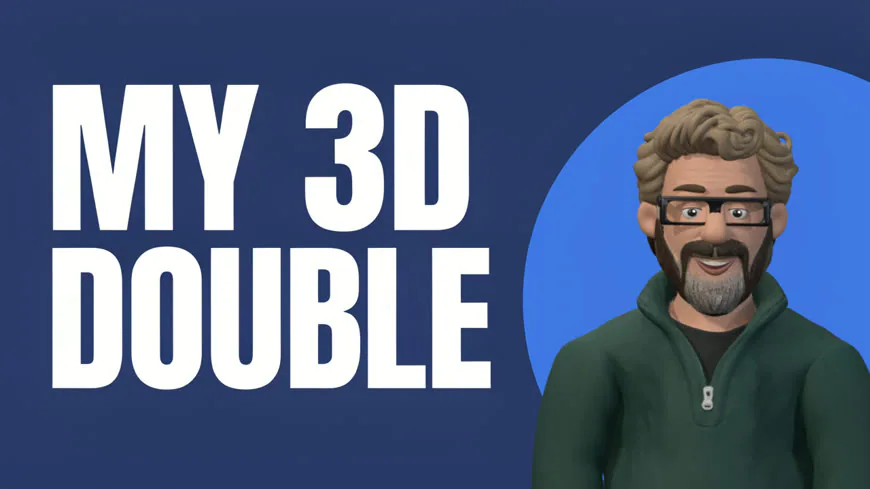
Dark navy cover with large white text reading “MY 3D DOUBLE” and a bearded glasses-wearing 3D character in a green hoodie inside a blue circle.
Project screenshotsAbout this Skill
A collection of reusable video-production workflows for Claude Code, covering brief-to-MP4 jobs, Remotion, 3D, audio, image and video generation, recording, design, QC and cloud GPU setup.
Why we picked it
The collection contains 17 independent SKILL.md task entries from the upstream repository. Repository commands, documentation, examples, templates, tools and shared Remotion references are retained as dependencies rather than separate catalog Skills.
Skills in this collection
17 skills- View →
Video Toolkit
Turn a brief into a QC-checked MP4 job or choose a session route for templates, assets, audio, design and rendering.
- View →
Parody Shorts
Plan affectionate parody and holiday shorts from a group's context, map real events to a genre, animate an invented or approved cast and build a short Remotion film.
- View →
ElevenLabs Audio Generation
Generate and synchronize voiceovers, dialogue, sound effects and music for video projects with ElevenLabs APIs.
- View →
Remotion Toolkit Extensions
Apply the toolkit's reusable Remotion components, motion timing conventions and custom transitions to video compositions.
- View →
RunPod Cloud GPU
Configure RunPod serverless endpoints for the toolkit's image, upscale, dewatermark, talking-head and text-to-speech tools.
- View →
Synthetic UI Demos
Rebuild selected app screens as static React and drive a deterministic Remotion product demo with scripted cursor and camera motion.
- View →
MoviePy Video Composition
Compose short videos in Python with MoviePy, including deterministic text overlays, lower thirds, captions, data visuals and audio-anchored timing.
- View →
Blender Shot Specs
Describe 3D characters, sets, product shots, logo idents and timed acting in JSON, then check and render Blender footage or clips.
- View →
ACE-Step Music Generation
Generate, vary, continue, repaint and extract stems from music with ACE-Step 1.5 for video soundtracks and songs.
- View →
Playwright Video Recording
Record browser interactions as deterministic demo footage for Remotion, including forms, navigation, scrolling, logins and cursor highlights.
- View →
LTX-2 Video Generation
Generate short text-to-video or image-to-video clips with LTX-2, including b-roll, animated stills, backgrounds and stylized character motion.
- View →
YouTube Stats
Collect YouTube video and channel analytics snapshots, compare retention and traffic sources, and optionally view GitHub referrers.
- View →
Ideogram 4 Prompting
Write structured Ideogram 4 JSON captions for legible in-image text, exact palettes, layout regions and video-ready title cards or thumbnails.
- View →
Qwen Image Edit
Prompt Qwen-Image-Edit for identity-preserving photo edits, reframing, style changes, accessories, compositing and transparent cut-outs.
- View →
FFmpeg Video Processing
Convert, resize, compress, trim, concatenate and inspect video and audio files for Remotion and web delivery with FFmpeg.
- View →
Video Design
Turn a visual direction into a video design handoff with act palettes, type scales, layout rules, motion choices, contact-sheet critique and QC.
- View →
Remotion Best Practices
Route Remotion projects to the appropriate official guidance for creation, markup, maps, multimedia, interactivity, rendering, captions, licensing and upgrades.
What it helps with
- Start from a short video brief and choose a job or session route.
- Use focused entries when a project needs one production capability such as Blender, FFmpeg, voiceover or Remotion.
Before you use it
- Clone the repository and use Claude Code. The quick start recommends Node.js 22+, uv and FFmpeg, with optional provider accounts or API keys for cloud GPU, voice, image, music and video services.
Sources & references
Original sources are linked below. Practical starting points are editorial suggestions from SkillHey.