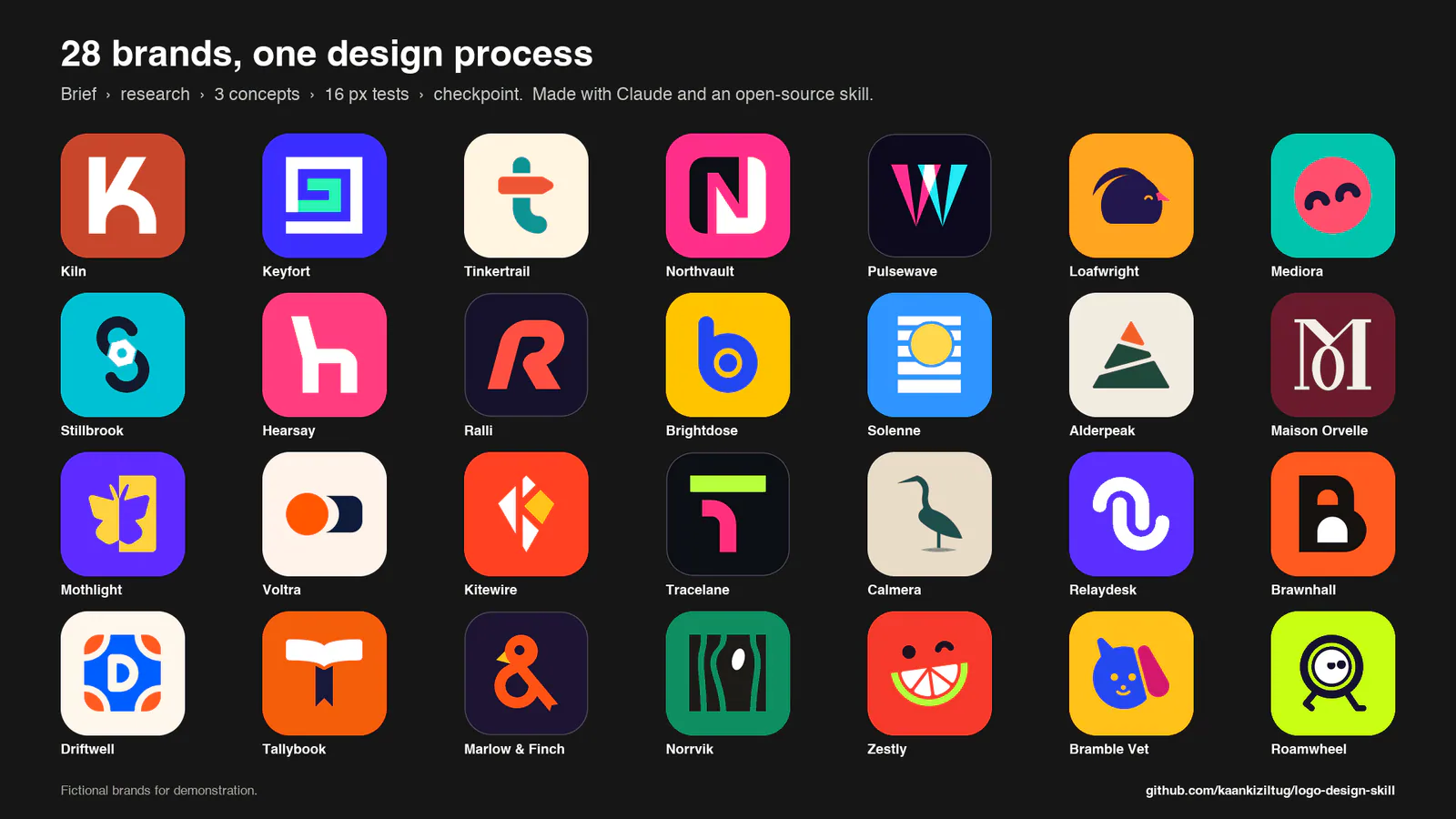
Overview of 28 fictional brand logos from the upstream README.
Project screenshotsAbout this Skill
Logo Design is an open-source Agent Skill by kaankiziltug for creating, reviewing and refining visual identities. It combines an identity-design workflow, on-demand references, Python tools and a searchable library of more than 1,400 SVG logos. A normal design run produces three distinct concepts, checks their geometry and small-size performance, and pauses for your choice before preparing the final brand kit.
Why we picked it
The useful part is the staged decision process: compare three black-and-white directions and their small-size behavior before choosing one for a full identity kit. The reference library and SVG checks help an agent make more deliberate construction choices. Start with your brand name, audience and intended uses, then review the concept sheet before requesting the final kit.
What it helps with
- Founders and independent makers who need to compare logo directions for a company, product or app.
- Designers who want an agent to help construct SVG marks, review geometry and prepare usage examples.
- Teams refreshing an existing logo or turning an approved symbol into consistent web and app assets.
From the brief to three concepts
Start with the exact brand name and a short brief. The agent studies category conventions, maps words and metaphors, explores candidate ideas and builds the three strongest directions in SVG. The first pass is black and white so you can judge the idea and silhouette before debating color.
Test and refine
SVG audits and preview sheets examine structure, small-size readability, one-color and reversed treatments, unwanted readings and comparison with reference marks. The workflow calls for rendering and viewing the actual output before presenting it.
Choose at the concept checkpoint
You receive one overview image, a short explanation of each concept and a recommendation. The agent normally waits for your selection and confirmation before building the full kit; you can request changes to the concepts first.
What the approved brand kit can contain
Vector masters and lockups
Refined SVG artwork, symbol and wordmark variants, horizontal and stacked lockups, one-color and reversed versions, and a simplified small-size cut where needed.
Icons and web assets
The export tools can create favicon and app-icon variants, PNG sizes, favicon.ico, a web manifest and an HTML head snippet. Raster exports require a working renderer.
Presentation and usage guide
Industry-specific presentation mockups and compact guidelines cover palette, clear space, minimum sizes, backgrounds and misuse. PDF, AI and EPS masters depend on additional tools available in your environment.
Other ways to use the Skill
Critique an existing logo
Supply your current SVG or image and ask for a structured review of clarity, distinction, construction and use at different sizes.
Refresh a brand
Describe which recognizable elements should survive a refresh. The redesign workflow examines existing equity before exploring replacement directions.
Extend an approved identity
Ask for sub-brands, patterns or identity-system guidance, or use the asset tools to make icon and one-color variants from an existing symbol.
Installation for Claude Code and other agents
| Command | What it helps with |
|---|---|
mkdir -p ~/.claude/skills
cp -R logo-design-skill/skills/logo-design ~/.claude/skills/logo-design | Claude Code: personal installation. The final entry is ~/.claude/skills/logo-design/SKILL.md. |
mkdir -p ~/.agents/skills
cp -R logo-design-skill/skills/logo-design ~/.agents/skills/logo-design | Codex CLI: personal installation. The final entry is ~/.agents/skills/logo-design/SKILL.md. |
mkdir -p ~/.cursor/skills
cp -R logo-design-skill/skills/logo-design ~/.cursor/skills/logo-design | Cursor: personal installation. The final entry is ~/.cursor/skills/logo-design/SKILL.md. |
mkdir -p ~/.github/skills
cp -R logo-design-skill/skills/logo-design ~/.github/skills/logo-design | GitHub Copilot: personal installation. The final entry is ~/.github/skills/logo-design/SKILL.md. |
mkdir -p ~/.gemini/skills
cp -R logo-design-skill/skills/logo-design ~/.gemini/skills/logo-design | Gemini CLI: personal installation. The final entry is ~/.gemini/skills/logo-design/SKILL.md. |
mkdir -p ~/.opencode/skills
cp -R logo-design-skill/skills/logo-design ~/.opencode/skills/logo-design | OpenCode: personal installation. The final entry is ~/.opencode/skills/logo-design/SKILL.md. |
Claude Code plugin
Run these commands inside Claude Code, then start a new session and ask for a logo design task.
/plugin marketplace add kaankiziltug/logo-design-skill
/plugin install logo-design@logo-design-skill
Manual installation
Clone the repository, then copy the complete skills/logo-design folder into your agent’s Skills root. Preserve its scripts, references, templates and library. Use the command below for your agent, then start a new session.
git clone https://github.com/kaankiziltug/logo-design-skill.gitClaude.ai or Claude Desktop
Download the author’s release ZIP and upload it through Settings → Capabilities → Skills. If the upload limit is restrictive, use the lite release, which omits the reference SVG files.
A useful first request
Design a logo for Harbor, a savings app for first-time savers. It should feel calm, clear and welcoming. Avoid bank buildings and coin symbols. It must work as a 16 px favicon and on an app icon. Show three black-and-white concepts first and wait for my choice before preparing the brand kit.
Reference images, licensing and design review
The three gallery images on this page are reused directly from the author’s README and converted to WebP for display. They show fictional demonstration brands. They are published examples from the project, rather than a new design run performed by SkillHey.
Skill instructions, scripts, templates and catalog data use the MIT license. The real-world logos in the reference library remain their owners’ trademarks and are provided for reference and education; they are outside that MIT grant. Study their construction without tracing or reusing them as your own brand.
An SVG audit checks defined technical rules. Visual review, font-license checks and any needed trademark search remain part of the final design decision.
Official repository and READMEMIT licenseReference-library trademark terms
Before you use it
- An Agent Skills-compatible AI agent with access to local files and permission to run the required tools. Image viewing is recommended for reviewing rendered drafts.
- Python 3.8 or newer for the bundled scripts. The core scripts use the Python standard library.
- PNG and ICO rendering needs an available renderer such as CairoSVG, rsvg-convert, Inkscape, Chrome/Chromium or macOS Quick Look. Browser-rendered presentation sheets need a compatible browser.
- Provide the exact brand name, audience, desired character, competitors and intended placements. The Skill is free; your AI agent and any optional services retain their own costs.
Supported agents
Frequently asked questions
Does it need an image-generation API?
The documented workflow builds SVGs and uses local Python and rendering tools. It does not specify a mandatory image-generation API. An image-capable AI agent is recommended to inspect drafts.
Will it produce the full kit immediately?
The standard workflow pauses after three tested concepts. Select a direction and confirm the kit, or ask for another concept pass. The author documents an explicit override when you want the agent to deliver everything without checking in.
Can I use the reference-library logos commercially?
The reference logos are their owners’ trademarks and are excluded from the project’s MIT license. They are supplied for learning and comparison. Create an original identity and review the rights of any fonts or other assets you use.
Official sources
Based on official documentation, with practical scenarios suggested by SkillHey.