About this Skill
Give the agent a storyboard panel, a still-image brief or an existing image to edit. Image chooses a suitable model and returns a prompt, an aspect ratio or pixel size, and a quality recommendation for GPT Image. For edits, it specifies the change and the elements to preserve. Submit the prompt to the image model to render the still.
SKILL.md
Author: Serge Shima · smixs/visual-skills · CC-BY-4.0 · SKILL.md @ 61a60d3
---
name: image
license: CC-BY-4.0 (attribution required — Serge Shima, github.com/smixs/visual-skills)
description: >
  Image prompting skill for Nano Banana (NBP/NB2) and GPT Image 2.5 (Flare/Sunburst). Writes ready-to-use
  prompts with model/quality/size recommendations. Use when: "нарисуй", "сгенерируй
  картинку", "image prompt", "промпт для картинки", blog covers, slides, posters,
  product shots, UI mockups, storyboards, character sheets, edit/colorize, style transfer,
  vision analysis, image-to-prompt, nb, NBP, NB2, gpt-image-2.5, multi-panel grids,
  ecommerce product photography, fashion editorial, food/beverage ads, cinematic portraits.
  Do NOT use for: video (use video skill), 3D models, audio, non-image tasks.
---

# Image Prompting — Nano Banana & GPT Image 2.5

This skill writes image prompts. It does not generate images. The output is: model name + quality / size / aspect ratio + the prompt itself.

The body of this SKILL.md is intentionally thin so you cannot fake a result by reading it alone. The actual rules — what the models reward, what they punish, how to phrase a 5-slot template, when to add `quality: high`, when to use image grounding — live only in the reference files.

## Route first — is this actually an image-prompt task?

- **Motion, clips, montage** (Seedance, Kling, Veo, any image-to-video): use the sibling `video` skill. This skill's storyboard and keyframe outputs feed it.
- **No idea or script yet** (user wants a concept or an ad scenario, not a picture): if the `creative-director` skill is installed, start there — it develops ideas and scripts for commercials and beyond ([github.com/smixs/creative-director-skill](https://github.com/smixs/creative-director-skill)).
- **A concrete image is needed** — this skill. Continue below.

---

# Mandatory reading order — DO NOT WRITE A PROMPT WITHOUT THIS

Past attempts to write prompts directly from this skill body produced lazy, generic results. Each model has its own physics; common rules collapse into mush when applied without model-specific syntax. Read in this order before producing any prompt:

### Step 1 — always read first → [models.md](references/models.md)

Decide: Nano Banana (NB2 or NBP) or GPT Image 2.5 (Flare for speed, Sunburst for precision edits). The choice changes the prompt syntax fundamentally — natural-language paragraphs vs. labeled 5-slot template, quality settings, which features exist (image grounding only on NB, EXACT TEXT discipline only on GPT Image, etc.).

If the user named a model — confirm and proceed. If not — pick using the table in `models.md`, then state your choice in the output header.

### Step 2 — read **one** model file (the one you picked)

- **Nano Banana** → [nano-banana.md](references/nano-banana.md)
  Image grounding for real locations. Extreme aspect ratios (1:8, 8:1, 4:1). Thinking mode. JSON for 5+ elements. Up to 14 reference images. Why you must NOT write `50mm / f-stop / ISO` numbers.

- **GPT Image 2.5** → [gpt-image.md](references/gpt-image.md)
  5-slot template (Scene / Subject / Important Details / Use Case / Constraints). Anti-slop banned-words list. `quality: low / medium / high / xhigh / max` as a deliberate fidelity lever. Size constraints (multiples of 16, max 3:1, up to 4K 3840×2160). Two-column edit logic (Change / Preserve / Constraints). Up to 16 reference images with explicit roles.

The model file is non-negotiable. Skipping it is the single biggest cause of weak prompts.

### Step 3 — always read after the model file → [golden-rules.md](references/golden-rules.md)

Universal rules that apply to both models: start with a verb, positive framing, hex colors, quote text, edit don't re-roll, one change per iteration, reference images.

### Step 4 — task-shaped reading (load only what matches the request)

Pick zero or more, depending on what the user asked for:

- Text in image, infographic, diagram, multilingual rendering → [text-rendering.md](references/text-rendering.md)
- Edit existing image (object removal, lighting swap, colorization, restoration, localization) → [editing.md](references/editing.md)
- Character continuity across multiple images / panels → [characters.md](references/characters.md)
- **The image must pass as a real photograph** (portrait, reportage, UGC, casting, product-in-hand) — or the user says the result "looks AI", "too glossy", "not like the reference" → [de-slop.md](references/de-slop.md). Model default priors, banned booster words, capture pipeline instead of adjectives, located imperfections.
- Presentation slides → [slides.md](references/slides.md)
- Sequential narrative (storyboard, comic, panel sequence) → [storyboards.md](references/storyboards.md)
- Sketch → final, wireframes, structural input → [structural.md](references/structural.md)
- 2D → 3D, floor plans, isometric → [dimensional.md](references/dimensional.md)
- **Vision analysis / image-to-prompt / style transfer from a reference image** → [vision-decomposer.md](references/vision-decomposer.md). Load this whenever the user attaches an image and asks to recreate, match, decompose, or transfer its style.
- **Multi-panel compositions** (grids, collages, storyboard sheets in ONE image) → [multi-panel.md](references/multi-panel.md). 9-cell TVC grids, 2x2 portrait grids, 3-panel campaign collages, 4x3 borderless grids, 6-frame cinematic sequences, before/after splits, 12-panel storyboard posters.
- **Industry pattern libraries** — proven prompt templates by vertical. Load the matching file:
  - E-commerce product shots → [patterns/ecommerce.md](references/patterns/ecommerce.md)
  - Fashion editorial campaigns → [patterns/fashion-editorial.md](references/patterns/fashion-editorial.md)
  - Food & beverage advertising → [patterns/food-beverage.md](references/patterns/food-beverage.md)
  - Cinematic portraits → [patterns/portrait-cinema.md](references/patterns/portrait-cinema.md)
  - Posters & illustration → [patterns/poster-illustration.md](references/patterns/poster-illustration.md). Also holds the Style DNA + Reject Checklist method — how to fix a strong visual style in four lines before generating and how to judge the returned image against it. Usable with any pattern in this list, not only posters.
  - Character design (turnarounds, expression sheets, outfit grids) → [patterns/character-design.md](references/patterns/character-design.md)
  - UI mockups & social media formats → [patterns/ui-social.md](references/patterns/ui-social.md)

### Step 5 — read for production language → [creative-direction.md](references/creative-direction.md)

Studio-quality vocabulary for lighting design, camera and hardware, color grading and film stock, materiality and texture. Read when you need precise terms beyond what `golden-rules.md` covers.

### Step 6 — read if structuring a complex prompt → [prompt-framework.md](references/prompt-framework.md)

Universal element checklist (subject, context, action, environment, camera, lighting, mood, materials, palette, format), detail modes (concise / standard / verbose / cinematic verbose), parameterized templates, output structure with parameters and exclusions.

---

# Output format

When you return the prompt, structure it like this:

```
Model: <nano-banana-2 | nano-banana-pro | gpt-image-2.5-flare | gpt-image-2.5-sunburst>
Quality: <low | medium | high | xhigh | max>   (only for gpt-image-2.5)
Size / Ratio: <e.g. 1536×1024 or 16:9>

Prompt:
<the prompt text, ready to copy>

Notes:
- <anything you inferred or assumed because the user did not specify>
```

For edits, also include an explicit preserve-list (mandatory for gpt-image-2.5, recommended for nano-banana):

```
Change: <one concrete thing>
Preserve: <face, pose, lighting, framing, geometry, ...>
Constraints: <no extra objects, no drift, ...>
```

---

# Final response style

Prefer: ready-to-copy prompts, hex colors, concrete materials, named compositions, model-specific syntax (5-slot for GPT Image, natural prose for Nano Banana).

Avoid: tag soup ("cool, modern, 4k"), vague praise ("stunning, epic, masterpiece" — actively hurts GPT Image 2.5), negative framing ("no people, no cars" — invert to positive), external comparisons ("like Apple ad" — describe the visual properties instead), numerical lens parameters in Nano Banana prompts (it ignores them).

---

*Author: Serge Shima ([t.me/aimastersme](https://t.me/aimastersme) · [sergeshima.com](https://sergeshima.com) · [aimasters.me](https://aimasters.me)) · License: CC BY 4.0 — attribution required · Source: [smixs/visual-skills](https://github.com/smixs/visual-skills)*
Why we picked it
Use Image when the scene or composition is already defined and you need a prompt for the first frame. Its model-specific references help you specify the camera angle, lighting, materials and visual details the frame must preserve.
What it helps with
- Prepare an opening keyframe from a storyboard entry, using a supplied lighting or character reference.
- Plan a series of character references or product shots with consistent framing and appearance.
- Specify one change to an existing image while keeping the subject, pose and composition.
Install Image
Claude Code
Add the Image workflow and its reference files to Claude Code.
npx skills add smixs/visual-skills --skill image --agent claude-codeCodex
Choose Codex as the installation target.
npx skills add smixs/visual-skills --skill image --agent codexCursor
Choose Cursor as the installation target.
npx skills add smixs/visual-skills --skill image --agent cursorManual installation
Clone the upstream repository and copy the entire image folder into the Skills directory for your agent. The folder contains SKILL.md and its model references.
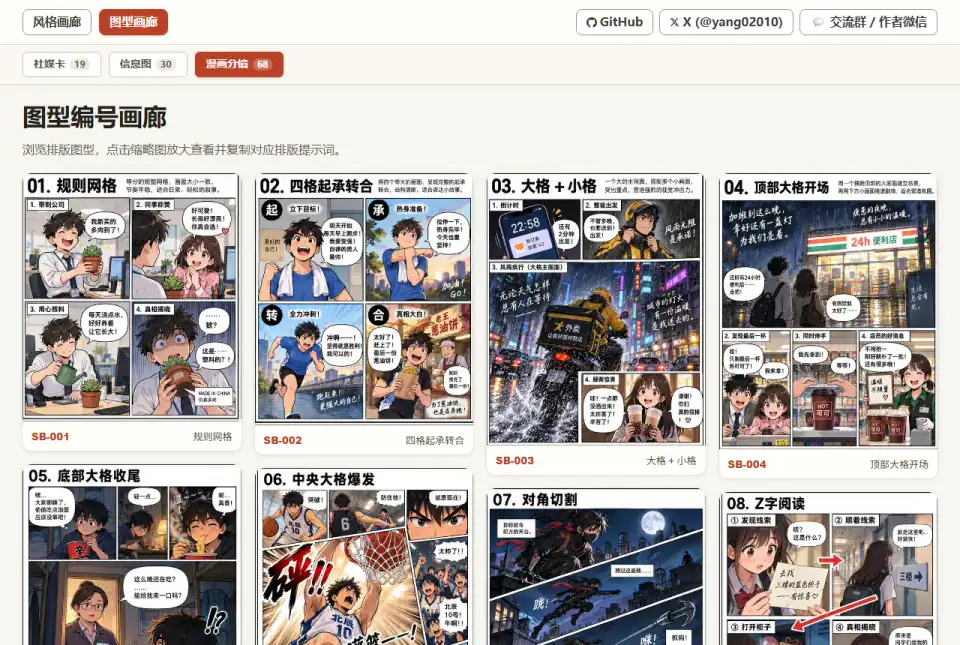
Storyboard prompts
Serge Shima’s storyboard reference
The author’s reference includes prompt structures for a film storyboard, a commercial board and a sequence of frames with a recurring character.
Brief an opening frame
Provide the subject, the state of the scene and the output dimensions. Attach any still the new frame must match.
Write a 16:9 opening frame prompt for a late-night station. A clerk looks down at a ticket on a worn counter. Frame the clerk at eye level with the lit platform visible through the glass behind them. Include the image model, output settings and prompt.
Before you use it
- Keep the image/references directory with SKILL.md. It contains the model and task guidance loaded as the agent writes the prompt.
- The npx installation command uses Node.js. Rendering the finished prompt requires separate access to the selected image model.
Supported agents
Sources & references
Original sources are linked below. Practical starting points are editorial suggestions from SkillHey.