Automate browser interactions, inspect pages and work with Playwright tests through the official Playwright CLI.
15.1KStars915Forks
Repository last pushed
These skills let an agent open pages, click through flows, inspect browser state, and drive repeatable checks. The page includes Playwright, Agent Browser, OpenCLI, Electron, browser identities, and harness tools.
16 skillsAutomate browser interactions, inspect pages and work with Playwright tests through the official Playwright CLI.
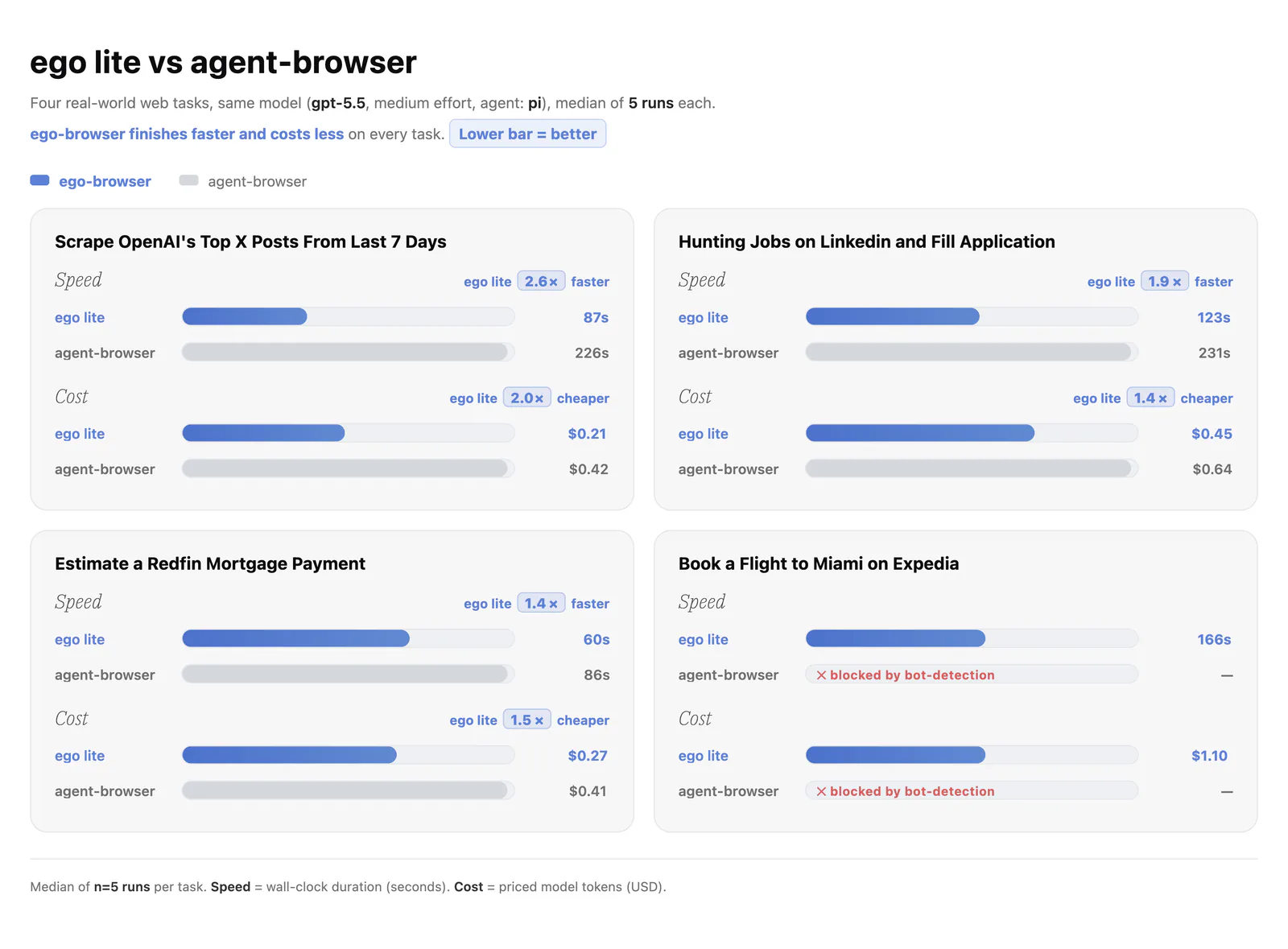
Use ego-browser task spaces and page APIs for browsing, forms, screenshots, extraction and web-app verification.
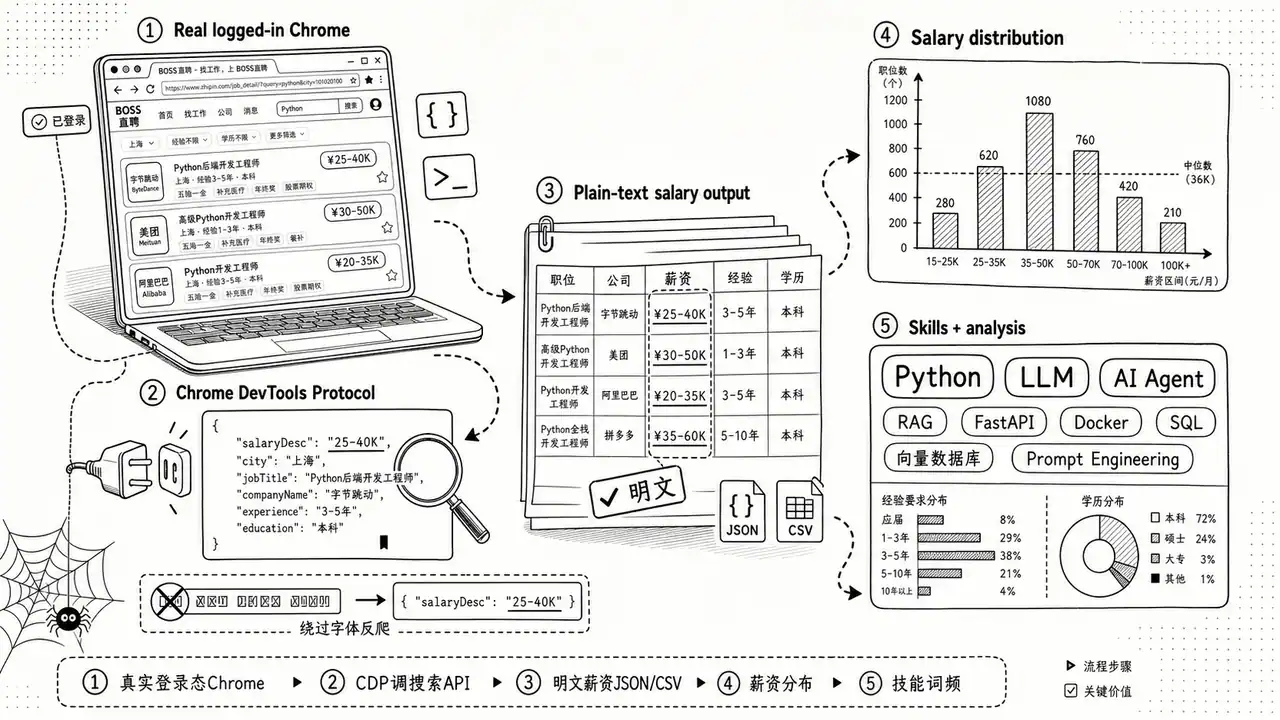
Collect job listings and descriptions from BOSS Zhipin through Chrome CDP and organize the results as JSON, CSV, or a job research report.

Retrieve academic full text through open-access, publisher API and authorized institutional or browser access.
Drive a real browser through agent-browser snapshots and element references to verify web interactions.
Browser automation with ego-browser and evidence-based simplification of its runtime code.
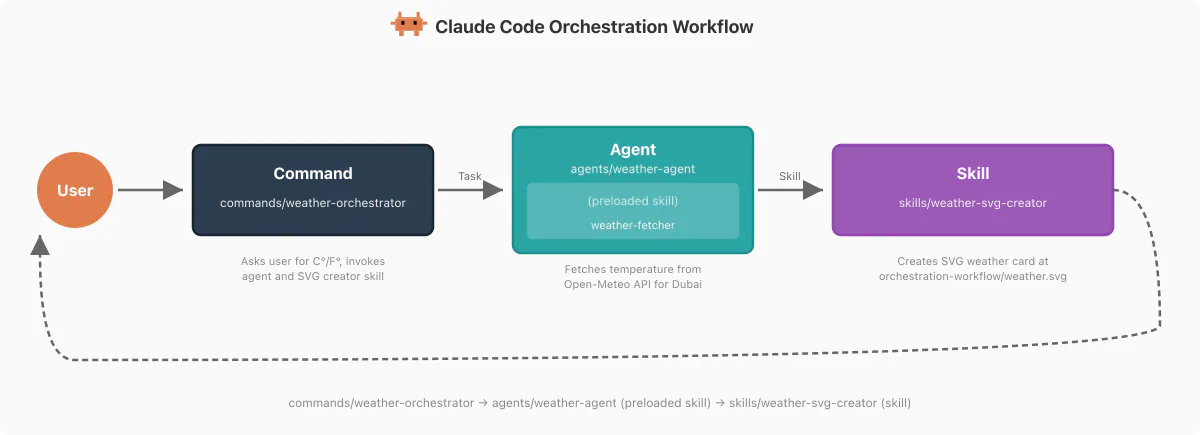
Operate websites with the agent-browser CLI using snapshots, element references and session state.
Review a page in a visible desktop browser and add specific design critiques through Agentation, checking that each annotation was saved.
Turn browser tasks into reusable Playwright scripts for navigation, screenshots, form interactions, responsive checks, and link inspection.
Automate browser and Electron workflows, test applications, derive API clients and configure supported cloud browsers.
Automate Electron desktop apps (VS Code, Slack, Discord, Figma, Notion, Spotify, etc.) using agent-browser via Chrome DevTools Protocol.
Manage persistent Firefox browser identities and browser sessions through the Invisible Dots runtime.
Use when an agent needs to drive a real Chrome window via opencli — inspect a page, fill forms, click through logged-in flows, or extract data ad-hoc.
Connect an agent to a real browser through CDP for interactive, authenticated and JavaScript-rendered workflows.
Choose Playwright for repeatable browser tests, an agent browser for task execution, and a harness or identity skill when the workflow needs controlled sessions.