Code Review Skills for AI Agents: Diffs, Context and Findings
Last updated: 2026-10-26
A useful code review connects a changed line to behavior someone cares about. It explains the conditions under which a problem occurs, the affected code path and why the finding matters. A long list of stylistic preferences is a different artifact, even when it is easy for an agent to produce.
Code review Skills can improve that process by defining the review boundary, gathering context, examining related files and shaping the final findings. This guide compares six child task entrypoints. Their cards link directly to the relevant workflow. Collection names appear as source context, rather than replacing the concrete review task.
The descriptions follow published instructions and current catalog records. They do not establish a benchmark for bug detection, false positives or review speed. A graph-assisted reviewer, a checklist and a browser-based feedback interface serve different purposes, so choose by the work you need to complete.
Code review task entrypoints
Open Code Review
Performs AI-powered code review on Git changes using the `ocr` CLI from alibaba/open-code-review.
47.4KStars
Review Pull Request
Review pull requests and branch diffs with graph context and a structured impact report.
32.2KStars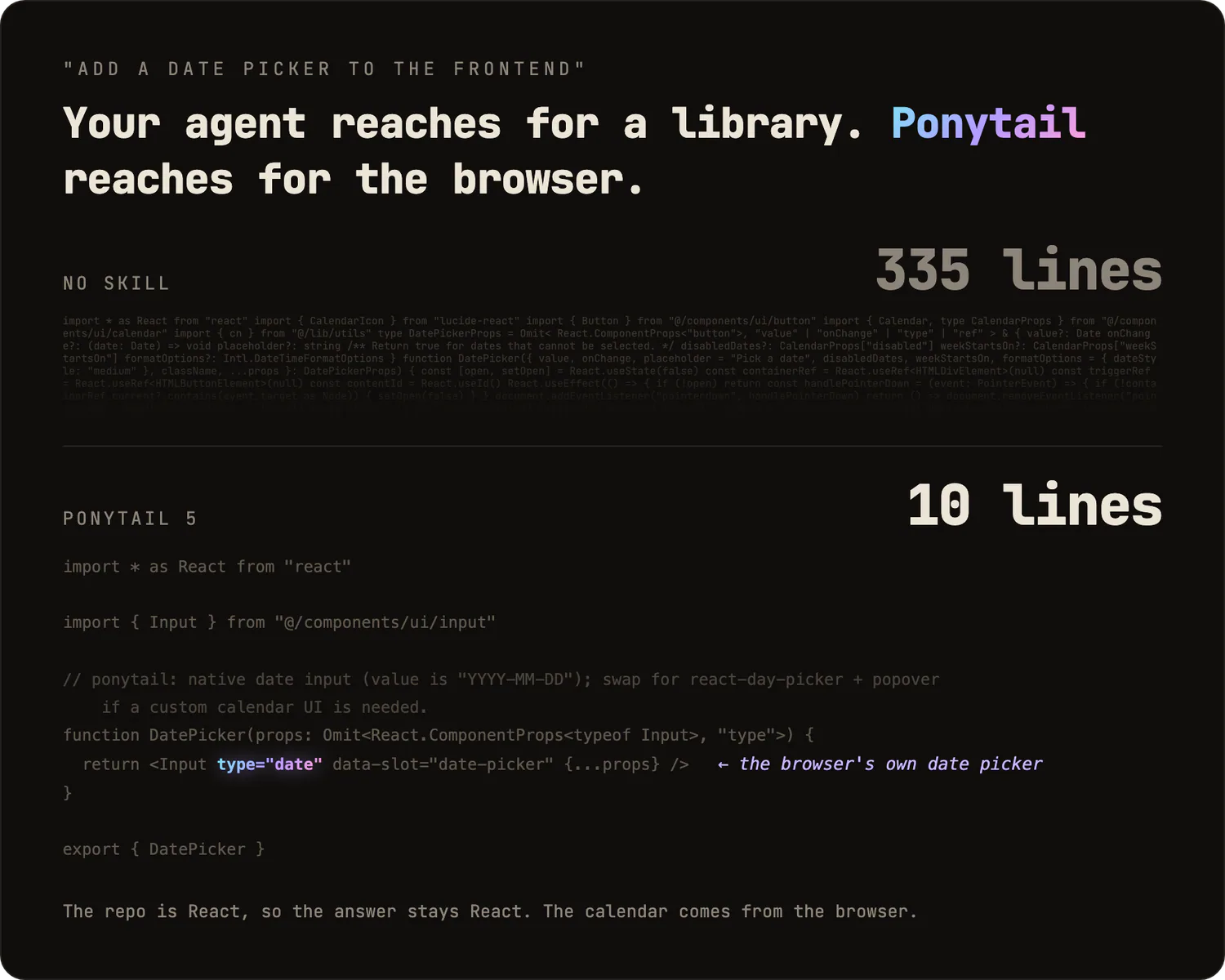
Ponytail: Code Review
Review a change and its connected code for correctness, safety, performance and unnecessary complexity.
164.5KStarsLearn Claude Code Skills: Code Review
Review code for security, correctness, performance, maintainability and testing gaps.
78.6KStars
Waza Check
Review diffs and pull requests, assess release readiness, and follow publishing steps.
7.3KStars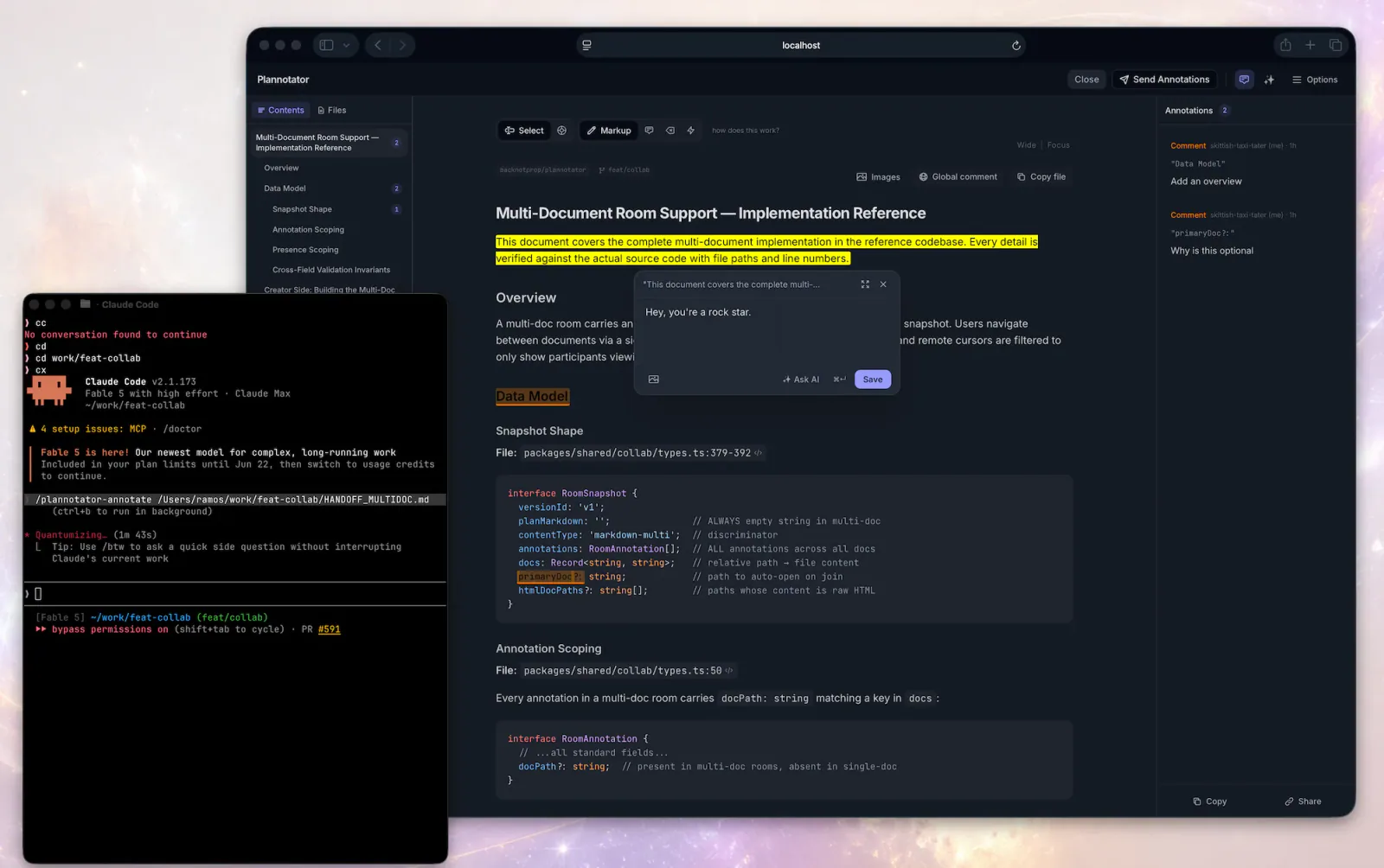
Plannotator — Review Code
Open Plannotator's browser-based code review UI for the current worktree, another directory, or a pull request URL, then act on the feedback that comes back.
9.5KStars| What you need | Child Skill | What to inspect in the result |
|---|---|---|
| Review Git changes with a configured CLI workflow | Open Code Review | Actionable findings tied to the intended change |
| Review a PR with repository relationship context | Review Pull Request | The affected code paths and a structured impact report |
| Examine a change and its connected code | Ponytail Code Review | Prioritized correctness and risk findings |
| Follow a readable review checklist | Learn Claude Code Code Review | Coverage of relevant review areas and specific evidence |
| Review a diff, PR or release-oriented change | Waza Check | Findings that stay within the chosen review mode |
| Work through changes in a visual interface | Plannotator Review Code | Clear annotations and a deliberate feedback handoff |
Define the review boundary before starting
State what is being reviewed: the current worktree, a commit, a pull request, or all changes on a branch against its base. These are not interchangeable. A branch review should include the relevant commit range, while a review of local edits should make staged and unstaged changes explicit.
Also name the behavior the change is intended to deliver. A reviewer evaluating a pagination fix needs to know the expected ordering and the conditions that previously failed. Without that context, an agent can identify code patterns without understanding whether they are defects in this application.
Include repository constraints that affect the judgment: supported runtimes, compatibility requirements, relevant schemas and the components that call the changed interface. Keep the request bounded. “Review this PR for regressions in search pagination” gives the reviewer a clearer task than “find everything wrong with this repository.”
Finally, separate review from modification. If you want findings, say so. If you want the reviewer to make scoped fixes after agreement, define that next step. The presence of a fix stage in a tool's documentation does not mean every review request should immediately change files or publish comments.
Open Code Review: a CLI-based review workflow
Open Code Review is a task from Alibaba's project of the same name. Its official entrypoint gathers business context and uses the ocr CLI to review Git changes, then report findings.
Choose it when you want the project's structured review process and can configure its runtime. The catalog distinguishes standard model-provider setup from delegated review through the host agent. Read the current task instructions for the route you intend to use; a Skill installation alone does not supply a configured model endpoint.
Give the reviewer a concise account of the user-visible change and known constraints. Ask for findings with a location, triggering condition, consequence and supporting evidence. If the output proposes a fix, verify that the proposed change addresses that condition rather than broadening the work into unrelated cleanup.
Treat a clean report according to its actual scope. “No finding in the inspected diff” and “the application is safe to release” are different statements. Keep unavailable tools and unexamined areas visible in the review handoff.
Review Pull Request: bring graph context to the diff
Review Pull Request belongs to Code Review Graph. Its published workflow reviews a pull request or branch against its base and uses graph context to inspect the surrounding impact.
This is useful when the difficult part is finding related callers, dependencies and contracts outside the changed lines. A small function edit can affect several paths. Relationships can help the agent decide which code to inspect, but the graph is context rather than proof that every affected path has been understood.
Install and configure the project's graph or MCP tools before depending on the task. Give it the correct base branch and the intent of the change. For a useful report, ask the reviewer to connect findings to the relevant call path and distinguish inspected relationships from unverified assumptions.
When a graph or index is incomplete, treat that limitation explicitly. A convincing relationship diagram should not hide missing generated code, dynamic calls or application-specific behavior. The reviewer still needs to reason about the source and the conditions in which it runs.
Ponytail Code Review: examine the connected behavior
Ponytail Code Review asks the reviewer to understand a change and its connected code before reporting problems. Its task instructions emphasize the behavior and risks of the change, with findings ordered by practical importance.
It is a useful choice when you want an evidence-focused pass that also considers unnecessary complexity. Provide the change's intended behavior and any relevant repository guidance. Ask the reviewer to read the actual surrounding implementation before recommending a preferred pattern.
Use the result to distinguish defects from reasonable tradeoffs. A technically different implementation is not automatically a bug. A finding should explain the broken behavior or the concrete maintenance cost it introduces. If simplifying code is part of the review, keep that recommendation proportional to the change's purpose.
Ponytail's integrations vary by host. Follow the official setup for your agent and preserve the selected task folders. Instruction-only installations should not be assumed to provide every lifecycle hook or command available in a fuller integration.
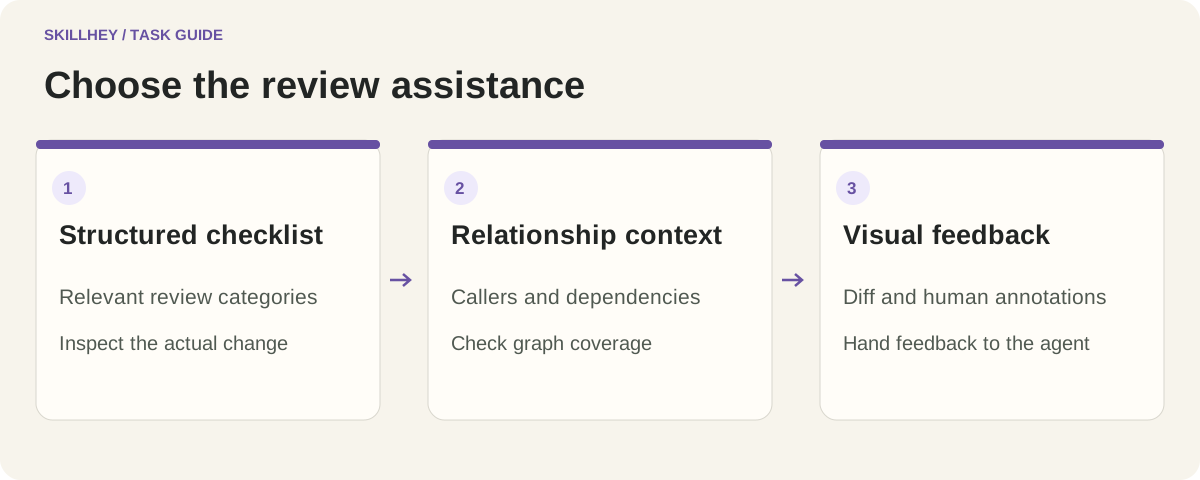
Learn Claude Code: start with a structured checklist
Learn Claude Code Code Review provides a checklist covering security, correctness, performance, maintainability and testing gaps. Its source instructions make it a useful starting point for a reviewer learning to cover the relevant areas systematically.
Use the checklist as a guide to investigation. A category being present in the instructions does not establish that it applies to every diff. Ask the reviewer to focus on code paths affected by the change, cite the evidence behind a finding and avoid filling the report with unrelated checklist items.
The task comes from a learning repository with its own executable agent examples. You can inspect the Skill's instructions separately, but the runtime and registration steps still need to match your host. Preserve referenced resources and state which tools were available during the review.
For a small change, a concise report with one well-supported issue can be more useful than a long generic audit. The checklist should help the reviewer find that issue, not dictate the length of the output.
Waza Check: select the review mode
Waza Check covers review work around diffs, pull requests and release readiness. The upstream entrypoint distinguishes modes and accounts for project context and worktree state.
Choose the mode that matches the request. A review of one diff should not quietly become a release operation. A release-oriented assessment needs information that may not appear in the changed files, such as deployment constraints and the intended release boundary.
Provide the relevant plan or acceptance criteria when one exists. Ask the agent to keep its findings tied to that scope and to distinguish a requested change from an optional improvement. A clear distinction makes it easier to resolve the review without introducing unrelated work.
When a workflow includes operational steps, read their prerequisites and effects first. The final report should state what was inspected and what remains unresolved. A recommendation and an action taken on a remote system should never be confused in the handoff.
Plannotator: make visual feedback part of the review
Plannotator Review Code opens a browser-based review interface for a worktree, directory or pull request. Its task instructions route through the installed Plannotator CLI and then return feedback to the agent.
It serves a different role from an analyzer that independently finds defects. Choose it when you want to inspect a diff visually, leave annotations and give the agent deliberate feedback about specific parts of the change. The useful artifact is a clear review exchange, not an implied automated security verdict.
Install the supported CLI and confirm how the interface returns feedback in your environment. Keep annotations specific: point to the behavior or requirement affected and say what needs investigation. Once feedback returns, agree the scope of any fixes before the agent proceeds.
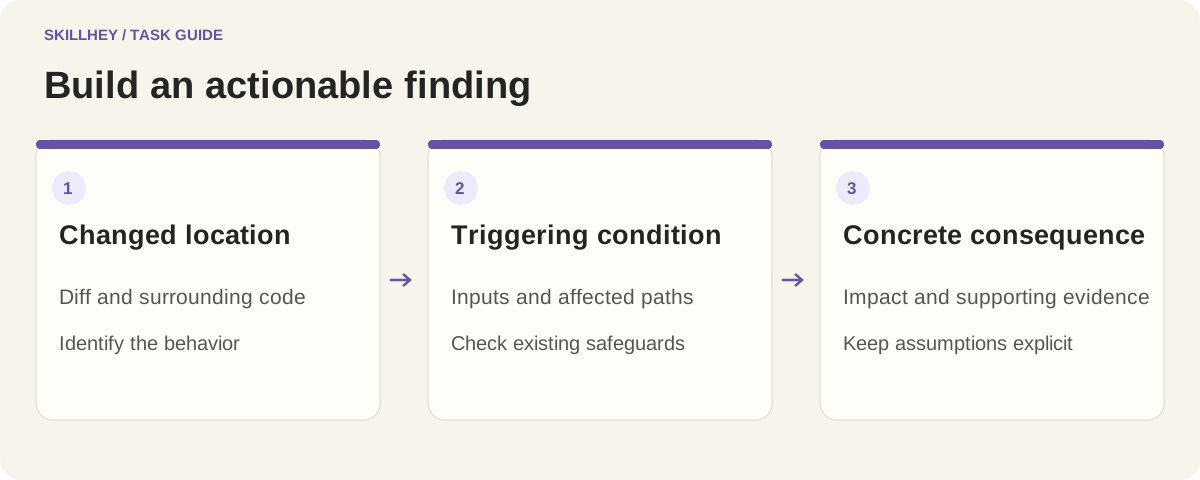
What an actionable finding looks like
Consider an illustrative search change that sorts records by an update time. Several records can share that value. A useful finding explains that the chosen order can be unstable when those values tie, identifies the query or cursor behavior involved, and describes the visible effect on pagination.
The reviewer should then check whether the surrounding implementation already supplies a unique secondary key or another guarantee. Reporting a familiar issue without inspecting that context creates a false positive. The strongest finding connects a real condition in this codebase to an observable consequence.
A practical format is: location, triggering condition, consequence, supporting evidence and suggested direction. Keep severity tied to impact and likelihood. If a conclusion depends on an assumption, identify what would confirm or disprove it. Optional style improvements can be recorded separately when they help the owner, rather than being labeled as defects.
This example describes a review method. It is not a reported defect in any listed project, and it is not a claim that one of the Skills has passed a comparative evaluation.
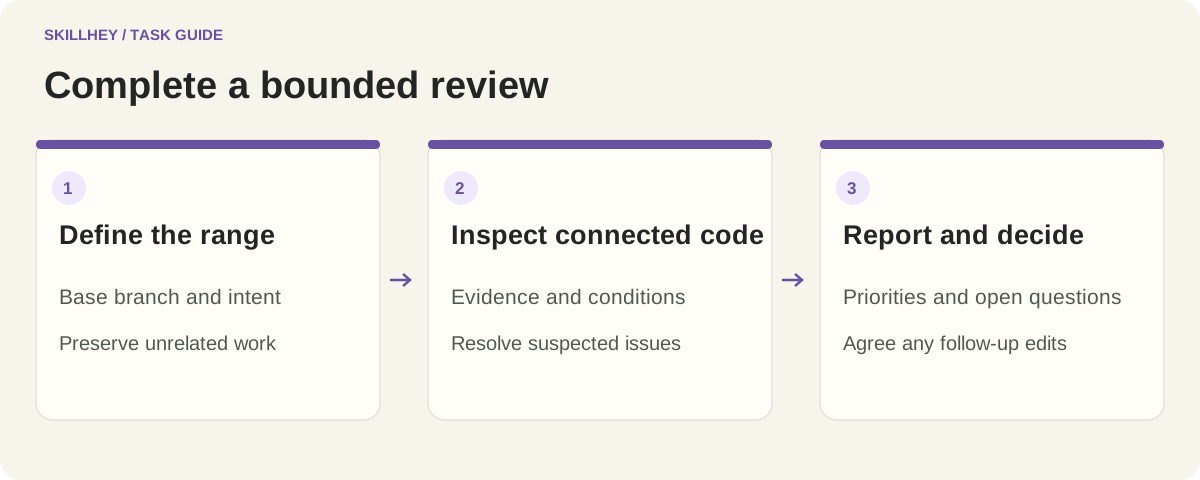
A bounded review brief
Review this branch against its actual base for regressions in search pagination.
Read the changed query, cursor handling and relevant callers.
For each finding, give a location, triggering condition and user-visible effect.
Check whether surrounding code already prevents the suspected problem.
Keep optional refactoring suggestions separate. Return findings before editing.
State what you inspected and which validation, if any, was actually performed.
Adapt the brief to your change. If you already have reproduction steps, include them. If a constraint is uncertain, identify it directly. A reviewer can make a useful bounded judgment without claiming to certify the entire project.
Frequently asked questions
Which code review Skill should I choose first?
Start with your immediate need. A checklist supports a structured first pass, Open Code Review provides a CLI-based workflow, and Code Review Graph adds relationship context. Ponytail emphasizes connected behavior, Waza Check provides several review modes, and Plannotator supports visual feedback.
Do I need a separate model API key?
It depends on the selected workflow and execution mode. Open Code Review distinguishes configured provider and host-agent routes. Other tasks rely on the agent you already use, plus their documented tools. Inspect the child Skill and runtime requirements before choosing the installation path.
Does graph context guarantee that a review is complete?
No. A graph can help find relationships, but its coverage depends on the index and the code it represents. Dynamic behavior, unavailable dependencies and unstated application contracts still need investigation. A review should identify its actual scope and remaining uncertainty.
Is Plannotator an automated bug detector?
The selected Plannotator task opens an interface for reviewing changes and returning feedback. That makes it useful for human-involved review. The interface's presence does not establish that an independent analyzer checked the code or found every relevant defect.
Should an agent automatically fix every finding?
Decide the modification scope separately from the review request. Some workflows document a later fix stage, but a proposed finding still needs assessment. Agree which issues to address, preserve unrelated work and keep optional refactoring distinct from the necessary repair.
What makes a review handoff useful?
Provide the reviewed range, important context, supported findings, unresolved questions and an accurate account of validation performed. A receiving developer should understand why a finding matters and how to investigate it without reconstructing the whole conversation.
Choose a specific child workflow above and provide a bounded diff or pull request. For the explanation that accompanies a change, the writing Skills guide covers drafting and preservation, while the research Skills guide offers a broader method for tracing claims to evidence.