Logo Design Skills for AI Agents: From Ideas to Vector Marks
Last updated: 2026-10-29
A good logo has to do more than look polished in a large presentation. It needs a clear idea, a distinctive silhouette and a shape that remains useful on the surfaces where people will see it. An AI agent can help explore and build those ideas, but the brief, visual judgment and final review still matter.
These four Skills cover different parts of visual identity. Geometric Logo Construction focuses on documenting a mark built from circles and straight lines. Logo Design develops logo concepts and a brand kit; Brand Identity brings the mark, typography and palette together. Fun Isometric adds animated illustrations for a brand's digital touchpoints.
Geometric Logo Construction
Design geometric logo marks from circles and straight lines, with a construction sheet, vector artwork and application previews.
2Stars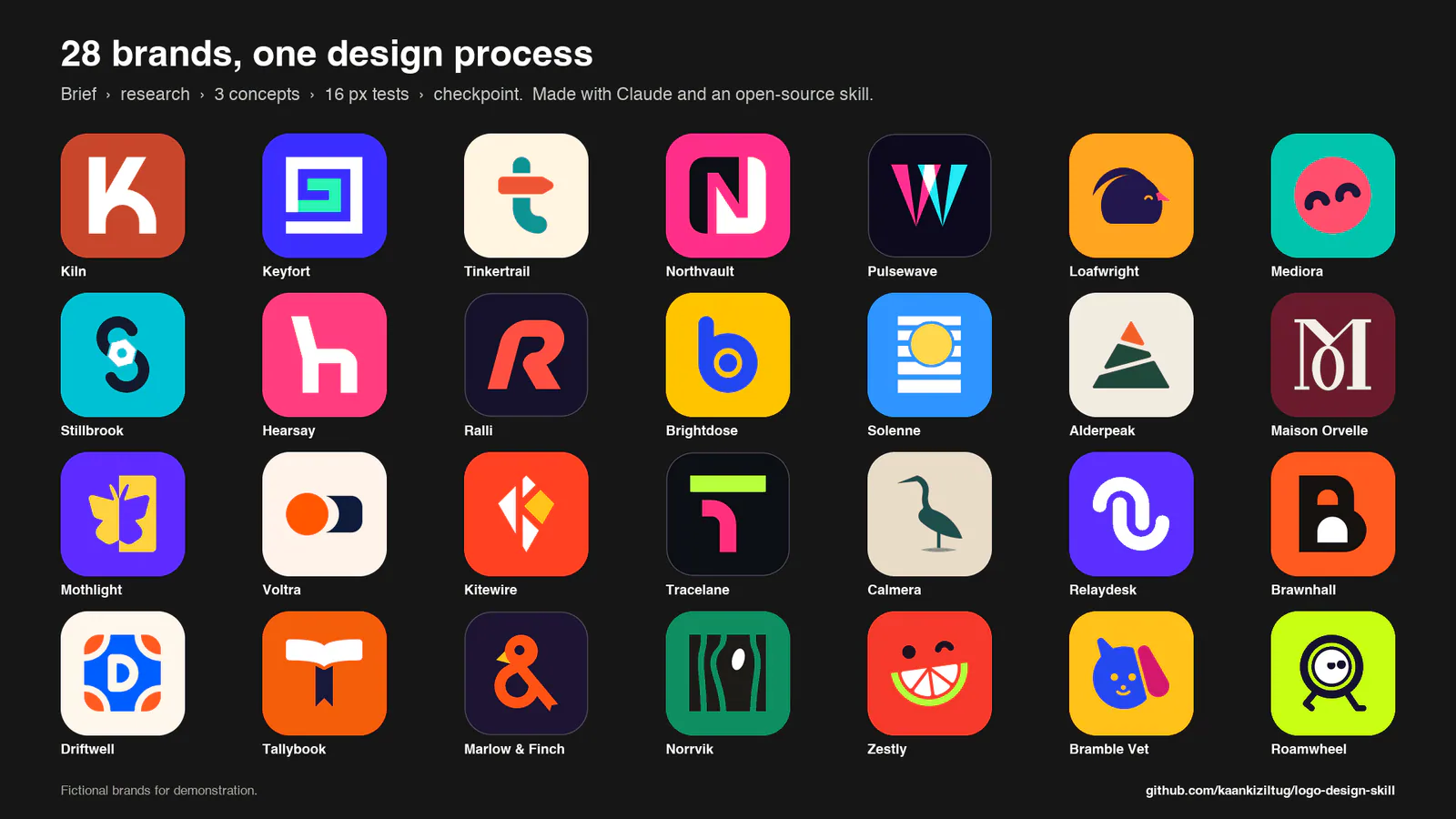
Logo Design
Design and critique SVG logos with three tested concepts, brand guidelines, presentation mockups and favicon or app-icon exports.
3.4KStars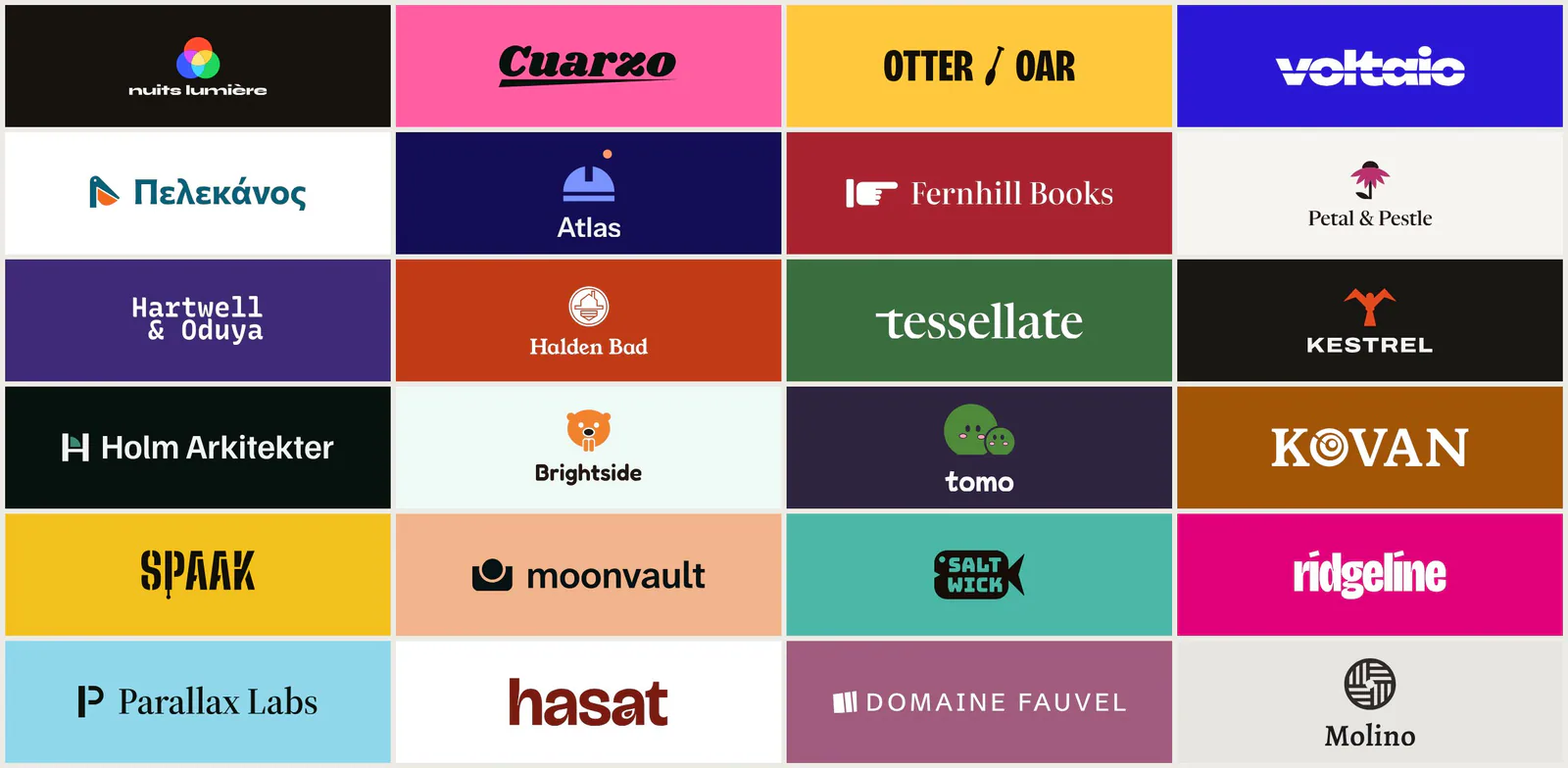
Brand Identity
Design and compare coordinated logo, typography and colour systems, then create a brand guidelines kit for the chosen direction.
184Stars
Fun Isometric
Create animated isometric sticker icons with configurable colours, facing directions and keyframe motion.
76StarsChoose the workflow that fits
| Your starting point | Skill | What it helps produce |
|---|---|---|
| You want a geometric mark and a clear record of how it was built | Geometric Logo Construction | A vector mark, construction sheet and size or background variants |
| You want to explore brand directions and develop a chosen identity | Logo Design | Three concepts, SVG checks and, after selection, a possible brand kit |
| You want to compare complete logo, type and colour systems | Brand Identity | Identity boards and a guidelines kit for the chosen direction |
| You want animated illustrations to accompany a digital identity | Fun Isometric | Isometric sticker icons and optional looping video exports |
These workflows do not guarantee a distinctive or trademark-cleared logo. The descriptions below summarize the published workflows; they are not a comparative benchmark of design quality.
Geometric Logo Construction: make the geometry visible
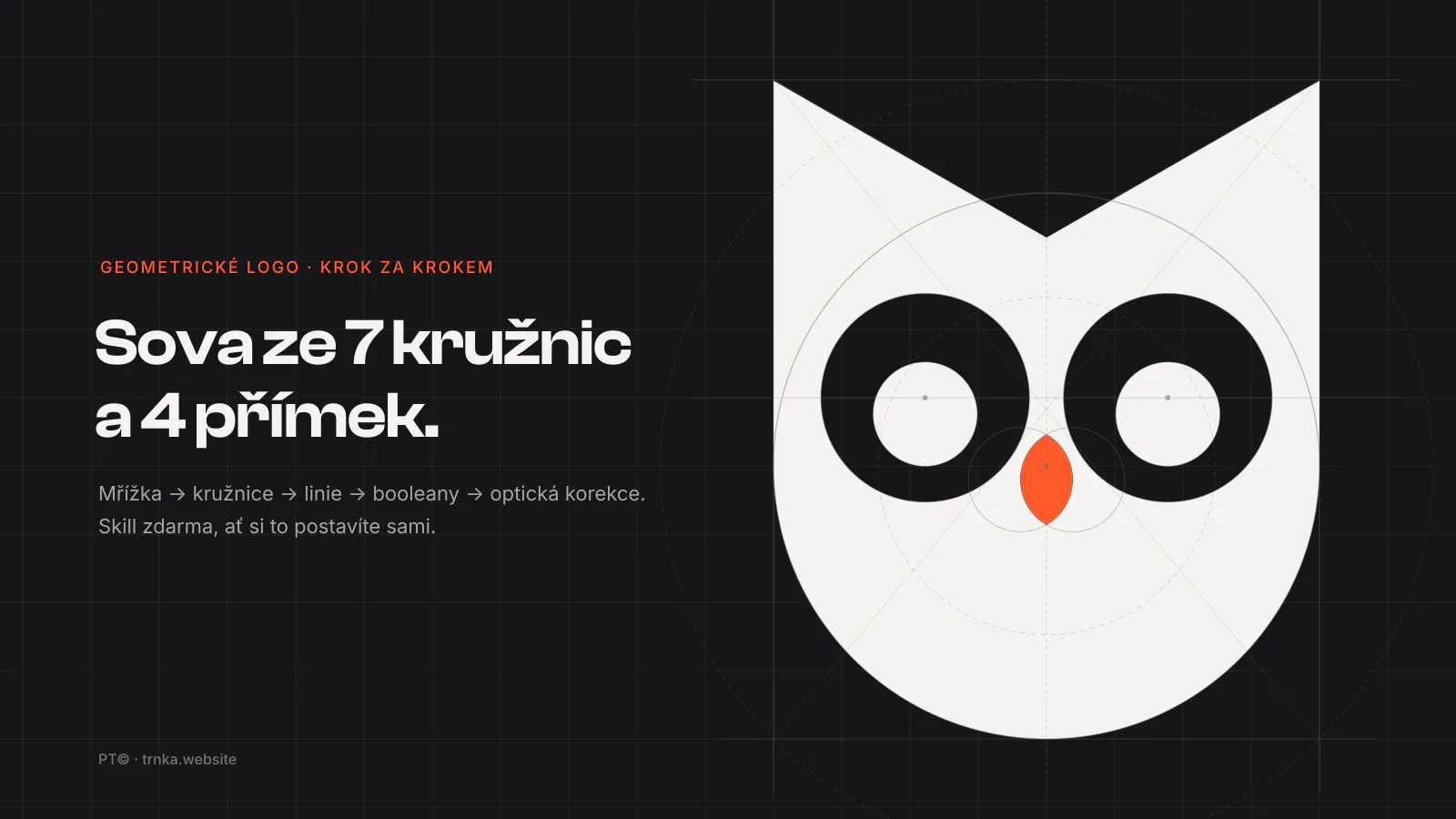
Geometric Logo Construction, by Pavel Trnka, starts with a short concept and one dominant gesture. Its instructions then define a grid and build the mark from circles and straight lines. The agent records the circle centers, radii and ratios, uses vector boolean operations, and documents any optical adjustments.
Choose it when the construction itself is part of the deliverable. The specified construction sheet places the mark alongside its grid, guides, ratio labels, concept and a clean final version. The workflow also calls for light, dark and monochrome applications and favicon checks at 64, 32 and 16 pixels.
This Skill is a design method rather than a packaged rendering engine. To produce and inspect the actual files, the agent needs a suitable vector route: for example, a vector editor or code with path operations and SVG-to-PNG rendering. If a tiny detail breaks down at 16 pixels, the instructions suggest a simplified favicon rather than assuming the full mark will scale perfectly.
The upstream owl example illustrates the method. Its example artwork uses CC BY 4.0; the Skill text and documentation use MIT. Check the upstream terms and attribution when reusing the example.
Logo Design: compare directions before building the kit
Logo Design, by kaankiziltug, covers a wider identity process. The Skill supports new designs, critiques, redesigns, identity systems and asset exports. For a new logo, it moves from a brief and research to several ideas, builds three directions in SVG, and reviews their geometry and small-size behavior.
Its concept checkpoint is useful when the direction is still open. The agent presents the three concepts and a recommendation before preparing the full kit, unless the user explicitly asks it to continue without that pause. After a direction is selected, the documented workflow can develop lockups, color and typography, icon exports, presentation boards and usage guidance.
The repository includes Python scripts, references and a searchable SVG reference library. Preserve the complete Skill directory when installing it: copying only the entrypoint leaves out resources the workflow calls for. Its scripts use Python; rendering PNGs and presentation sheets requires a suitable renderer or browser in the working environment. Reference marks are for study, not tracing or reuse as original artwork.
Brand Identity: develop the whole visual system
Brand Identity, by Fatih Aydost, builds a logo, typography and palette around a shared idea. Its instructions produce up to four directions, compare them on identity boards and check contrast, font coverage, licences and small-size logo renders. You can keep existing elements, refresh selected parts or request a critique.
After you choose a direction, the workflow can create a PDF guidelines kit, SVG and PNG logo variants, and design tokens. It requires Python 3.10 or newer and a Chromium-based browser; the author recommends uv for the Python dependencies. The upstream project reports end-to-end testing in Claude Code.
Fun Isometric: animate a brand's digital touchpoints
Fun Isometric, by Kelvin Adithya, creates thick-outlined isometric sticker illustrations with configurable palettes, facing directions and keyframe motion. It is useful for onboarding, feature icons and empty states that accompany a visual identity. It is an illustration and animation workflow, so use a logo-focused Skill above when you need a primary brand mark.
The upstream kit includes canvas and React components and supports looping video exports. It needs Node.js 22 or newer; checks and rendering use Bun and Playwright Chromium, and video export requires ffmpeg.
Give the Skills a useful brief
Before asking for concepts, provide the exact brand name, what the product or organization does, who it serves and where the mark will appear. Add a few words about the intended character, examples of competing identities, existing elements that must remain and any color or format constraints.
For a geometric construction, also describe the motif or gesture you want to explore and ask for the actual construction values, including any optical deviations. For a broader identity exploration, ask for visibly different concepts and a short explanation of how each responds to the brief. Specify whether you need only a symbol or also a wordmark, icon and usage guide.
A reusable starting prompt is:
Design a logo for [brand], which [what it does] for [audience].
The identity should feel [three adjectives] and work on [placements].
Constraints: [existing elements, colors, formats or exclusions].
Explain the ideas, show the mark in one color and at small sizes,
and identify which files and checks you actually completed.
Then ask for the output that fits: a geometric construction sheet, logo concepts or complete identity directions. For an animated sticker, describe the subject, brand colours, facing and motion. Use the concept review to choose before investing in a full identity kit.
Review the result before using it
Look at the rendered mark, not just its SVG source. Check whether it remains recognizable at the intended small sizes, whether gaps close, whether the silhouette works in one color and whether it accidentally reads as another object or letter. Compare it with relevant competitors and ask for changes where the result is unclear.
Keep the construction sheet and final artwork consistent: ratio labels should describe the geometry actually used, and optical adjustments should be recorded. For an identity kit, check that the approved direction carries through to the icon, wordmark, color and usage guidance.
A visual comparison or a reference-library search is not trademark clearance. Before adopting a mark commercially, investigate relevant trademarks and obtain professional advice where appropriate. Check font licenses and the rights to any reference artwork as well.