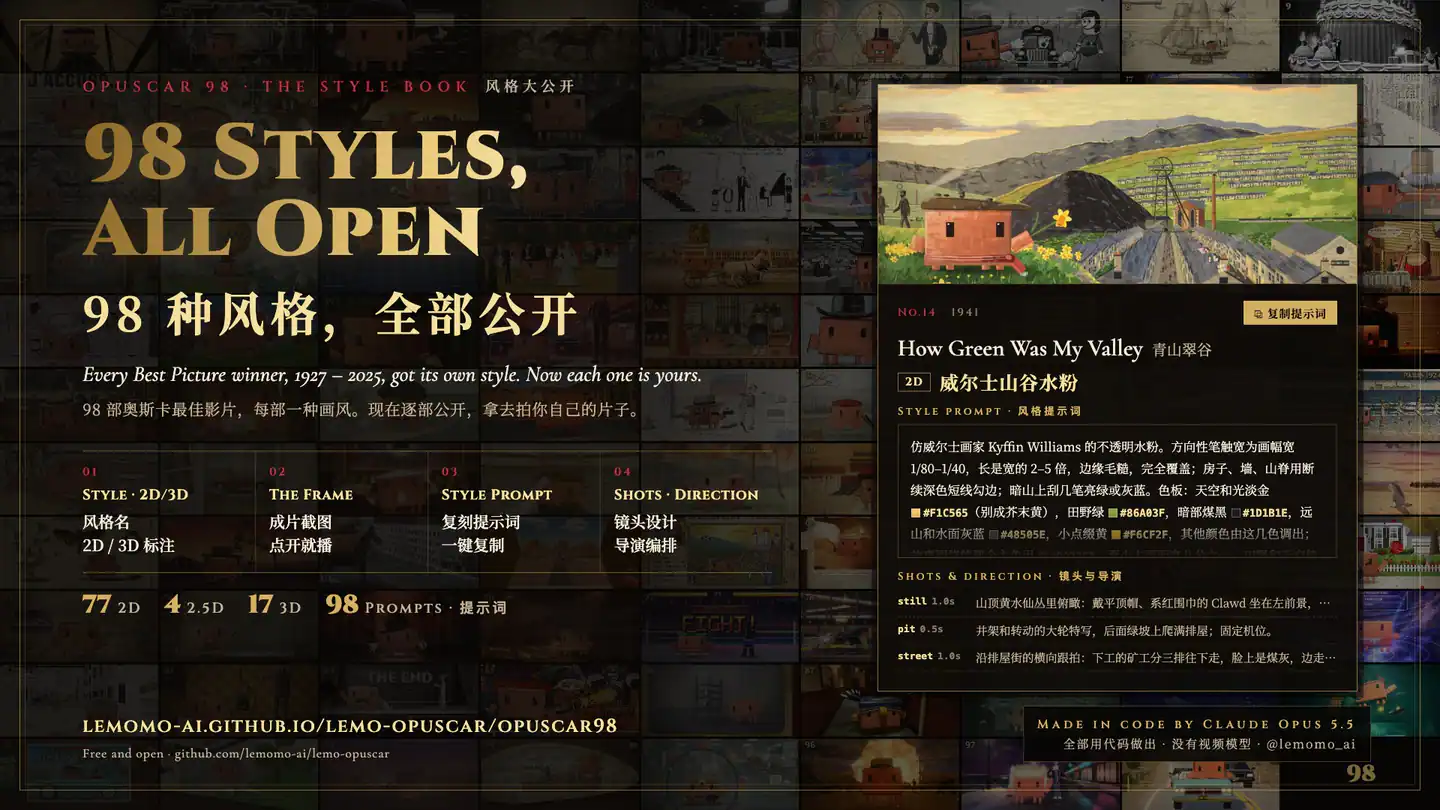
Author's OPUSCAR 98 style book: a montage of film frames with a reusable style prompt and shot direction example.
Project screenshotsAbout this Skill
Bring a subject, a message or a product brief. Lemo-Opuscar guides a coding agent through style selection, an original treatment, frame inspection, animation, sound and final review. The upstream library currently lists 51 film styles, from watercolor and whiteboard explainers to typography, 3D and evidence-based films. Its separate OPUSCAR 98 showcase shares 98 film-inspired style prompts, frames and shot notes; these are references, not 98 separately installable Skills. Finished projects include a rendered MP4, editable source, a build command, treatment and credits, with subtitles when applicable.
Why we picked it
A reusable filmmaking workflow for your own subject: choose a visual language, write an original treatment, inspect frames, then render and review the film. The supplied preview introduces the author's separate OPUSCAR 98 style book.
What it helps with
- Create a short promotional film, educational animation or visual story about your own subject.
- Use a named visual style while designing an original story, camera path and sound treatment.
- Build explainers from sourced maps, data, scans or product geometry when the chosen style supports them.
- Keep the film's code and production files so content and timing can be revised later.
From your brief to a finished film
Choose the topic and style
Name a style in English or Chinese, or ask for suitable options. Specify required facts, duration, language, materials and whether you want a storyboard review.
Plan an original treatment
The agent writes TREATMENT.md before reading demo source: story alternatives, shots, beats, visual rules and sound cues should follow your subject.
Inspect and produce
Render representative frames, then build deterministic animation and the sound the brief needs. Storyboard approval is a separate pause only when requested.
Review and deliver
Check pacing, readable text, transitions and the final mix. Deliver MP4, poster, editable source, build.sh, treatment, credits and any applicable SRT subtitles.
Installable Skill entrypointDirecting and delivery guideRendering, voice and sound workflow
Installation choices
The command above selects the single installable Skill for compatible agents. The author's documented Claude Code plugin route uses the following two commands. Other agents can also copy plugin/skills/lemo-opuscar/ into their Skills root.
On first use, scripts/setup.sh prepares the shared style library. The Skill depends on those guides and tools; copying SKILL.md alone does not provide the complete rendering workflow.
| Command | What it helps with |
|---|---|
claude plugin marketplace add lemomo-ai/lemo-opuscar | Add the author's plugin marketplace to Claude Code. |
claude plugin install lemo-opuscar@lemolab | Install the Lemo-Opuscar plugin from that marketplace. |
The OPUSCAR 98 style book
The supplied image is the author's overview of 98 styles from OPUSCAR 98, a film visiting Best Picture winners from 1927–2025. Its companion page offers frames, style prompts, dimensionality labels and shot direction for reuse on your own topic.
The 51-style library is the installable Skill's main workflow. The 98-style book is an additional reference collection. Match the visual language to your own story and use material you can lawfully include.
Official repository and setupAuthor's film-style galleryOPUSCAR 98 film and style bookOPUSCAR 98 reusable style data
Before you use it
- A coding agent that can read SKILL.md, run shell commands, edit source and inspect images. The author develops and tunes the styles with Claude Opus 5.5; results with other models can differ.
- Node.js 20+, FFmpeg, and Python 3.11+ or uv. The core setup installs Node packages, a headless browser and a private Python environment. 3D or shader-heavy styles benefit from a GPU.
- Network access for the initial style-library download and dependencies. The library defaults to ~/lemo-opuscar; individual film projects remain in the folder where you started.
- Narration, speech checks, music samples and some style-specific assets require additional optional downloads. English Kokoro narration can run locally; the documented Chinese edge-tts route needs a network connection.
- The repository is MIT-licensed; fonts, samples and supplied material retain their own licenses. Installation is free, while agent/model use, rendering resources and any external services can have separate costs.
- Developed on macOS. The author expects Linux to work and recommends WSL on Windows. A full film is a production task: the author estimates roughly 30–60 minutes and substantial agent tokens.
Supported agents
Frequently asked questions
Does it use a video-generation model?
The documented workflow creates pictures and motion in code, using Canvas/WebGL and frame-by-frame browser rendering. Optional voice and sound tools are separate from picture generation.
Are there 98 separate Skills to install?
No. The repository contains one installable lemo-opuscar Skill. Its style library and the OPUSCAR 98 style book provide references and methods for that filmmaking workflow.
Can I edit the result later?
The workflow calls for editable source and a build.sh alongside the rendered video. Keep the project's referenced materials and library dependencies when rebuilding.
Sources & references
Original sources are linked below. Practical starting points are editorial suggestions from SkillHey.