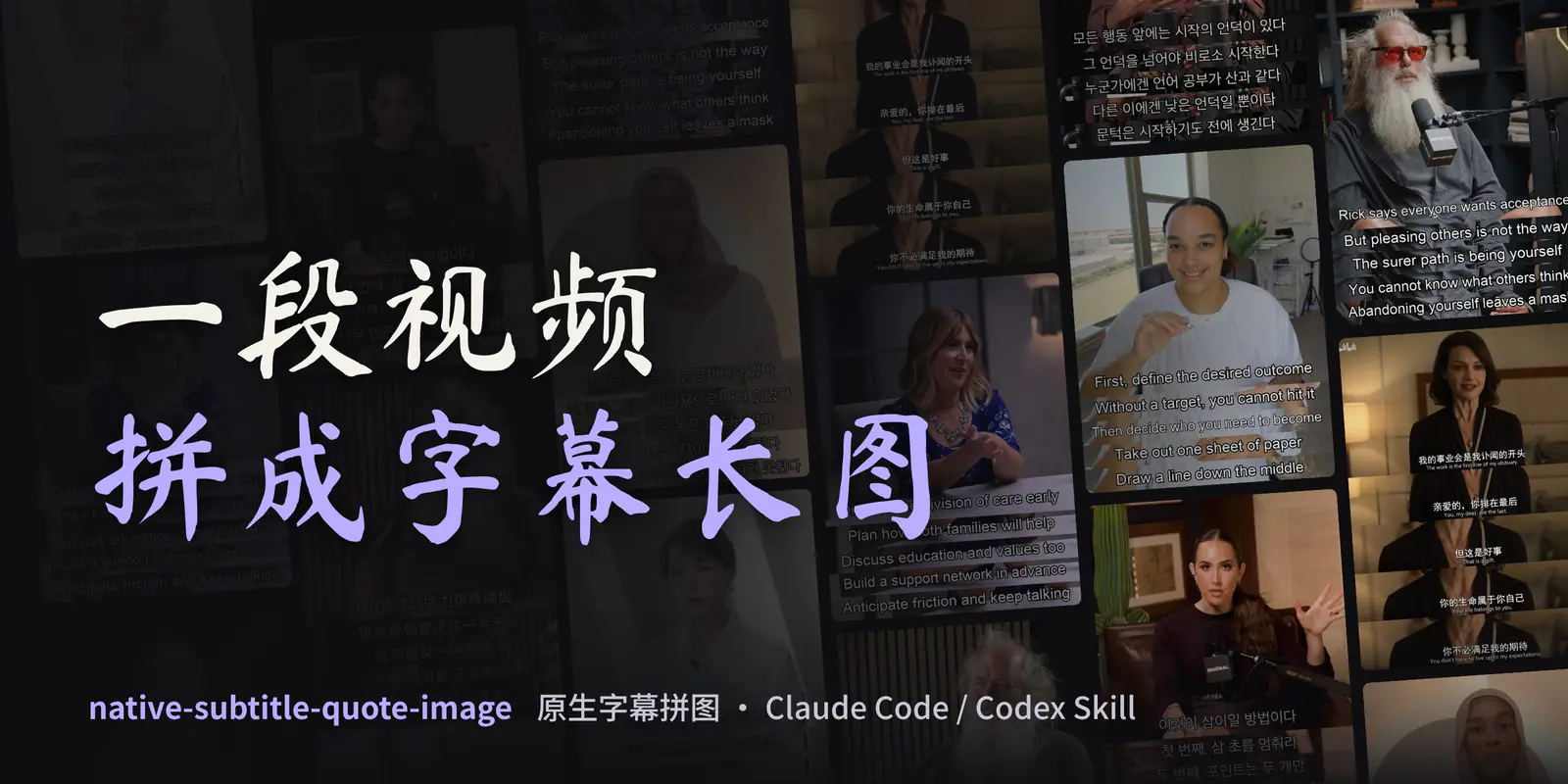
Official Chinese banner for Native Subtitle Quote Image: a dark wall of multilingual subtitle collages with the title “Turn a video into a subtitle image.”
Project screenshotsAbout this Skill
Give your agent a local video, or a video URL you can process, and describe the passage you want to share. The Skill guides source checks, sentence selection, timestamp verification, frame extraction, compact composition and final review. Native mode crops subtitles already burned into the video without redrawing them. Script mode draws reviewed dialogue or translations on real frames and identifies them as added captions. Outputs are JPG images with their timing data and, for multi-image jobs, a contact sheet.
Why we picked it
Useful for interview highlights, dialogue screenshots and quote collages. Its two explicit modes keep original subtitle pixels separate from captions added later, with source timestamps and image review in the workflow.
What it helps with
- Turn a subtitled interview, talk or lesson into readable quote collages.
- Keep original burned-in subtitles intact when selecting dialogue screenshots.
- Place checked translations or your own approved captions on actual video frames.
- Prepare timestamped images alongside an article or social post.
Choose the subtitle source
Native subtitles
Crop subtitles already present in the video pixels. No OCR-based redrawing, translation or rewriting. The hero and subtitle strips are composed first and scaled together.
Script captions
Draw reviewed text or translations on real frames. Keep the approved text and timestamps in a lines JSON and label the result as captions added later.
Official repository and installation guideOfficial Skill instructions
From video to reviewed collage
Inspect the source
Check the actual video frames, subtitle type, source quality and target output. Pick the mode explicitly before rendering.
Select stable moments
Sample candidate frames around each line. Keep one coherent idea and check the speaker, text completeness, transitions and framing.
Compose the image
Native mode defaults to a content-adaptive layout. Script mode defaults to a 3:4 canvas. The normal starting point is a hero plus four strips; each image accepts at most seven time points.
Review and deliver
Open the contact sheet and every full-size JPG. Check text, order, framing and caption provenance, then deliver the images with their timing or lines JSON.
Official Skill instructionsEnd-to-end workflowLayout and visual review guide
Install and check the environment
The official README documents copying the Skill folder or using a host installer. A standard cross-agent installer can also discover its entrypoint. Keep the bundled scripts, references and requirements.txt together. In the commands below, <SKILL_DIR> is the directory containing the installed SKILL.md.
| Command | What it helps with |
|---|---|
npx skills add chengyi-ai/native-subtitle-quote-image --skill native-subtitle-quote-image | Install the Skill with the standard cross-agent installer. |
python3 -m pip install -r "<SKILL_DIR>/requirements.txt" | Install the Python dependencies in your chosen environment. |
python3 "<SKILL_DIR>/scripts/check_environment.py" | Check the local-video dependencies without changing the environment. |
python3 "<SKILL_DIR>/scripts/check_environment.py" --script-mode | Also check the fonts required for script captions. |
Official repository and installation guideOfficial Skill instructions
Layout and practical limits
The scripts extract and arrange frames; the agent must choose the correct speaker and suitable composition. For multi-person conversations, keep speaker ownership clear. Long dialogue should be split into several images rather than squeezed into tiny strips.
Native output can keep the source width and derive its height from the content. Fixed-ratio layouts are optional; retaining a larger export canvas does not improve low-resolution source detail. The separate script mode supports custom captions and selected emphasis options.
The listing cover is the author’s supplied Chinese banner, compressed for display. Its example wall includes native subtitles and added script captions; those examples should not be treated as verbatim quotations from every person shown.
Official repository and installation guideOfficial Skill instructionsAuthor’s original Chinese coverExample sources and caption notes
Before you use it
- A Skills-compatible agent with local file access, a shell and image inspection. The rendering scripts can also run directly from Python.
- Python 3.10+, Pillow and FFmpeg or imageio-ffmpeg. Run the read-only environment checker before processing a video.
- URL input additionally needs yt-dlp; full YouTube format support needs Deno or an explicitly enabled Node.js runtime. CJK script captions need an appropriate font.
- Native mode requires subtitles visible in the decoded video frame. Script mode requires checked timestamped lines; a separate subtitle track alone is not burned-in text.
- The code and Skill are MIT-licensed and free to install. Source footage and third-party material retain their own rights. Agent/model usage follows your provider’s pricing.
Supported agents
Frequently asked questions
Does native mode redraw subtitles?
No. It crops subtitle pixels already burned into the source frame and scales the composed image uniformly. Choose script mode when you want to add reviewed text instead.
Can it process a local video without downloading tools?
Local input needs Python, Pillow and FFmpeg or imageio-ffmpeg. yt-dlp is only needed for URL acquisition; optional transcription is a separate step when timing data is missing.
Sources & references
Original sources are linked below. Practical starting points are editorial suggestions from SkillHey.