research skill for Claude AI. Grade A. This skill provides comprehensive analysis of competitor SEO and GEO strategies, revealing what's working in your market and identifying opportunities to outperform the competition.
Performance Optimization Skills for Claude Code, Codex & AI Agents
These skills help an agent find and fix slow code. They range from web performance and Core Web Vitals to JVM diagnostics, game frame budgets and ML inference speed.
21 skillsExplore Performance Optimization skills
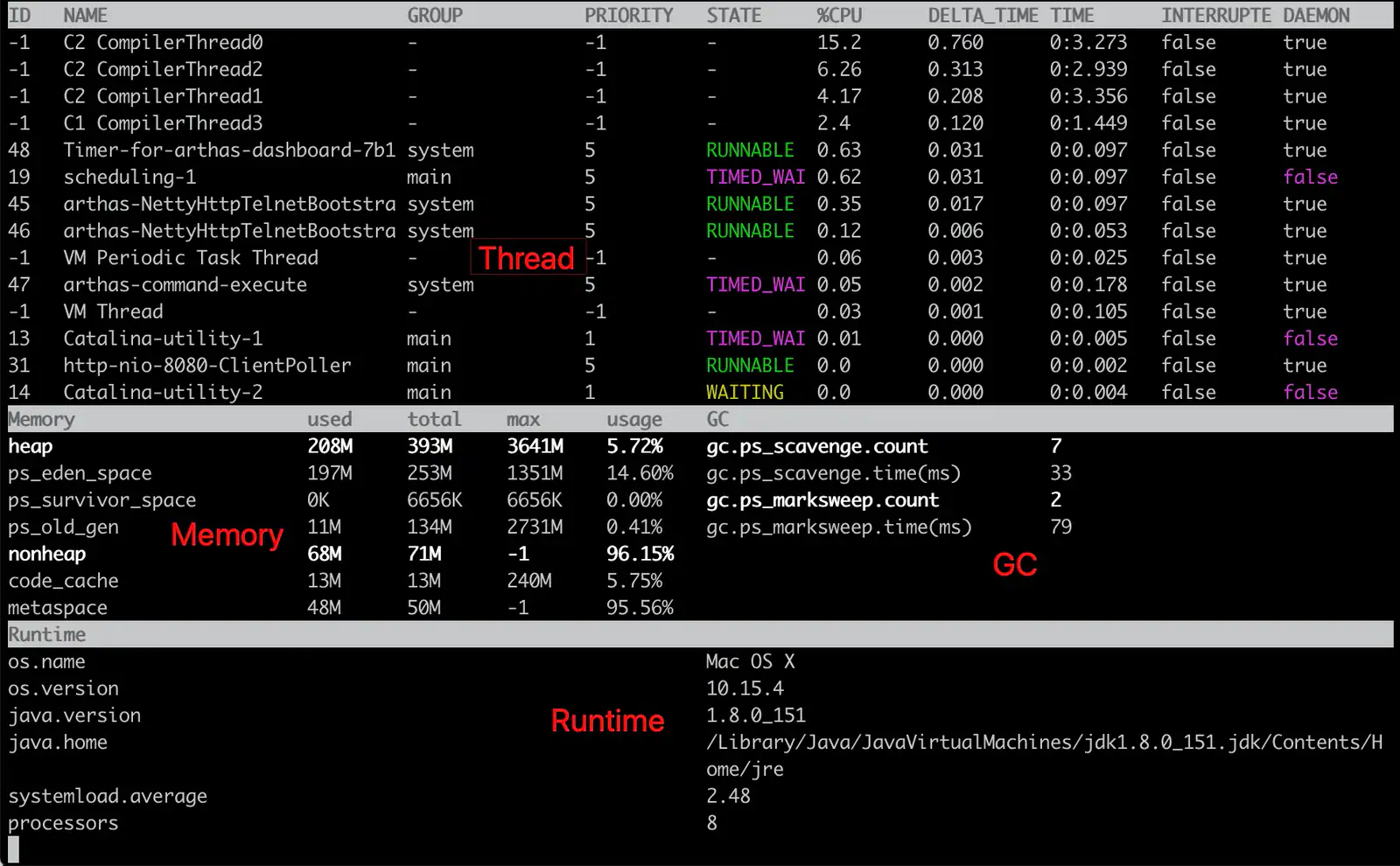
17 skillsArthas CPU Diagnostics
Investigate JVM CPU spikes with thread evidence, stack inspection, and bounded method tracing.
Audit and fix animation performance issues including layout thrashing, compositor properties, scroll-linked motion, and blur effects. Use when animations stutter, transitions jank, or reviewing CSS/JS animation performance.
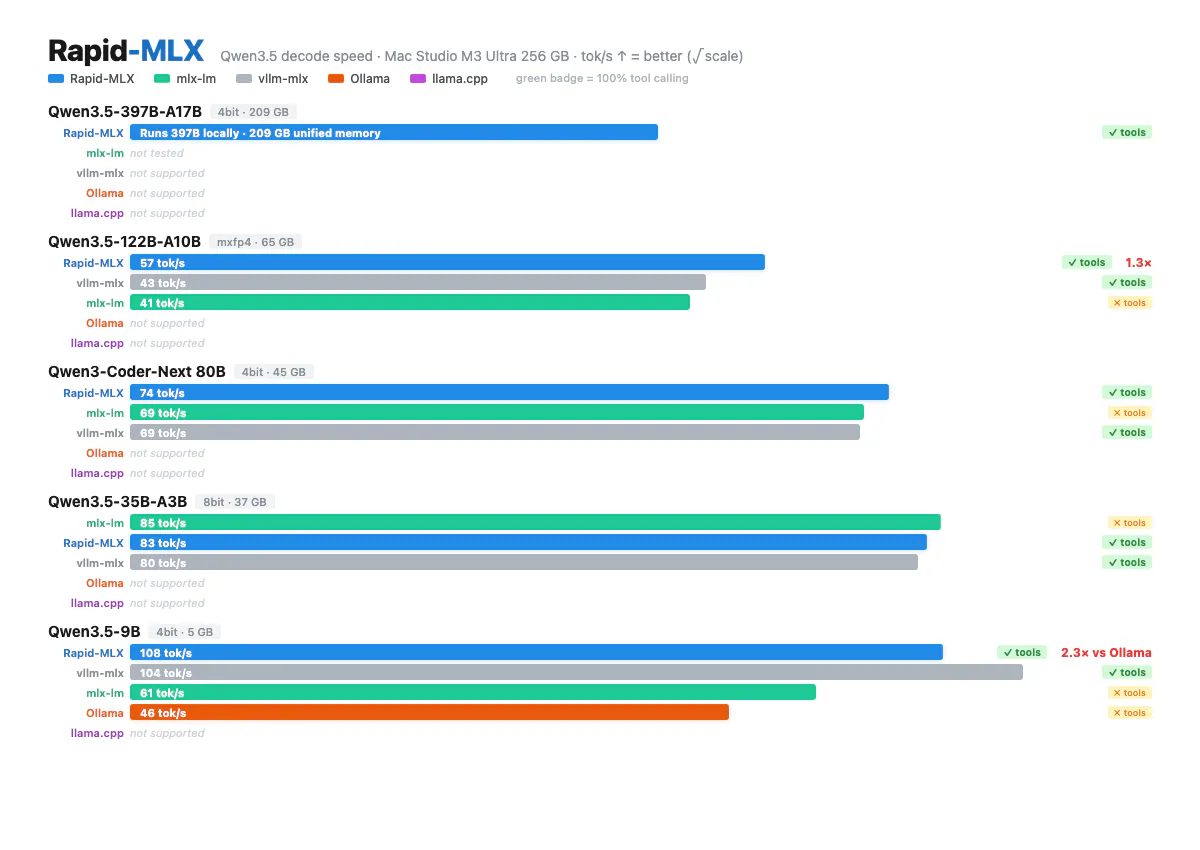
Rapid MLX Performance Workflow
Investigate Rapid MLX performance, prototype changes, benchmark results, and prepare reviewed improvements.
Audit Three.js and React Three Fiber applications for frame-loop, GPU resource and visual problems.
Investigate web loading and runtime performance with field data, lab traces and source review.
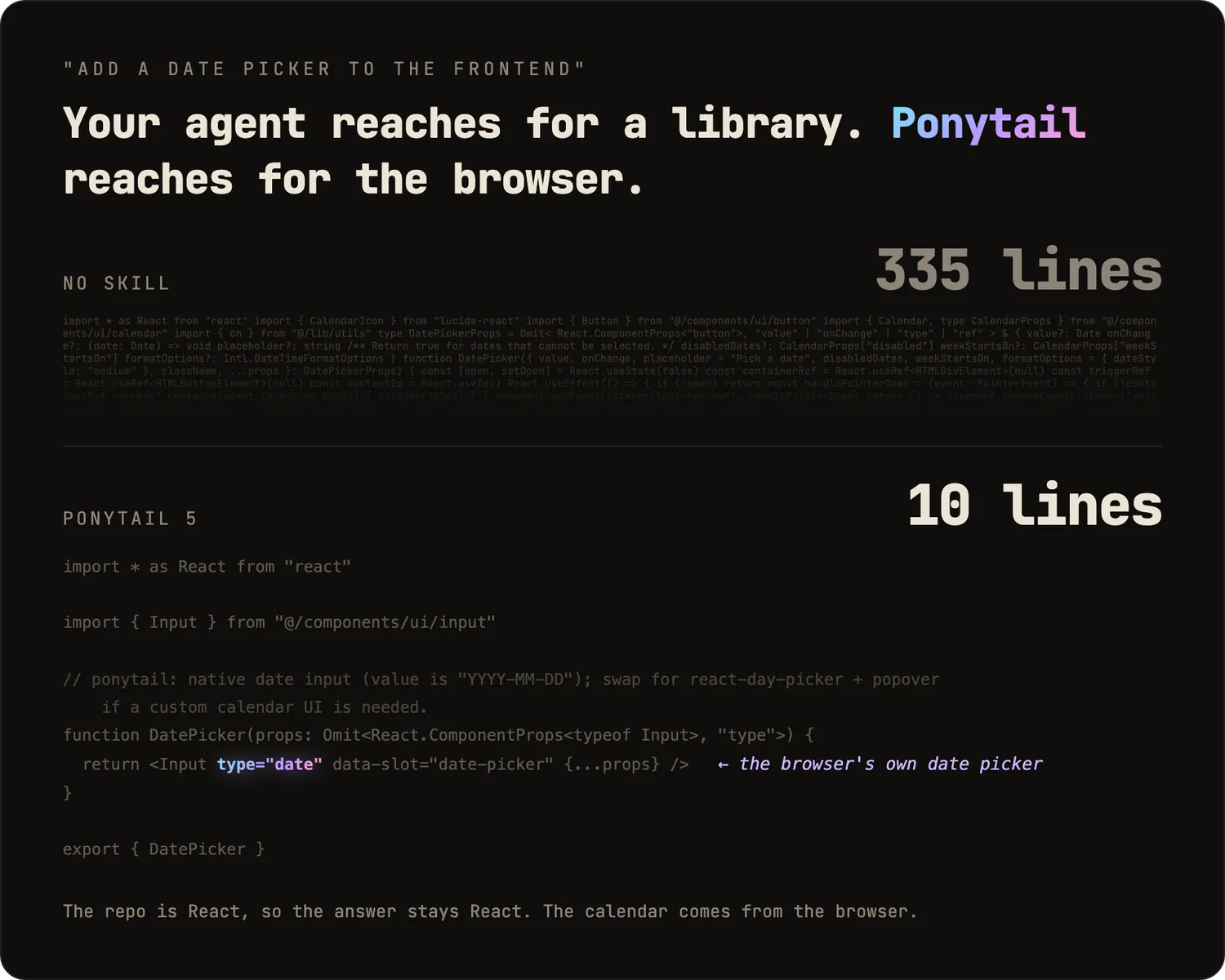
Ponytail: Codebase Audit
Produce a ranked repository audit covering bugs, risky untested code, slow paths and code bloat.
research skill for Claude AI. Grade A. This skill helps you discover, analyze, and prioritize keywords for SEO and GEO content strategies. It identifies high-value opportunities based on search volume, competition, intent, and business relevance.
Diagnose LCP, INP and CLS using real-user context and controlled browser evidence.
business skill for Claude AI. Grade A. Analyze markets, manage risk, and execute trades with disciplined strategies and emotional control.
Performance Optimization
Profile actual bottlenecks and compare before-and-after measurements across frontend, backend and database paths.
Ponytail: Benchmark Scoreboard
Display Ponytail’s recorded benchmark results for code size, cost and execution speed.
Ponytail: Code Review
Review a change and its connected code for correctness, safety, performance and unnecessary complexity.
Diagnose a reproducible React interaction with browser traces, rendering evidence and a structured report.
Keep web animations inside the frame budget — animate composite-only properties, keep motion off the main thread when the page is busy, and find the cause when an animation drops frames. Covers the layout/paint/composite pipeline, cheaper property swaps, CSS vs WAAPI vs requestAnimationFrame, Framer Motion's hardware-accelerated path, React re-rendering per frame, inherited CSS variable recalculation, blur cost, and when `will-change` actually helps. Use when an animation is janky, choppy, stutters, or drops frames; when choosing which property to animate; when deciding between CSS and JS animation on performance grounds; or when reaching for `will-change` or GPU layers. For choosing easing, duration, or whether to animate at all use animate; for reviewing motion as a whole use review-animations.
Use for Vercel cost and performance optimization on deployed projects, especially Next.js, SvelteKit, Nuxt, and limited Astro apps.
React and Next.js performance optimization guidelines from Vercel Engineering.
Related topics
How to choose Performance Optimization skills
Pick by platform: web vitals skills for sites, React skills for re-renders, Arthas for JVM services, and game skills for frame time.
- Improve Core Web Vitals on a slow page
- Find the cause of high CPU in a service
- Cut frame time in a game