Skills for WeChat Article Illustrations and Social Images
Last updated: 2026-10-31
An article may need a hand-drawn illustration to explain an idea, a collage of real video subtitles, a diagram or a cover. A standalone image post has its own job: it needs to communicate a useful point without depending on the surrounding article. Decide what the image must do before choosing a Skill.
These six Skills are organized by use case. Their descriptions follow published instructions; they are not a comparative benchmark. One Baoyu workflow is included for infographics; the other projects offer different strengths.

Handraw Style Skills
A collection of 15 Skills for hand-drawn prompts, posters, covers, character design, photography, video production, voice and visual libraries.
5.5KStars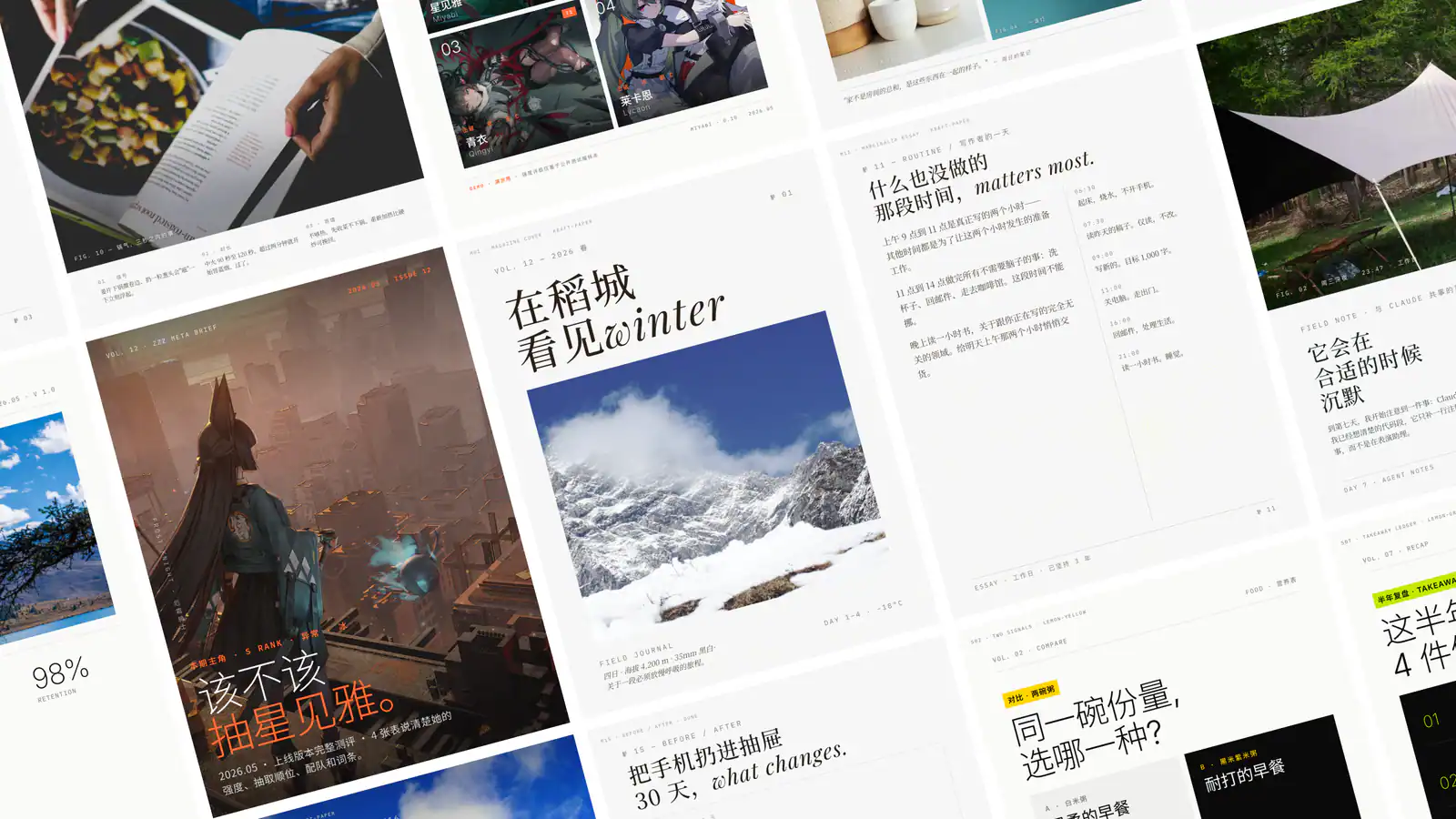
Guizang Social Cards
Create Guizang-style social cards, WeChat covers, and Live Photo layouts from supplied material.
7.5KStars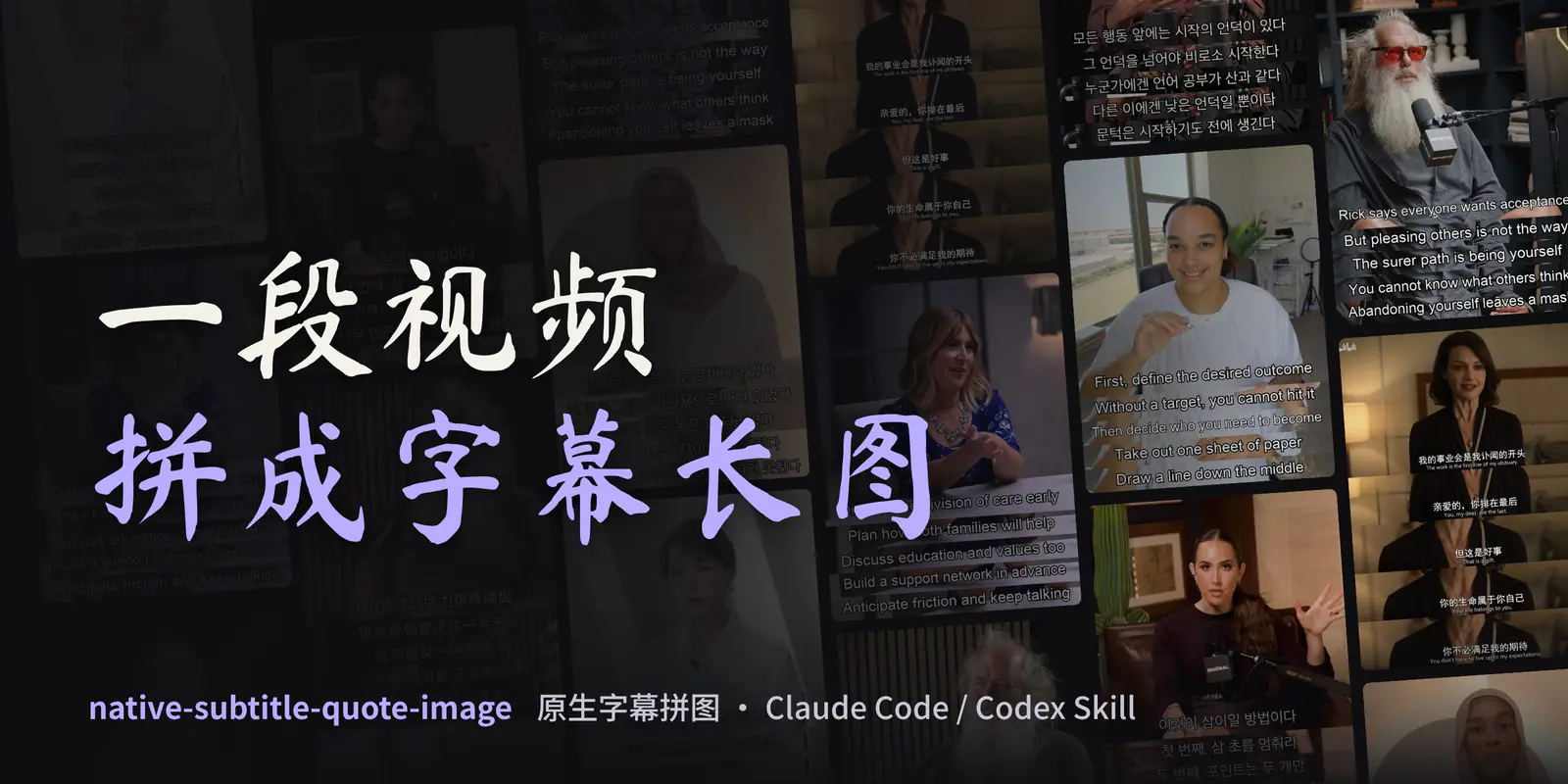
Native Subtitle Quote Image
Turn real video frames into subtitle collages. Preserve burned-in subtitle pixels, or draw reviewed dialogue in a separate script-caption workflow.
2.7KStars
Lemo-Wake
Animate a still image into a short seamless loop, or split it into PSD and PNG layers. A local Claude Code plugin by Lemomo, free for non-commercial use.
187Stars
Diagram Design
Create editorial diagrams in your brand with an AI agent. Supports architecture, flowcharts, data charts, and redraws from Mermaid, draw.io, and Excalidraw, with HTML, SVG, and PNG output.
55.9KStars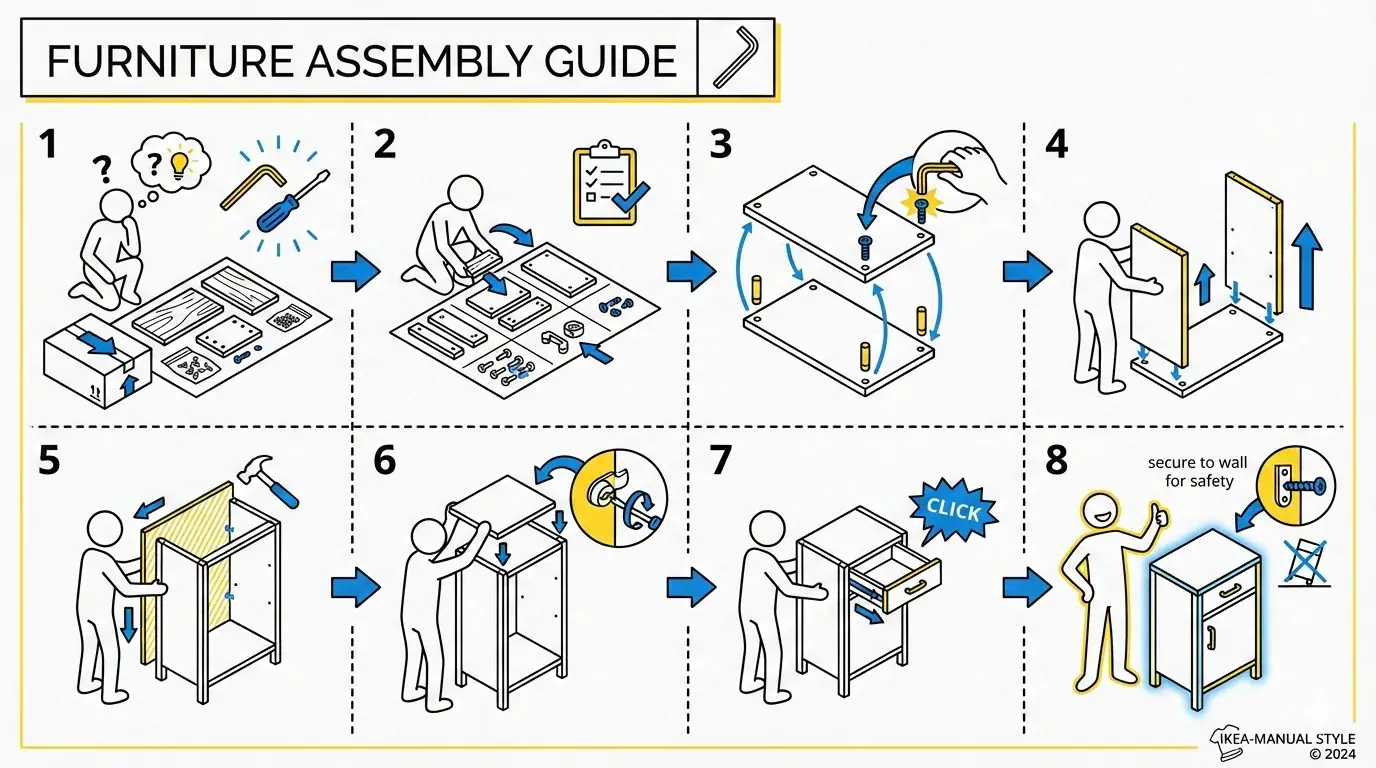
Infographic Creator
Transform source material into an infographic using selectable layouts and visual styles.
27.1KStarsChoose by use case
| Image you need | Skill | Example |
|---|---|---|
| Hand-drawn illustrations across an article | Handraw Style | Plan a coordinated set of illustrations for a knowledge article |
| Social cards or WeChat covers | Guizang Social Cards | Turn article highlights and screenshots into editorial cards and covers |
| A video quote or subtitle collage | Native Subtitle Quote Image | Turn a passage from an interview into an image with traceable timestamps |
| A looping image or separated layers | Lemo-Wake | Add a short loop to an illustration or separate its elements |
| A flowchart, architecture diagram or chart | Diagram Design | Explain steps, systems or data in a consistent brand style |
| A single knowledge infographic | Infographic Creator | Summarize a checklist, comparison or concept in one image |
1. Handraw Style: hand-drawn illustrations for an article
Handraw Style is a visual creation collection with references for hand-drawn styles, layouts and palettes, plus workflows for article illustrations, covers and posters. Give it a complete article to identify useful illustration points and plan a consistent visual style, or give it a topic for a single infographic or social card.
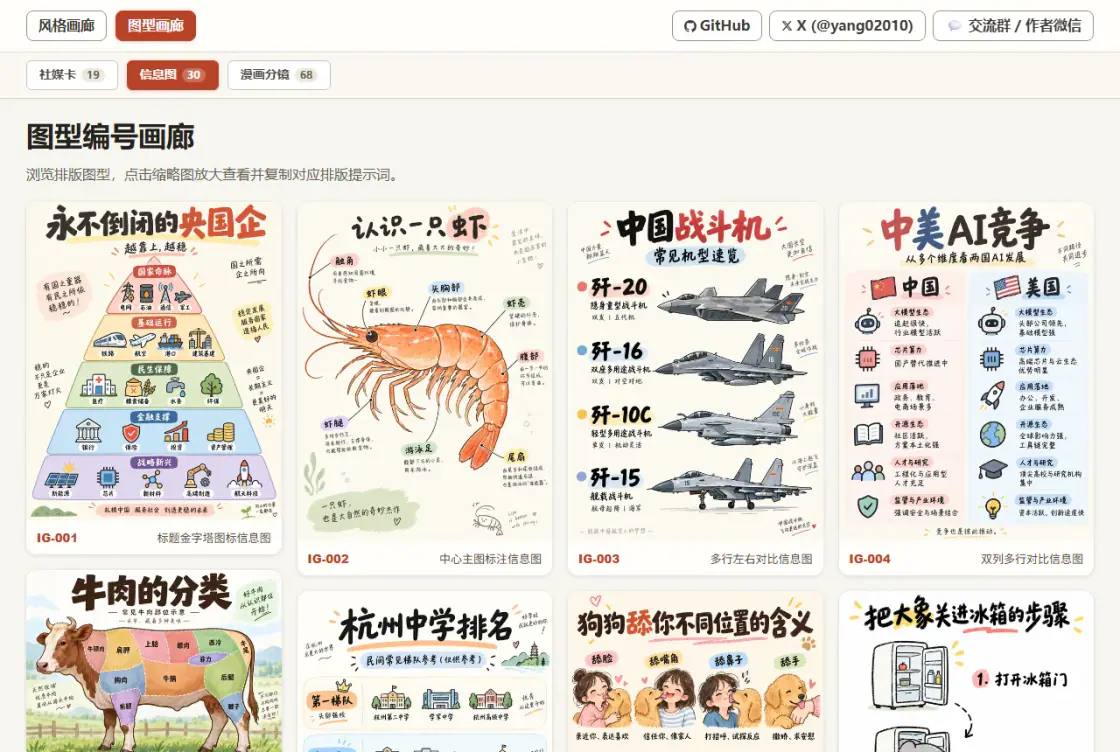
Try it: For a beginner's pour-over coffee article, plan images showing grind size, the pouring sequence and the finished cup in a consistent paper texture and palette. Supply and verify the actual coffee quantities, ratios and times.
Keep the complete repository and shared galleries when installing. It can write prompts without an image service; actual rendering needs an available image tool or model. Review the repository's attribution terms before use.
2. Guizang Social Cards: visual posts and covers
Guizang Social Cards organizes articles, product information and screenshots into Swiss-style or editorial social cards. It also supports WeChat cover pairs: a wide main cover and a square version designed together for review.
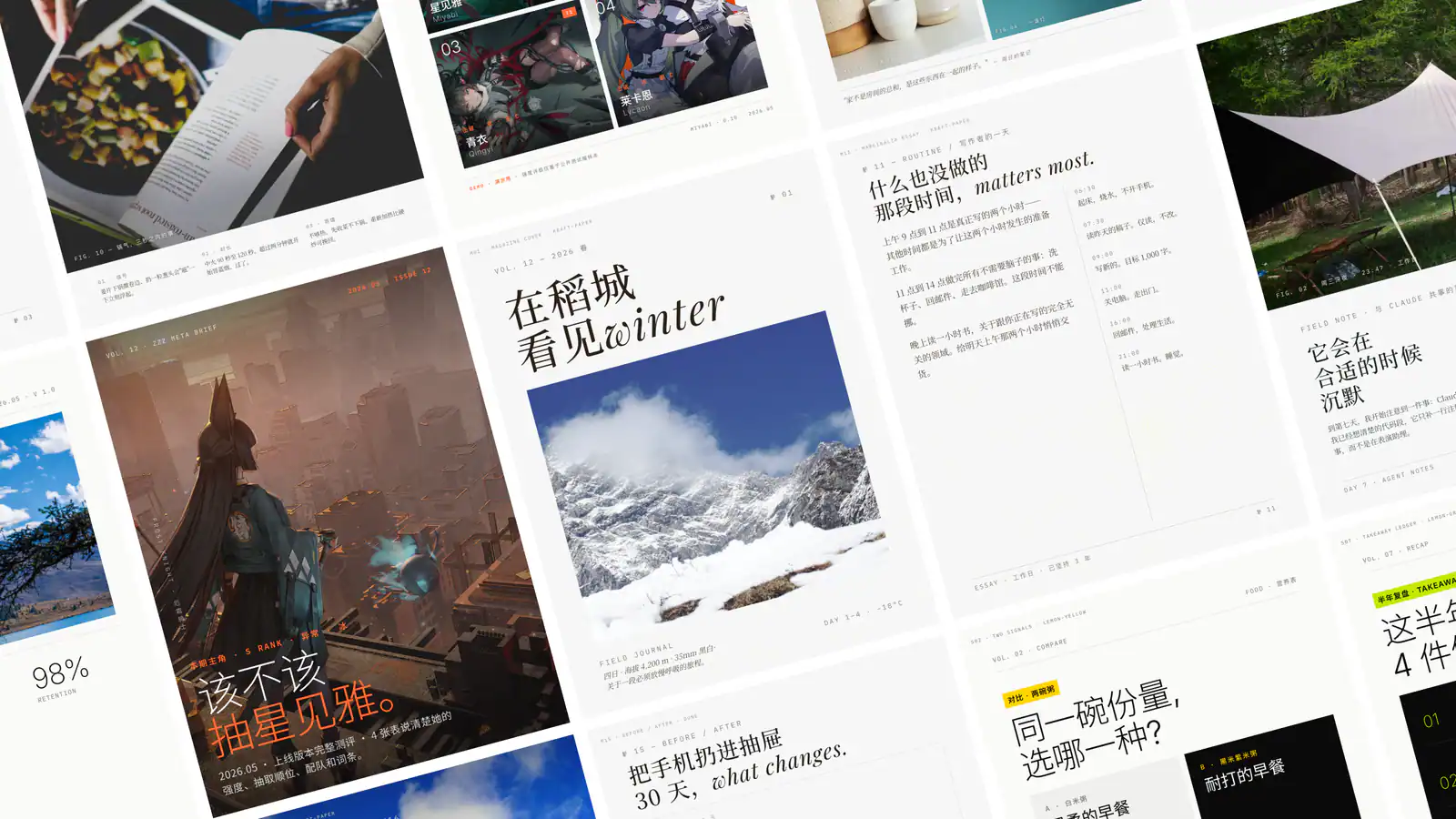
Try it: For a product update, provide real product screenshots, the article title and three key changes. Request a set of content cards and matching wide and square covers. Keep screenshots legible and do not present illustrative mockups as real product screens.
Prepare the rendering environment and source materials described by the project. Check the final crop and mobile display in the WeChat editor.
3. Native Subtitle Quote Image: make a collage from video
Native Subtitle Quote Image selects real video frames and combines key lines into an image for interviews, talks, classes and documentaries. Native mode crops subtitles already burned into the video without redrawing them. Script mode adds reviewed dialogue or translations to real frames and identifies them as captions added later. Outputs include timestamps so the source can be checked.
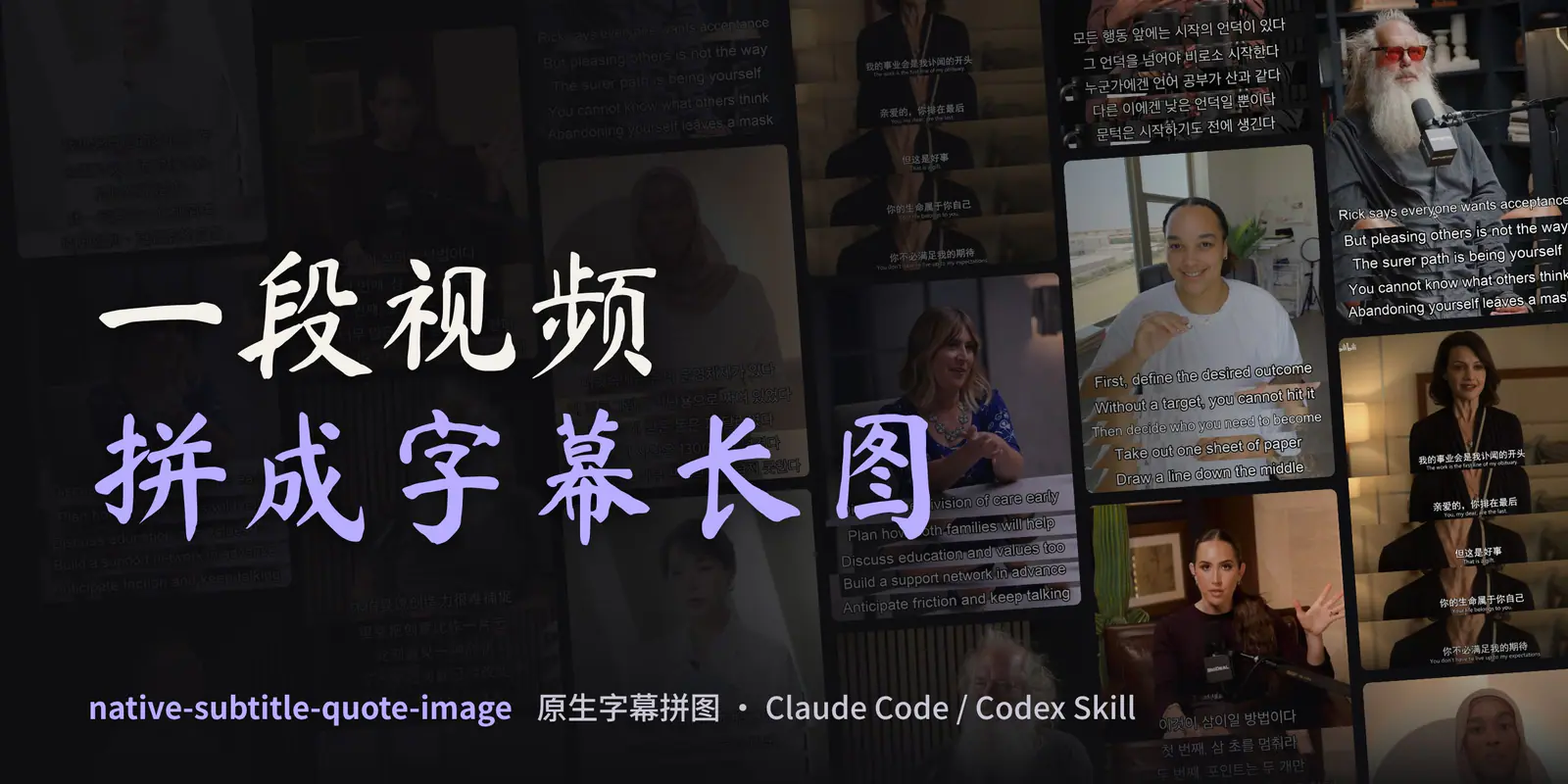
Try it: For an article quoting an interview, supply a video you have permission to use and the relevant time range. Create a hero frame with several subtitle strips, then check the speaker, order and surrounding context. Split long passages across images rather than making the text tiny.
Local processing needs Python 3.10+, Pillow and FFmpeg or imageio-ffmpeg. URL input needs additional download tools. Confirm rights to the source footage separately.
4. Lemo-Wake: animate or separate an existing image
Lemo-Wake contains two workflows: Wake makes an approximately five-second seamless loop from an existing image, and Layers separates people, objects or text into PSD and PNG layers with a placement manifest. It fits a finished illustration that needs a subtle movement or further editing.

Try it: Add a small movement or rising steam to an illustrated coffee cup and export a loop. Or separate a poster into layers for a designer to adjust. Review the loop seam, text clarity and the formats supported in the actual WeChat placement.
The author's supported host is Claude Code. Local processing requires Node.js, FFmpeg, Python dependencies and headless Chromium, among other tools. The project is CC BY-NC 4.0: attribution is required and use is non-commercial; contact the author for commercial permission.
5. Diagram Design: make relationships clear
Diagram Design creates flowcharts, architecture diagrams, timelines and data charts with a consistent brand palette and typography. Start from a written brief or redraw an existing Mermaid, draw.io or Excalidraw source. Its main output is HTML containing SVG; it also supports SVG and PNG export.

Try it: Explain an AI product workflow as “user input → model processing → human review → publication.” Split a complex subject into an overview and separate detail diagrams, then check arrows, labels and readability on a phone.
Default fonts may load from Google Fonts; request system fonts for offline use. The documented PNG export uses Python, Playwright and Chromium.
6. Infographic Creator: summarize the essentials
Infographic Creator, from Baoyu's collection, transforms source material into an infographic with selectable layouts and visual styles. It suits a step-by-step summary, a comparison or a conceptual overview inside an article or as a standalone post image.
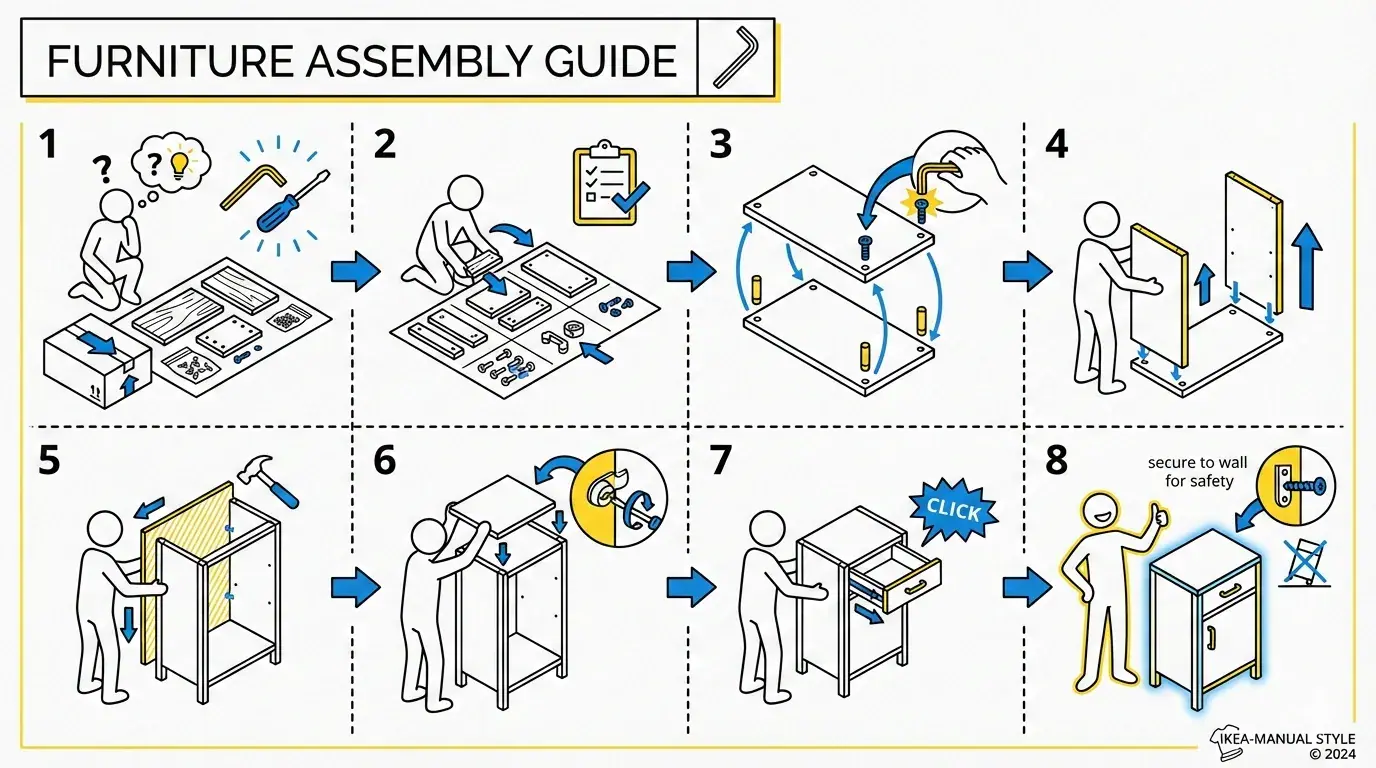
Try it: Turn a verified household emergency guide into three columns: preparation, response and follow-up. Supply the source text and exact figures, identify what must be retained, and check every generated label against the original.
Rendering requires an available image tool or supported service; permissions and costs depend on the provider. Split dense information across several images when a single image would be hard to read.
Combine the tools for your article or post
An interview article might use Native Subtitle Quote Image for the speaker's real frames and lines, Diagram Design for a process mentioned in the interview, and Guizang for the cover. A knowledge article or standalone post might use Handraw Style for a consistent illustration style and Infographic Creator for a summary; add Lemo-Wake when a loop is useful and its licence and output format fit the intended use.
Give the agent the article, audience, intended placement, exact text to preserve and visual references. Review the proposed positions and content before rendering. Before delivery, check facts, subtitles, permissions, clarity and the phone preview.
Plan images for this WeChat article or standalone post. The audience is [reader].
I need [hand-drawn illustrations / subtitle collage / diagram / infographic / cover]
for [body placement or post], in [style or supplied visual references].
First list each image's position, purpose, content and exact text to preserve.
Do not add facts absent from the source. After the plan is approved, make the
images and check the text, source materials and readability on a phone.

[Paste article or source material]
For topic research, writing and formatting, see Skills for WeChat articles.