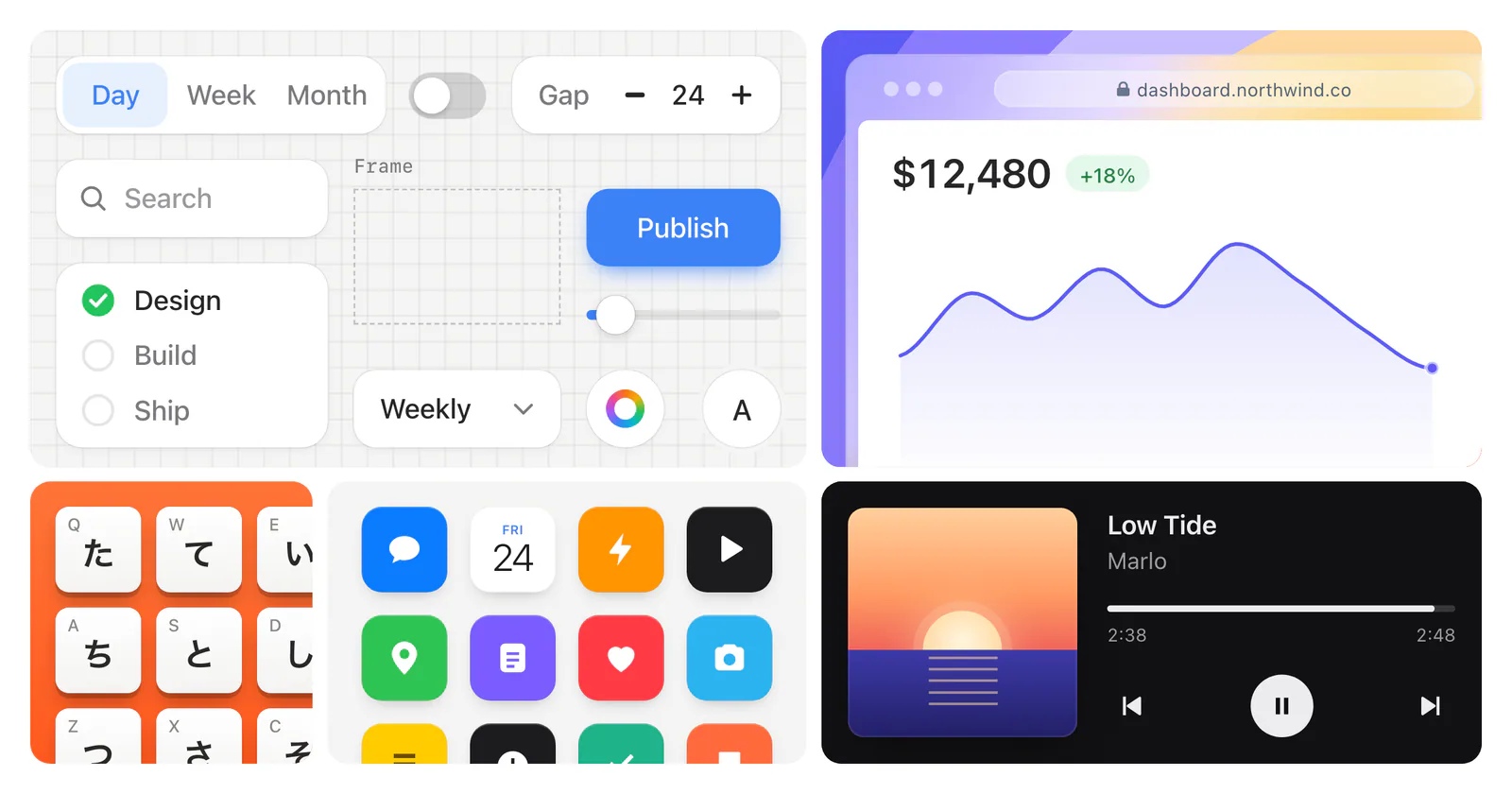
Author’s Stageshow examples: interface controls, a dashboard chart, app icons, a keyboard and a music player.
Project screenshotsAbout this Skill
Stageshow is Benji Taylor’s Skill for designing authored product illustrations in React and CSS. Start from an example, adapt the screen and visual style to the product, and use the included stage, UI components and motion tools to compose a still or a short animated story. The cursor and screen changes are scripted illustrations, not automation of a live application.
Why we picked it
A useful starting point for a landing page or feature announcement that needs to show how a product works. The author supplies a React kit and examples to adapt, plus guidance on framing and motion.
What it helps with
- Landing-page heroes and feature cards showing a dashboard, browser or phone screen.
- Short cursor walkthroughs, interface transitions and bento grids for product announcements.
- Developers and designers who want to adapt React components and examples to their product’s visual identity.
How it works
Choose the story and frame
Describe the product, where the illustration will appear, its visual identity and whether it should be still or animated.
Adapt a supplied example
Copy the closest example and kit into the React project, retaining required styles and assets; adapt its content and look.
Compose and review
Use the stage and scripted actions for a cursor story, or create a still. The author provides a preview and recording workflow for reviewing the result.
Stageshow Skill instructionsAuthor’s example playground and preview instructions
What the output is
The result is React source and styles that render an illustration or animation. A scripted click draws cursor feedback and changes scene state; it is not a recording of a live application or a tool for testing a real interface.
The supplied third-party product studies demonstrate interaction ideas. The author asks users to adapt the interaction rather than reuse another product’s identity; see the upstream asset notices.
Stageshow Skill instructionsThird-party assets and trademark notices
Before you use it
- A coding agent and a React project. The kit supports React 18 and later; copy its CSS and assets along with any example. Some components use lucide-react.
- The local example playground requires Node.js 20.19 or later and npm. Recording a scene uses playwright-core and a local Chrome installation or CHROME_PATH; the demo itself has no third-party animation runtime dependency.
- The Skill source is MIT licensed. Product names, app icons and other third-party assets have separate rights and notices; consult the upstream NOTICE before reuse.
Sources & references
Original sources are linked below. Practical starting points are editorial suggestions from SkillHey.