Best Video Skills for AI Agents, Animation and Editing
Latest update at: 2026-10-23
Video skills at a glance

video-shotcraft
Make editable product videos from real page screenshots with Claude Code or Codex. Combines shot recipes, Remotion animation, 2.5D camera moves, music sync, sound design, and a visual editing workbench.
12.1KStars
Huashu Motion
Make launch videos, motion graphics and explainers as editable HTML. Review frames in a local studio, leave targeted comments, and export with music and effects.
320Stars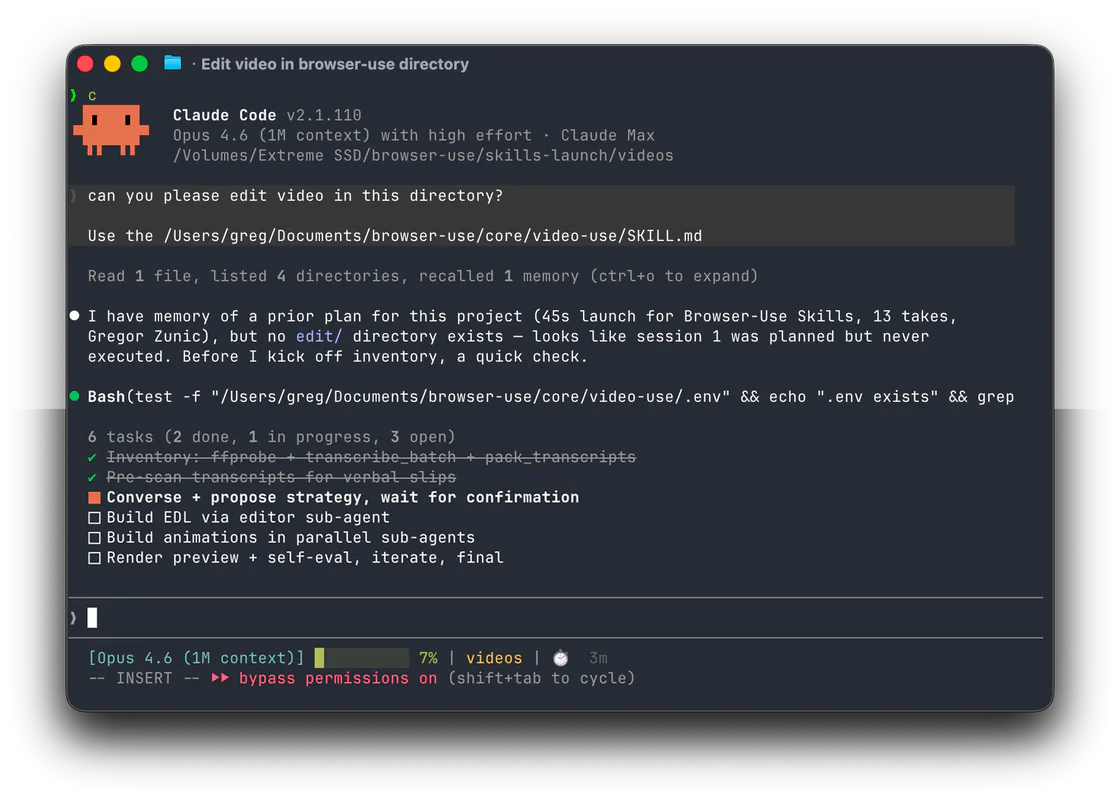
Video Use Editing and Animation
Edit existing footage through conversation or produce mathematical and technical animations with Manim.
29KStarsManimGX
Create mathematical explanations and 3D animations in Python, inspect their layout and timing, and export MP4 videos with editable scene source.
1.5KStars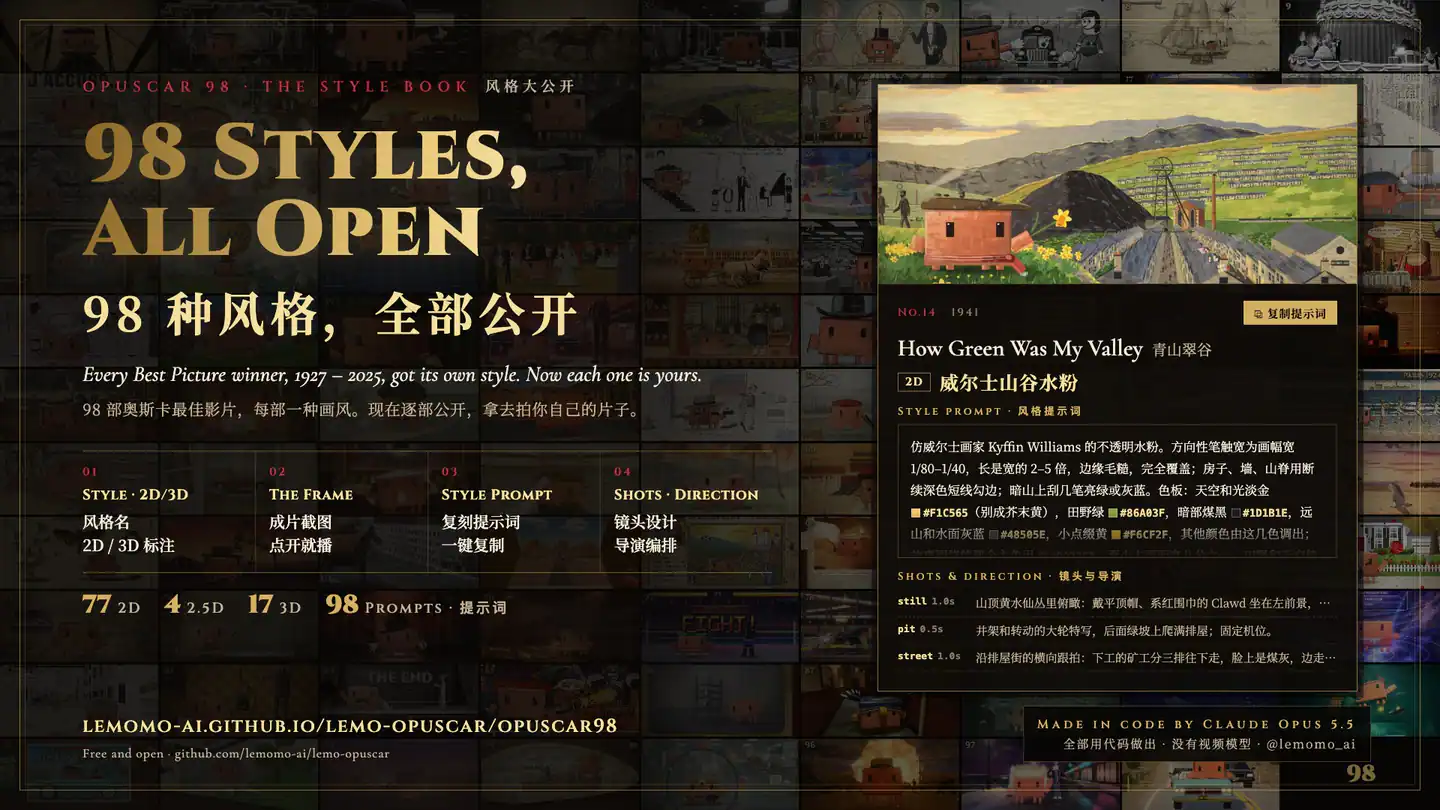
Lemo-Opuscar
Direct and render short films from code with a library of visual styles, story planning, animation, optional narration and music, and editable project delivery.
2.6KStars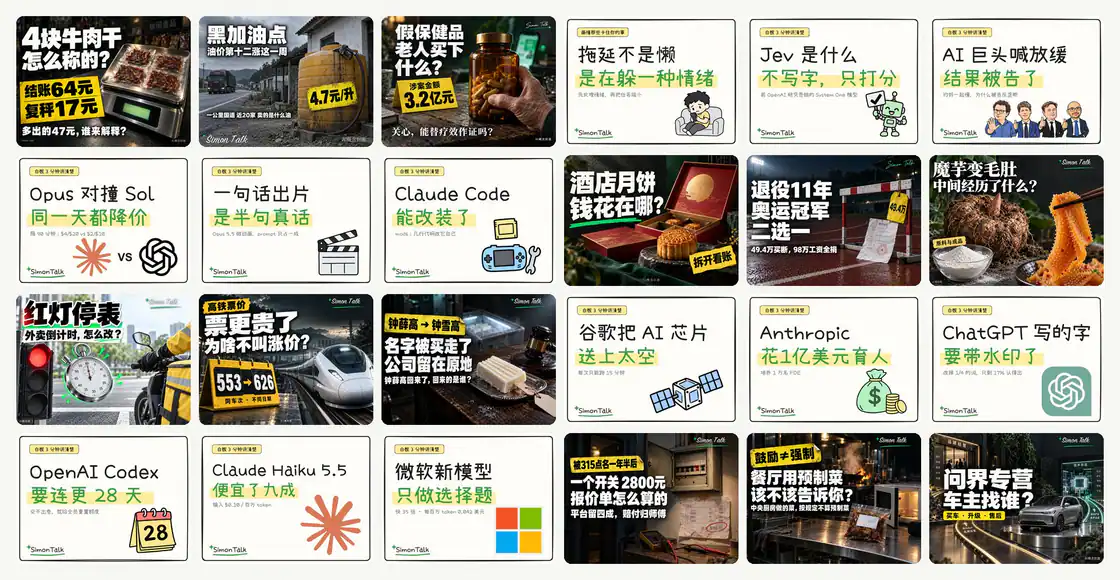
Simon Investigation Video
Create faceless business and consumer investigation videos with research records, narration, real footage, Remotion editing, subtitles, covers and platform copy.
429StarsSimon Whiteboard Video
Create hand-drawn explainer videos with animated strokes, generated stickers, narration, synchronized subtitles, configurable branding and landscape or portrait covers.
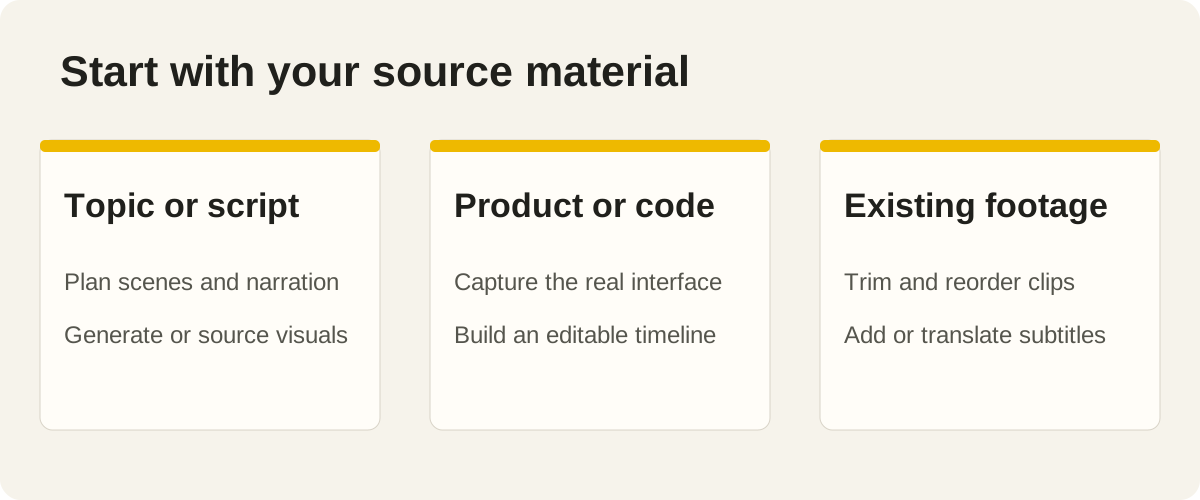
429StarsStart with the material you already have
“Make a video” can mean turning a website into a product demo, editing recorded footage, animating a mathematical explanation or drawing an explainer. The right skill depends on that starting material and the artifact you need at the end.
The skills below create or edit a rendered video as their main output. Each has a video-category listing with cover media on SkillHey. Compare the source material, editable project files and production requirements before choosing a workflow.
This guide compares the authors' documented workflows and the available SkillHey listings. It does not rank rendering speed, creative quality or cost from a shared benchmark. Sample briefs describe tasks you can try; they are not claims that every project has already produced the same example under identical conditions.
| Starting point | Candidates to inspect | Main distinction |
|---|---|---|
| A website, product or repository | video-shotcraft, Huashu Motion | Product footage and editable motion design |
| A topic or narration script | Lemo-Opuscar | Code-driven short films with a visual style |
| Existing recordings | Video Use | Editing footage into a finished sequence |
| A mathematical or technical idea | ManimGX | Reproducible scenes written in Python |
| Research or an explanation | Simon Investigation Video, Simon Whiteboard Video | Evidence-led footage or drawn explanations |
1. video-shotcraft: make a product video from real pages
video-shotcraft builds product videos around real interface screenshots. The project documentation describes shot recipes, Remotion animation, camera movement, music and an editing workbench, with editable project delivery.
Choose it when the product itself should be visible. A real workflow, important interaction and credible interface detail usually communicate more than invented dashboard screens. Supply a working route, suitable demo data and the main action you want viewers to understand.
A useful brief:
Create a short launch video for this task-management app. Show creating a project, assigning a task and seeing the result. Use real page captures, keep our branding and preserve readable UI labels. Propose the shot sequence before rendering. Deliver the movie and editable source so we can update the interface later.
Inspect the source captures before animation. Motion can emphasize a useful feature, but it cannot repair an outdated screenshot or an interface state that misrepresents the product.
2. Huashu Motion: direct motion graphics in an editable scene
Huashu Motion uses an HTML-based scene workflow for launch videos, motion graphics and explainers. Its repository describes a local review studio, targeted frame feedback and rendering with music and effects.
Consider it when you want to iterate on the composition and timing of designed scenes. A short product announcement, animated explanation or typographic sequence can benefit from being able to point to a frame and request a concrete change.
For example:
Make a product announcement using our approved copy and assets. Establish a visual direction, then preview the opening and one content-heavy scene. Leave enough reading time for the feature names. After review, export the full video with balanced audio and retain the editable scene.
Review movement and reading time as well as still frames. A composition can look excellent while paused and become difficult to follow once transitions and music are added.
3. Video Use: edit the footage you recorded
Video Use Editing and Animation starts from existing recordings and produces an edited video through an agent workflow. Its current documentation covers clip selection, transcription-driven editing, sound and optional animation overlays.
Choose it when you already have talking-head footage, interviews, tutorials or screen recordings. Tell the agent which meaning must survive the edit. A shorter timeline is only an improvement if it preserves the speaker's point and the evidence that supports it.
A useful brief:
Edit these interview recordings into a concise customer story. Preserve the speakers' meaning, remove repetition and keep source timecodes for selected quotes. Add simple lower thirds and subtitles. Preview the sequence with audio before final export and retain the edit information for revisions.
Check the current transcription and audio-service setup before starting. Review selected quotes against the original recordings, especially where edits join separate sentences or remove context.
4. ManimGX: explain an idea with reproducible animation
ManimGX is a code-driven route for mathematical and technical animation. The project documents Python scenes and MP4 rendering, with an interface related to the Manim ecosystem.
Choose it for geometry, transformations, diagrams and other explanations where spatial relationships matter. Supply the concept and the learning objective. Ask for a scene that teaches one idea clearly before adding decorative motion.
A useful brief:
Animate how a circle can be rearranged to explain its area. Keep the mathematical statements accurate, make labels readable and pause at the important transformation. Deliver the Python source and MP4, and show representative frames before the full render.
Check the current Python and rendering requirements on the machine you will use. Review formulas, camera framing and intermediate states; an attractive final frame does not establish that the animation explains the transformation correctly.
5. Lemo-Opuscar: develop a short film with a visual direction
Lemo-Opuscar combines story planning, a library of visual directions and code-driven production. The author's overview describes editable projects with optional narration and music and emphasizes the model environment used to develop its styles.
Consider it when the visual language is part of the story: an illustrated explanation, a short conceptual film or a narrative announcement. Begin with the message and audience, then choose a style that supports them.
Try:
Develop a short film explaining how our neighborhood library shares tools. Use the supplied facts and photographs. Suggest a coherent visual direction, outline the scenes and preview the opening before producing the rest. Keep the source project and document the audio assets.
Check the author's current runtime and model guidance. A shared skill format does not guarantee identical behavior or output across every model and agent. Evaluate a representative scene in your own environment.
6. Simon Investigation Video: keep research connected to the edit
Simon Investigation Video organizes research, narration, real footage, Remotion composition, subtitles and publishing assets. The published workflow is intended for evidence-led business and consumer stories.
Use it when the claims and source trail matter as much as the edit. Start with a limited question and a documented set of records. Keep facts, interpretations and unresolved questions distinguishable as the script develops.
A first task could be:
Plan an investigation into the price difference between these two subscription plans. Use our collected public records, retain links for each factual claim and identify what remains unverified. Approve the narration and footage plan before production. Keep the research log with the editable project.
This is a larger workflow than a simple captioning task. Review its shared resources, narration configuration and rendering requirements before choosing it for a quick edit.
7. Simon Whiteboard Video: build a drawn explanation
Simon Whiteboard Video creates hand-drawn explainers with animated strokes, narration, synchronized subtitles and branding. Its instructions describe a local production process with supporting shared resources.
Choose it when a drawing can reveal an idea step by step. A process, system relationship or causal explanation can work well when each visible element appears at the moment it is discussed.
A useful brief:
Explain how a household heat pump moves heat. Use a simple drawing, accurate terminology and narration that matches the sequence. Show the scene plan and representative frames, then review the complete animation with sound. Deliver the editable source, captions and final video.
Keep the diagram legible and allow time for viewers to understand each addition. Confirm the required narration and image tools in the current environment before committing to the full pipeline.
Plan the first preview before the full render
Write a brief with the audience, message, source material, target duration, aspect ratio and required output. Say whether you need an editable timeline, scene source, subtitles or only the encoded movie. Supply real branding and identify facts or visual assets that must be preserved.
Ask the agent to explain dependencies and external services before production. Rendering code, speech generation, stock media and image or video generation are separate capabilities. A workflow can be open source while some of those services require an account or payment.
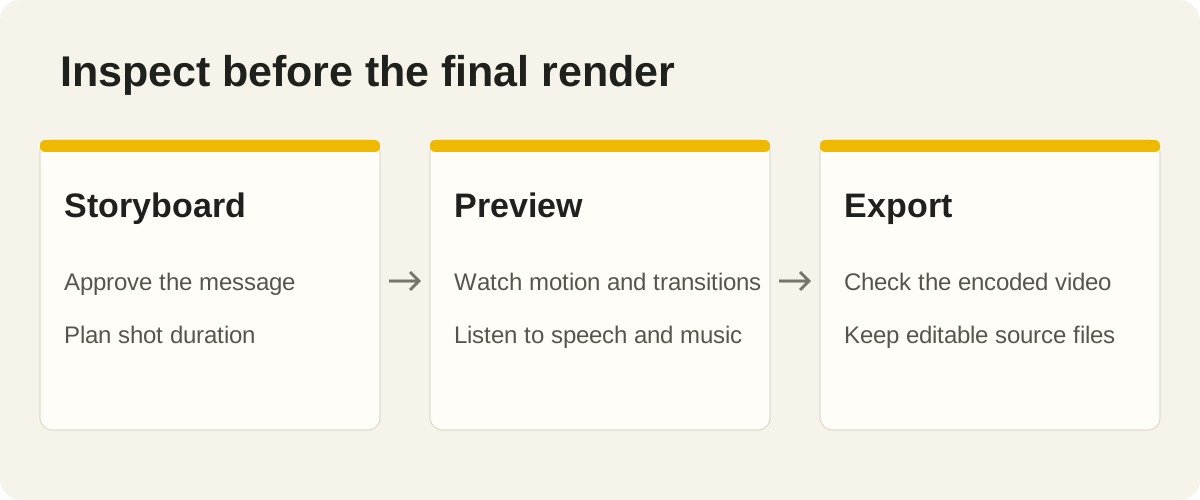
Approve a storyboard and a representative scene before a long render. Watch the opening, the densest scene and a transition with audio. Check reading time, speech, music balance and subtitle placement. Then watch the final export from beginning to end, including its opening and last frame. A screenshot cannot establish that timing or playback works.
Keep the final source, asset references and instructions for revisions. Start with the getting-started guide and the selected project's current requirements; choose a workflow you can actually run and maintain.
Frequently asked questions
Which video skill should I try first?
Choose by your source material. Start with video-shotcraft or Huashu Motion for a website, Video Use for existing footage, ManimGX for mathematical animation, or Lemo-Opuscar for a topic or script.
Do all these skills generate a finished video?
Yes. These workflows focus on rendered videos: product demos, short films, edited footage, mathematical animation or explainers. Confirm the required runtime, input assets and export format for the workflow you choose.
Which options suit a product launch video?
video-shotcraft and Huashu Motion are relevant starting points. Compare how they use your real product, the scene or timeline you can revise, and the runtime needed to produce the final video.
Do I need paid APIs?
It depends on the selected workflow and service route. Speech, transcription, generated visuals and media providers can require separate accounts or payment. Check current requirements and distinguish those costs from the open-source skill itself.
Can I revise a video after generation?
Many workflows keep editable code, scenes, timelines or subtitle files. Ask for those artifacts explicitly and try a normal revision before handoff. A final MP4 alone does not preserve the complete editing workflow.
How should I review an agent-generated video?
Watch the encoded export with sound at the intended size. Check factual accuracy, readable text, subtitle timing, transitions, audio balance and the ending. Keep source files and asset references so corrections can be made.
Choose one workflow for one short project
Select the skill whose starting material and final artifact match your task. Produce a short preview, inspect it carefully and continue only when the story and practical setup work for you.
Browse video skills, or explore our guides to presentation skills, design skills and SEO skills.