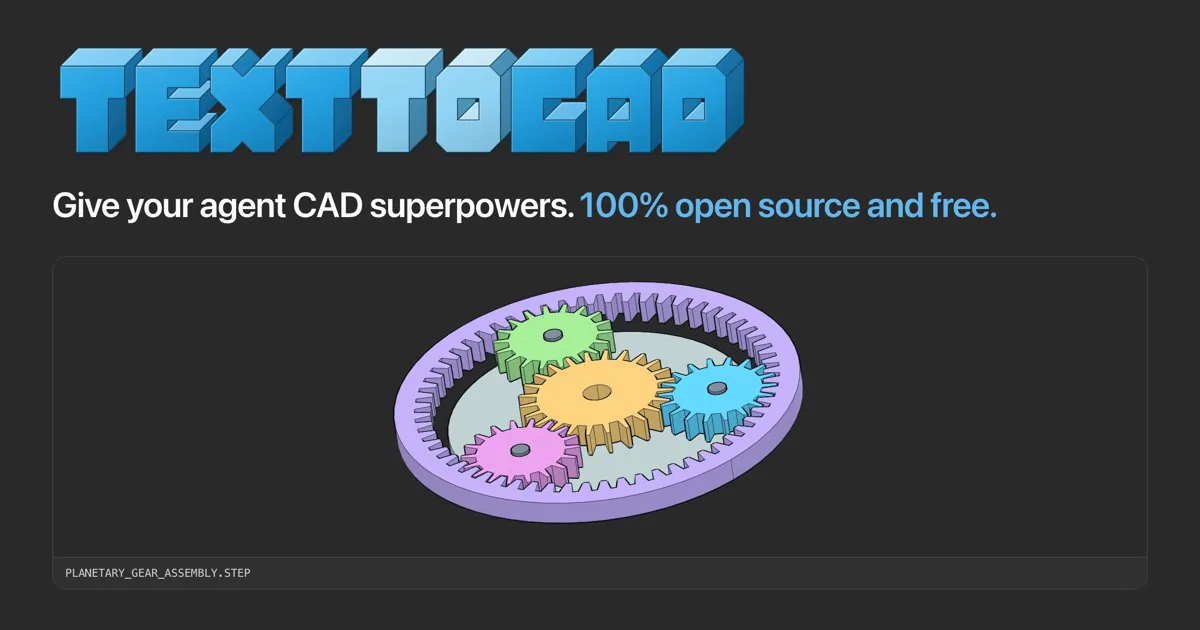
text-to-cad cover with blue lettering and a planetary gear CAD assembly.
Project screenshotsAbout this Skill
Give a compatible coding agent a local CAD workflow: create editable parametric models, inspect geometry, export manufacturing files and review results in a viewer. The library separates modeling, standard-part lookup, PDF engineering drawings, DXF layouts, robot descriptions, manufacturing reviews and printing handoff into 12 task Skills. Install the released package once, then choose the workflow that matches the required output.
Why we picked it
Useful when a CAD task spans several deliverables: start with a model, then choose drawing, manufacturing review or slicing workflows as needed. The entries describe distinct tasks within one shared installation.
Skills in this collection
12 skills- View →
CAD Modeling (text-to-cad)
Create and edit parametric parts or assemblies, export STEP/STL/3MF/GLB, and inspect saved geometry with cadgen.
- View →
STEP Parts Search (text-to-cad)
Search step.parts for standard components, compare dimensions, and download traceable STEP files with checksum verification.
- View →
Engineering Drawing (text-to-cad)
Generate dimensioned PDF engineering drawings from part geometry, with projected views, hole callouts and a title block.
- View →
DXF Drawing (text-to-cad)
Build and validate DXF profiles, gaskets, panels and cut layouts from Python sources or CAD geometry.
- View →
URDF Robot Description (text-to-cad)
Author and validate URDF robot files with explicit frames, joints, mesh units, inertials and a visual joint sweep.
- View →
SRDF MoveIt Semantics (text-to-cad)
Build and validate MoveIt SRDF planning groups, end effectors, named states and collision rules against an existing URDF.
- View →
SDF Simulation Models (text-to-cad)
Author and validate SDFormat models and worlds with explicit frames, physics, sensors and simulator handoff checks.
- View →
SendCutSend Preflight (text-to-cad)
Review DXF and STEP uploads against current SendCutSend material, thickness, cutting and finishing requirements.
- View →
DfAM Printability Check (text-to-cad)
Measure mesh wall thickness, overhangs, support volume and orientation against process-specific 3D-printing limits.
- View →
DFM Manufacturing Review (text-to-cad)
Review sheet-metal, CNC and injection-molded parts using measured evidence, process-specific rules and actionable changes.
- View →
G-code Slicing (text-to-cad)
Slice 3D models with OrcaSlicer using real printer, process and filament presets, then check the exported G-code.
- View →
Bambu Labs Print Handoff (text-to-cad)
Open print files in Bambu Connect or unsliced models in Bambu Studio for the user to select a printer and start the job.
What it helps with
- Develop a dimensioned part or assembly and keep its editable source.
- Prepare PDF drawings, DXF profiles or robot-description files from a concrete engineering task.
- Review manufacturing or printability constraints before slicing or handing files to a fabrication service.
Choose the output you need
CAD Modeling
Create and edit parametric parts or assemblies, export STEP/STL/3MF/GLB, and inspect saved geometry with cadgen.
STEP Parts Search
Search step.parts for standard components, compare dimensions, and download traceable STEP files with checksum verification.
Engineering Drawing
Generate dimensioned PDF engineering drawings from part geometry, with projected views, hole callouts and a title block.
DXF Drawing
Build and validate DXF profiles, gaskets, panels and cut layouts from Python sources or CAD geometry.
URDF Robot Description
Author and validate URDF robot files with explicit frames, joints, mesh units, inertials and a visual joint sweep.
SRDF MoveIt Semantics
Build and validate MoveIt SRDF planning groups, end effectors, named states and collision rules against an existing URDF.
SDF Simulation Models
Author and validate SDFormat models and worlds with explicit frames, physics, sensors and simulator handoff checks.
SendCutSend Preflight
Review DXF and STEP uploads against current SendCutSend material, thickness, cutting and finishing requirements.
DfAM Printability Check
Measure mesh wall thickness, overhangs, support volume and orientation against process-specific 3D-printing limits.
DFM Manufacturing Review
Review sheet-metal, CNC and injection-molded parts using measured evidence, process-specific rules and actionable changes.
G-code Slicing
Slice 3D models with OrcaSlicer using real printer, process and filament presets, then check the exported G-code.
Bambu Labs Print Handoff
Open print files in Bambu Connect or unsliced models in Bambu Studio for the user to select a printer and start the job.
Install the shared library
Use the official text-to-cad plugin for your agent, or install the complete Skill folders with the Skills CLI below. Choose one route in each app, then restart it. The plugin includes a CAD server; Skills-only installations use a browser viewer. Keep the bundled references and scripts with each entrypoint.
| Command | What it helps with |
|---|---|
npx skills add earthtojake/text-to-cad#latest | Install the released Skill library; the CLI asks which agents and installation scope to use. |
Official plugin options
Claude Code, Codex, Cursor, Gemini and Grok have documented plugin or extension routes. A plugin includes the viewer server; do not install a second Skills-only copy in the same app. The commands below use the released latest branch.
| Command | What it helps with |
|---|---|
uv --version | Check the shared runtime prerequisite. |
claude plugin marketplace add earthtojake/text-to-cad#latest | Claude Code: add the official marketplace, then run the next command. |
claude plugin install text-to-cad@earthtojake | Claude Code: install the plugin and restart the app. |
codex plugin marketplace add earthtojake/text-to-cad --ref latest | Codex: add the official marketplace, then run the next command. |
codex plugin add text-to-cad@earthtojake | Codex: install the plugin and restart the app. |
Start with one dimensioned part
Send the brief
Use your actual dimensions and intended output. The agent should record any missing assumptions before building.
Create a 40 × 20 × 6 mm mounting plate with two 4 mm through holes 24 mm apart. Keep editable parameters, export STEP and STL, and verify the saved files.Review the files
Check the editable model, saved STEP/STL and the requested dimensions, then review a snapshot and viewer result. Choose Engineering Drawing or a manufacturing review only when that is the next deliverable.
Runtime and review boundaries
Most CAD workflows run locally with uv and the cadgen version pinned by the installed Skill. Standard-part lookup and supplier checks need their documented online sources. Optional simulator and printing applications are separate dependencies.
The upstream runtime enables usage statistics and crash reports by default. Its README documents the collected fields and the opt-out command: uvx cadgen telemetry off.
Geometry validation does not prove manufacturability, motion planning or simulator behavior. Each workflow reports its actual checks and remaining gaps. Print handoff opens the official app; the user selects the printer and starts the job.
Before you use it
- Install uv and allow the first runtime download. CAD commands use the Python and cadgen version pinned by the installed Skill; snapshots also download a browser on first use.
- OrcaSlicer, MoveIt/Gazebo, Bambu apps, mesh-analysis dependencies or live supplier sources are required only for the workflows that use them.
- The code is MIT-licensed; agent usage, hardware, materials and fabrication services have their own costs.
Supported agents
Frequently asked questions
Are these 12 independent installations?
They are distinct task entrypoints in one upstream library. The plugin or Skills CLI installs the shared package, including references and helpers. Separate directory listings do not imply standalone dependencies.
Can it start a 3D print automatically?
The G-code Skill slices files without contacting a printer. Bambu Labs opens the official desktop app so the user can confirm settings and start the print.
Which version should I install?
The author recommends the latest release branch. The installed Skill pins its matching cadgen runtime; follow that copy for the current interface and update using the official README.
Sources & references
Original sources are linked below. Practical starting points are editorial suggestions from SkillHey.



